
Before Worksection, I tested a lot of programs and task managers, such as Jira and Bitrix. I felt that everything was fine, but something was missing. There were separate pieces, but they weren’t connected to each other.
By the way, designers are an excellent indicator of the usability of a task manager. It was complicated for the team in Jira. And if it’s complicated, people simply don’t want to do anything.
How did you find out about Worksection?
I learned about Worksection in 2013. I was invited to the TV channel “1+1” as the head of the channel’s design structure, and there was a task:
To create a structure and control the resource of designers. When you have 2 people under your supervision, it’s very easy to control the resource. But when you have a team of 13 people, it’s much more complicated to understand “who is busy with what.”
There’s no time to stand over everyone. But it’s important to understand whether there is enough resource in the team and how to use it effectively. Inefficient use of the resource means that one person is overloaded with tasks while another is doing nothing or is left with minimal load.
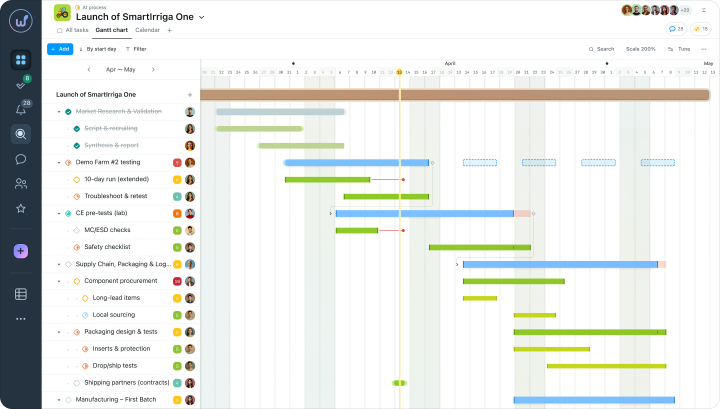
During the analysis and formation of tasks, I realized that a system was needed. At that time, I already knew about Microsoft Project. I started building a Gantt chart (calendar-scheduling plan) in Microsoft Project and realized that it was not suitable because it was only convenient for me, not for the entire team. I started looking for something cloud-based.
I considered Jira, Bitrix, and 4 or 5 other options. I spent two weeks just searching and testing.
I stumbled upon Worksection. I didn’t know at the time that this was our “Kyiv” product. I registered, clicked around, and checked whether it was convenient or not. Worksection turned out to be extremely convenient and intuitive for me. It was clear: there was a breakdown by projects, the ability to plan, and a Gantt chart.
In 2013, we joined Worksection with a team of 13 designers from the “1+1” TV channel studio. By the way, they still use Worksection.
Designers are very picky. So, if they have stayed with Worksection, it means that it’s convenient and time-tested.
When you started working at STB, did you also use Worksection?
Yes, when I worked as the art director at the STB TV channel, we used Worksection for a while. I worked at the channel for 11 years. Many react with: “No way!”. And I respond: “I’ve survived 20 battles of psychics, and I’ll survive you.”
When the STB team grew larger, for a while we “attached” requests to 1C that designers had to fill out. It was a painful experience. In the end, we realized that it didn’t work.
In 2017, I was given the department to run and the first thing that came to mind for task management was Worksection. I already knew that Worksection was a “workhorse” that would immediately address many tasks. We began to actively work in Worksection.
I monitored to see if something new had appeared during the time we weren’t using Worksection as a team. But I didn’t find anything, and existing task managers had not evolved.
Then, in 2017, there were changes at the channel (to scale departments) and we turned out to be the only structure within the Star Light Media holding that could provide clear and understandable reporting on completed work thanks to Worksection.
Thanks to Worksection, we had clear and transparent reporting: this number of tasks and this number of people should be in the structure.
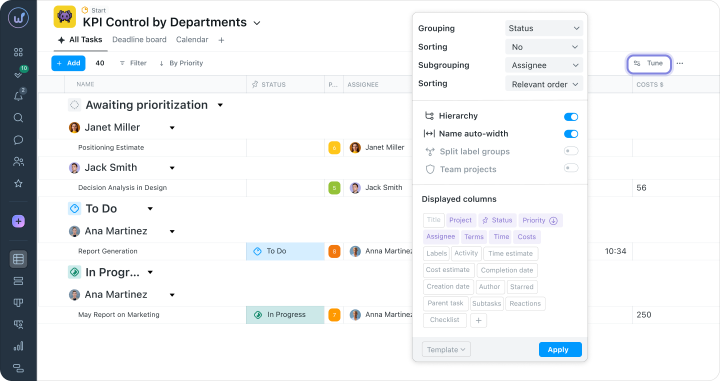
In the task manager, you can see, for example, which employees have free resources for new tasks. Employees can also be grouped into a team based on this principle. It’s important to understand how to use the resource effectively.
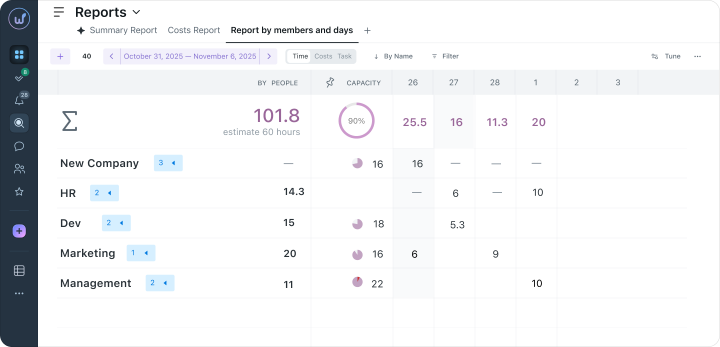
For example, if a project is approved longer than the planned two days, the Gantt chart of this project and all others will also shift.
Do you usually work with template projects or new ones?
Most often — template projects. You understand the sequence of actions. Inside the project, everything can vary depending on the chosen technology. It’s either just filming or 3D development, which brings up extra ideas to implement.
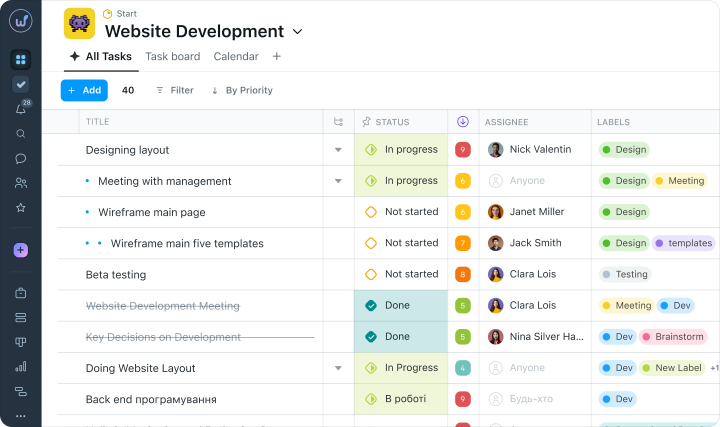
For example, in the “Bachelor” project: in one of the seasons, we added clouds to the graphics, and it was important for the clouds to react to letters passing through them. This created a new idea for implementation and a new project.
Do you track time in Worksection?
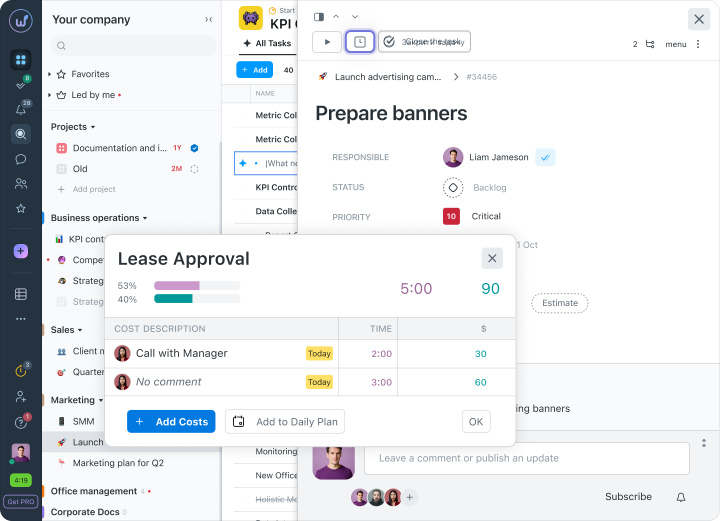
We don’t start a timer, but we specify the time spent on work.
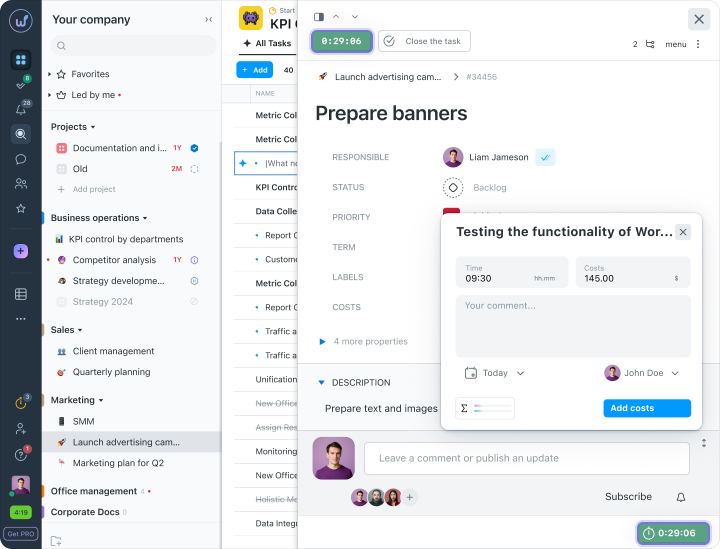
For example, the art director sets a task and says: “You have two days for this.” The assignee closes the task and logs the time spent on the work. Did you finish in two days? They noted sixteen hours. Every extra hour is also accounted for.
Do you work with clients in Worksection?
In TV, working with clients looks like this: a brief comes in by email or a messenger. The Project Manager reviews it and hands it over to the Art Director. Then the Art Director, if necessary, asks for more information.
We upload the ready brief into Worksection and create a task for it. Designers have little interaction with the task manager. It’s mostly PMs and administrators.
In TV, there are eternal “fires.” For example, an urgent task comes in for today. This means that someone simply didn’t do it the day before yesterday. The task manager helps minimize the number of such “fires.”
For example, it’s easy to forget about small internal tasks, but it’s important not to miss tasks for serious projects.
How was the onboarding process for the system?
We explain to everyone who comes to our team:
Worksection is our corporate control system. We communicate here, create projects, and quickly resolve work issues.
In addition, we have a structure for “foldering” and naming files. We ask all employees to adhere to this structure. There is an administrator who organizes Worksection and ensures that tasks are named correctly (and can be easily found).
We have our own terminology. We also use tags to understand where the task “came from” and how much resource each specific task requires from the team.
What do you like about Worksection?
When I first started using it, a must-have was the Gantt chart. Visually, it’s clear to me: who is involved in which tasks. In Worksection, you understand how to use the resource effectively and why a specific number of people is required to complete a task.
When you go through your own boot camp and analyze other systems, you realize: it seems that all the functionality is there, but it’s inconvenient. In Worksection, everything is convenient and clear. You quickly find the necessary functionality.
When all tasks are logged in the task manager, the value of, for example, those same 10 employees who perform these tasks becomes clear. This means that the question “Why do we need 10 people when we can leave 3?” no longer arises. Logging tasks and the time spent answers that question.
Worksection is a story about the management of one large team. Employees intersect in different tasks. In some tasks, five people are involved, while in others, there are two. Worksection is about the effectiveness of each individual in the team.