Odoo combines CRM, sales, accounting, procurement, inventory, manufacturing, projects, HR, marketing, eCommerce, and other business applications into one modular ecosystem. A company can start with one application and gradually connect new processes without changing the platform.
However, alternatives to Odoo are sought not because the idea of modular ERP doesn’t work. Some companies need a simpler open-source product, others require a mature local accounting solution, a Microsoft ecosystem, corporate finance, minimal programming customization, or a predictable implementation model. Sometimes, businesses don’t need an ERP at all: CRM, tasks, and management of service projects are sufficient. Therefore, Odoo alternatives should be evaluated based on business processes, localization, partner work costs, and the ability of the team to support the system after launch.
The selection includes Worksection, ERPNext, Zoho One, Microsoft Dynamics 365 Business Central, NetSuite, SAP Business One, Dolibarr, Bitrix24, Acumatica, and Axelor. Worksection is listed first only as a specialized alternative for project and team work management. It does not handle accounting, inventory, procurement, manufacturing, or full-scale CRM, and should not be seen as a replacement for Odoo ERP.
Odoo Alternatives in 30 Seconds
- Worksection — for project and service teams that need tasks, deadlines, Gantt charts, time tracking, expenses, and reports without full ERP.
- ERPNext — the closest open-source alternative with finance, CRM, inventory, manufacturing, HR, and projects.
- Zoho One — for companies needing a broad suite of cloud business applications with CRM, finance, HR, communications, and automation.
- Microsoft Dynamics 365 Business Central — for SMBs in the Microsoft ecosystem with finance, sales, procurement, inventory, and manufacturing.
- NetSuite — for growing companies and international businesses needing cloud ERP, multi-entity finance, inventory management, and SuiteCloud.
- SAP Business One — for small and medium enterprises with strong accounting, procurement, inventory, sales, and partner ecosystem.
- Dolibarr — for companies needing a simpler open-source ERP/CRM with selective module activation.
- Bitrix24 — for CRM, communication, tasks, contact center, and basic inventory management without the depth of classic ERP.
- Acumatica — for companies that value cloud ERP, unlimited users, and pricing based on applications and consumption rather than per seat.
- Axelor — for open-source ERP with automation of complex processes and minimal programming.
If you need the closest open-source replacement, start with ERPNext. For a SaaS application suite, compare Zoho One. For a Microsoft infrastructure — Business Central. For international financial consolidation — NetSuite. For a manufacturing or trading company with partner implementation — SAP Business One, Acumatica, or Axelor. Worksection is rational only when the Odoo issue is limited to project management.
What is Odoo and Who Is It For?
Odoo is a modular ERP/CRM platform with a Community version that is open-source and a commercial Enterprise version. The product covers sales, accounting, invoicing, inventory management, procurement, manufacturing, point of sale, eCommerce, marketing, HR, support, field service, and projects.
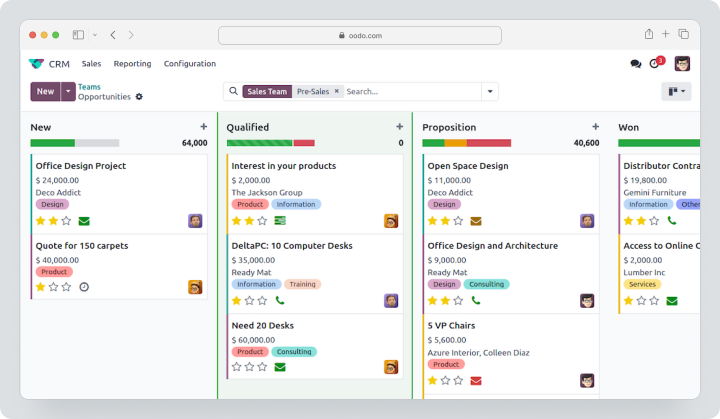
The One App Free plan allows the use of one application with dependent modules for an unlimited number of users. The Standard plan provides all official applications in Odoo Online. The Custom plan adds Odoo Studio, multi-company work, external API, and hosting options for Odoo Online, Odoo.sh, or on-premises server. The costs for Standard and Custom depend on the country, currency, payment period, and first-year discounts, so they should be checked in the local configurator directly before purchase. Previously mentioned amounts are €14.80 and €22.40.
Odoo is suitable for companies that are ready to design a unified workflow and manage dependencies between modules. The more processes are integrated, the more critical the quality of implementation by the partner, master data, localization, testing, and change management becomes.
Why Are Companies Looking for Alternatives to Odoo?
Implementation Becomes More Complex than Licensing
The subscription itself may seem affordable, but the real cost includes process analysis, setup, migration, development, integrations, training, and support. With a significant number of customizations, updates require additional testing.
A Different Open Source Model is Needed
ERPNext, Dolibarr, and Axelor also offer an open-source foundation but differ in architecture, module sets, and ecosystems. A company may prefer simpler code, another stack, a different approach with minimal coding or hosting without a license per user.
Local Accounting is Necessary
Having an accounting module does not guarantee compliance with local taxes, reports, electronic invoices, banking formats, and audits. Before making a choice, it is essential to check not the general product page, but the specific localization and partner in your country.
A Mature Corporate Ecosystem is Important
Business Central is closely tied with Microsoft 365, Power Platform, and Azure. NetSuite is linked with Oracle and SuiteCloud. SAP Business One connects with SAP partners and industry add-ons. Acumatica works with its own editions and add-on catalog.
A Company Does Not Need Complete ERP
A service agency may only need CRM, projects, time tracking, and reports. In this case, Zoho One, Bitrix24, or a CRM bundle with Worksection may be simpler and cheaper than implementing warehouse and manufacturing solutions that no one is using.
A Different Pricing Model is Required
Odoo calculates commercial plans based on users. ERPNext and Dolibarr can be self-hosted. Acumatica does not charge for every user, but considers applications, consumption, and the hosting option. Bitrix24 uses fixed packages with user limits.
How Did We Choose and Compare Services?
Process Coverage
We checked CRM, sales, accounting, purchasing, inventory, production, projects, HR, and services. The presence of a module does not mean the same depth, localization, and industry readiness.
Finance and Localization
We compared the general ledger, accounts payable and receivable, taxes, consolidation, multi-currency support, bank reconciliation, local reports, and electronic invoices. This criterion needs to be verified for the specific country.
Inventory and Production
We considered warehouses, batches, serial numbers, stock replenishment, MRP, material specifications, routing, quality control, and shop floor operations. Bitrix24, for example, has inventory management but does not match a manufacturing ERP.
Projects and Service Work
We evaluated tasks, time tracking, project financial accounting, profitability, field service, support, and billing. Worksection excels in project execution but does not cover ERP processes.
Customization and API
We examined low-code tools, source code, external API, webhooks, extensions, application catalogs, and the impact of customization on updates.
Implementation and Total Cost of Ownership
We considered subscription, hosting, implementation, partner working hours, data migration, integrations, training, support, updates, and internal administration.
Checklist Before Choosing an Alternative to Odoo
Create a process map before the demonstration. Don’t start with the question “what modules are available” until user actions and documents the system needs to create are recorded.
Check:
- which legal entities, currencies, and countries are being used;
- which local accounting and tax reports are mandatory;
- how many warehouses, storage locations, and production sites are required;
- whether MRP, quality control, service, or just inventory accounting is needed;
- which CRM, eCommerce, and banking systems are already in use;
- whether source code and self-hosting are required;
- who will support modifications after implementation;
- whether API is available in the chosen plan;
- how the system updates and tests extensions;
- whether core data, transactions, and attachments can be exported;
- how much partner services and annual support cost.
ERP should be tested not on a nice dashboard, but on the full process: lead → commercial proposal → order → purchasing/production → delivery → invoice → payment → management report.
Unified ERP or a set of specialized systems?
Odoo is attractive with the idea of one platform, but not every company needs a single product for all processes. Sometimes it’s more advantageous to maintain a strong accounting system, a separate CRM, a warehouse system, and Worksection for projects. This approach with a set of specialized systems reduces the complexity of a single migration, but increases the requirements for integrations and master data.
A unified ERP makes sense when processes are closely linked. Sales should reserve products, trigger purchasing or production, generate delivery, invoicing, and financial entries without re-entering data. In such cases, disparate systems create errors and delays.
A combination of specialized tools is suitable when:
- the company already has a reliable local accounting system;
- the warehouse or production is not a central process;
- departments need different speeds of change;
- replacing one module shouldn’t halt the entire business;
- integrations can be maintained through APIs or middleware.
Before choosing, define the primary accounting system for clients, products, prices, stock, finances, and projects. One object shouldn’t be independently editable in three systems. Integration must relay changes according to agreed rules and preserve identifiers for reconciliation.
How to organize an ERP pilot?
ERP cannot be fully tested only on demo data. Prepare a depersonalized dataset of real clients, suppliers, products, invoices, inventory balances, orders, and production specifications. Choose one end-to-end process and execute it from start to accounting result.
For a trading company, this might be:
- lead and commercial proposal;
- sales order;
- purchase of missing product;
- receiving into stock;
- shipping;
- invoice and payment;
- return or credit note;
- margin and stock report.
For manufacturing, add material specifications, routing, material issuance, production tasks, quality checks, and acceptance of finished products. For a service company — projects, hours, expenses, invoices, and profitability.
The pilot should demonstrate not only the standard scenario but also exceptions: partial delivery, price change, order cancellation, returns, negative balance, tax errors, and period locking. It’s the exceptions that define the real workload on accounting and the operational team.
Document acceptance criteria in advance: accuracy of entries, speed of operations, number of manual steps, possibility of corrections, change logs, and exports. After the pilot, evaluate not only the product but the partner as well: quality of documentation, response speed, understanding of localization, and willingness to explain limitations. Ask the partner to prepare a project solution, a list of enhancements, risk assessments, and rules for updating refined modules. Without such documentation, the company quickly becomes dependent on specific developers and cannot forecast the cost of the next release.
Separately agree on data and process owners from the business side: who approves the chart of accounts, product catalog, tax rules, warehouse structure, and access rights. An ERP project cannot be entirely handed over to a contractor, as the internal team is responsible for the accuracy of the operational model. Appoint process owners before setting up and keep them involved post-launch, during updates, onboarding new modules, changes in legislation, and expansion into new countries and additional regions.
Best alternatives to Odoo in 2026
Worksection
Worksection is a specialized project and task management system. It suits a company that considered Odoo for project management, deadlines, time tracking, and reporting but does not require a shared accounting, inventory, or manufacturing base.
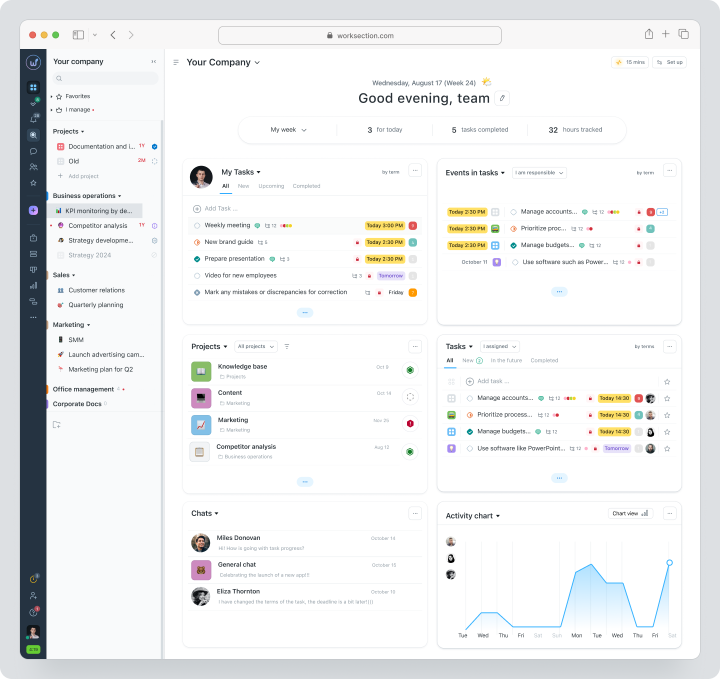
The team creates projects, tasks, and subtasks, assigns responsibilities, deadlines, and priorities. Available on Business are Gantt charts, dependencies, time tracking, expenses, and guest access. Reports help analyze plan vs. fact and workload.
Pricing, verified on August 12, 2026: Free for up to 5 users and 2 projects. Monthly payment for Basic is $5, Business is $10, and Premium is $15 per user per month.
| Fact | Value |
|---|---|
| Price | Free for up to 5 users and 2 projects; Basic $5, Business $10, Premium $15 per user per month for monthly payments |
| Free / trial period | There is a permanent Free option |
| Pricing model | Per active user; annual payment for listed prices |
| Verified | August 3, 2026 |
Key Features
- task planner, projects and subtasks;
- deadlines, responsibilities, and statuses;
- kanban, calendar, and Gantt chart;
- time tracking, expenses and reports;
- roles and guest access;
- API and integrations.
Main Difference from Odoo
Odoo integrates business processes into an ERP system. Worksection focuses solely on project execution and does not aim to handle accounting, inventory, or manufacturing.
Advantages
- quick implementation;
- user-friendly interface;
- strong project reporting.
Limitations
- no CRM funnel at the ERP/CRM level;
- no accounting and inventory;
- no procurement and manufacturing.
Who It’s Suitable For
Agencies, consulting firms, marketing, IT, and service teams.
ERPNext
ERPNext is an open-source ERP on the Frappé Framework that includes accounting, CRM, sales, purchasing, inventory, manufacturing, HR, projects, assets, and a website.
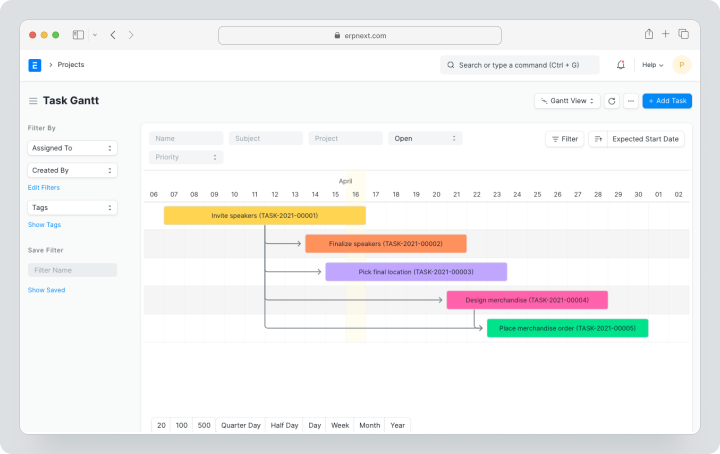
The software can be self-hosted without a per-user license. For managed hosting, Frappé Cloud offers plans starting at around $14 per month, depending on resources rather than the number of users.
Pricing, verified on August 3, 2026: Self-hosted open-source version without a per-user license; Frappé Cloud starting at around $14 per month depending on resources
| Fact | Value |
|---|---|
| Price | Self-hosted open-source version without a per-user license; Frappé Cloud starting at around $14 per month depending on resources |
| Free / trial period | Community and self-hosting are free |
| Pricing model | Based on hosting resources rather than the number of users |
| Verified | August 3, 2026 |
Key Features
- accounting and taxes;
- CRM, sales, and purchasing;
- inventory tracking and warehouses;
- manufacturing and quality control;
- HR and payroll;
- projects and time sheets;
- forms, workflows, and API.
Main Difference from Odoo
ERPNext offers a more straightforward open-source model without a per-user commercial license but has a smaller global partner and app ecosystem.
Advantages
- open-source;
- no per-user fee for self-hosting/Frappé Cloud;
- extensive ERP suite.
Limitations
- implementation and localization require specialists;
- fewer ready-made industry applications;
- self-hosting creates a technical burden.
Who It’s Suitable For
SMBs with a technical team or a strong ERPNext partner.
Zoho One
Zoho One is a package of over 45 cloud applications for CRM, marketing, finance, HR, support, collaboration, analytics, and automation with minimal coding.
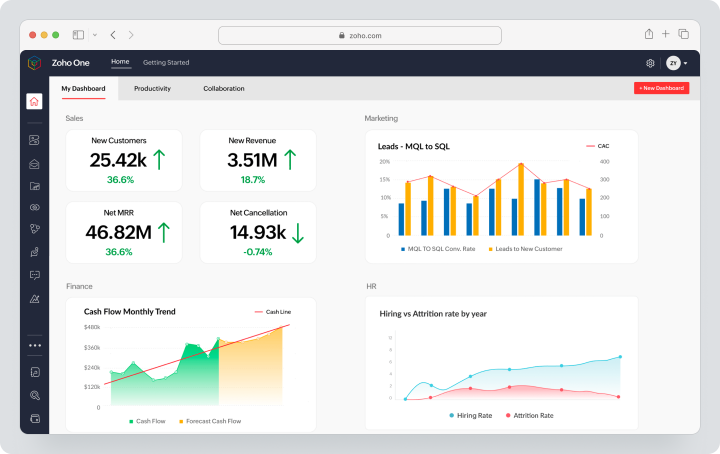
Pricing, verified on August 12, 2026: All Employee Pricing is $45 per employee per month with monthly billing and requires licensing for all employees. Flexible User Pricing allows purchasing only the needed licenses at $105 per user per month with monthly billing. Trial period is 30 days with no credit card required.
| Fact | Value |
|---|---|
| Price | All Employee $45 per employee per month; Flexible User $105 per user per month with monthly billing |
| Free / Trial Period | 30-day trial without a card |
| Pricing Model | All employees or selective licenses |
| Verified | August 3, 2026 |
Key Features
- Zoho CRM and marketing apps;
- Books, Invoice, Inventory, and Expense;
- Projects, Desk, and Assist;
- People, Recruit, and Payroll in supported countries;
- Creator and Flow;
- Analytics, WorkDrive, and communication tools.
Main Difference from Odoo
Zoho One is a suite of interconnected SaaS applications, not a single modular ERP with a shared architecture for all transactions.
Advantages
- a wide range of cloud applications;
- strong CRM and collaboration;
- 30-day trial period.
Limitations
- applications differ in interface and depth of integration;
- All Employee model requires licensing for all;
- manufacturing is weaker than in specialized ERP.
Who It’s Suitable For
SMBs looking for a cloud-based business operation system without their own hosting.
Microsoft Dynamics 365 Business Central
Microsoft Dynamics 365 Business Central is an ERP for small and medium businesses with finance, sales, purchasing, inventory, projects, service, and manufacturing.
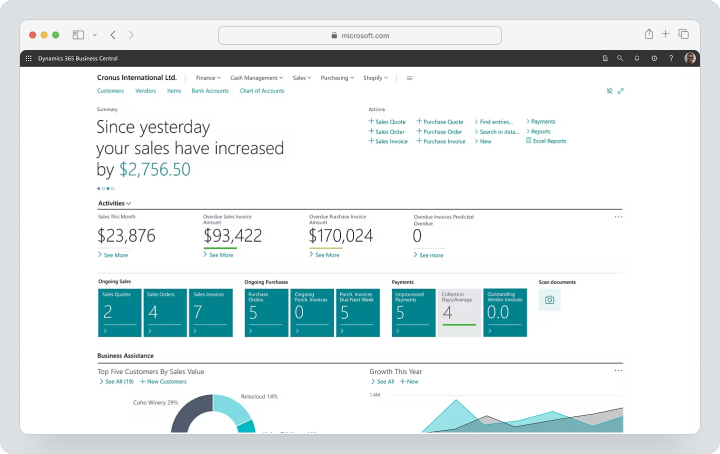
Pricing, verified on August 12, 2026: Microsoft lists Essentials at $80 and Premium at $110 per user per month only with an annual commitment. There is no separate standard monthly subscription on the public page. Premium adds service management and manufacturing. A 30-day trial is available.
| Fact | Value |
|---|---|
| Price | Essentials $80, Premium $110 stated only with an annual commitment; no separate monthly price available |
| Free / Trial Period | 30-day trial period |
| Pricing Model | Per user; Premium needed for manufacturing and service management |
| Verified | August 3, 2026 |
Key Features
- finance and cash flow;
- sales and purchasing;
- inventory accounting and warehousing;
- project management;
- service management;
- manufacturing on Premium;
- Copilot, Power Platform, and Microsoft 365 integrations.
Main Difference from Odoo
Business Central is more deeply integrated into the Microsoft ecosystem and is typically implemented through partners with industry extensions.
Advantages
- mature finance;
- Microsoft 365/Power BI/Power Platform;
- global partner network.
Limitations
- high price per user;
- Premium needed for manufacturing;
- localization and extensions increase TCO.
Who It’s Suitable For
SMBs already using the Microsoft stack.
NetSuite
NetSuite — a cloud ERP for finance, order management, inventory management, procurement, projects, eCommerce, and working with multiple entities. The platform is aimed at growing companies and international businesses.
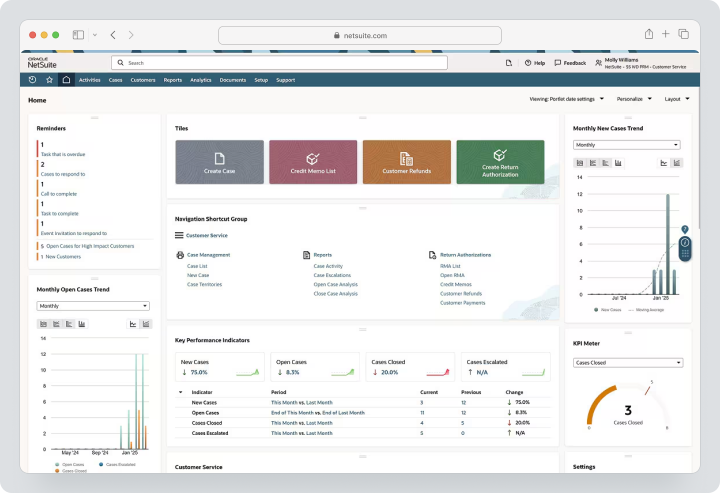
Cost: individual annual license. The license consists of the base platform, additional modules, and the number of users. Initial implementation is paid separately.
| Fact | Value |
|---|---|
| Price | Individual annual license: core platform, modules, and users |
| Free / Trial Period | No permanent Free version |
| Pricing Model | Annual license; implementation is paid separately |
| Verified | August 3, 2026 |
Key Features
- financial management and consolidation;
- multi-entity and multi-currency;
- orders, inventory management, and warehouse;
- procurement and planning;
- financial project accounting;
- SuiteCommerce;
- SuiteCloud customization and integrations.
Main Difference from Odoo
NetSuite is stronger in cloud financial management and global scalability, but has a higher cost and implementation threshold.
Advantages
- unified cloud ERP;
- strong multi-company reporting;
- scalability for international business.
Limitations
- no public pricing;
- expensive modules and implementation;
- complex customization requires specialists.
Who Is It Suitable For
Scale-ups, international groups, and companies with multiple subsidiaries.
SAP Business One
SAP Business One — ERP for small and medium-sized businesses with accounting, finance, procurement, inventory, sales, CRM, manufacturing, and analytics. The solution is available through partners and can be deployed in the cloud or locally depending on the offering.
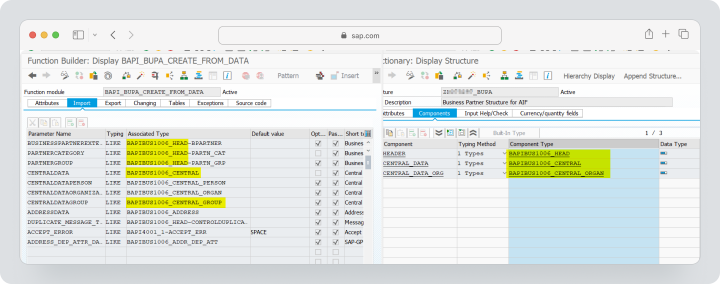
Cost: individual offering through a SAP partner. The price depends on licenses, deployment option, database, localization, add-ons, implementation, and support.
| Fact | Value |
|---|---|
| Price | Individual offer through a partner |
| Free / Trial Period | Trial period and demo depend on the partner |
| Pricing Model | Licenses, deployment option, database, localization, and add-ons |
| Verified | August 3, 2026 |
Key Features
- accounting and banking operations;
- procurement and inventory management;
- sales and CRM;
- production and MRP;
- reporting and analytics;
- partner add-ons;
- SAP HANA or SQL configurations.
Main Difference from Odoo
SAP Business One relies on a mature partner and industry ecosystem with SAP, but typically requires a more formal implementation.
Advantages
- strong finance and inventory management;
- manufacturing capabilities;
- partner industry solutions.
Limitations
- custom pricing;
- complex implementation;
- the quality of experience depends on the partner and add-ons.
Who Is It Suitable For
Retail, distribution, and manufacturing SMBs.
Dolibarr
Dolibarr is a simpler open-source ERP/CRM where the company only activates the necessary modules. The product supports clients, commercial offers, orders, invoices, products, inventory, projects, HR, and other functions.
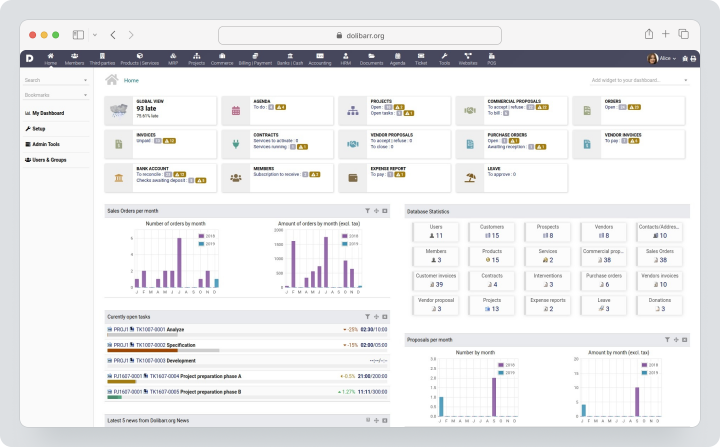
Price, verified August 3, 2026: The self-hosted version is free and open-source. Cloud hosting and professional services are provided by partners at their rates.
| Fact | Value |
|---|---|
| Price | Self-hosted open-source version is free; cloud hosting and partner services are paid separately |
| Free / Trial period | Free self-hosted version |
| Pricing model | Open source or partner hosting |
| Verified | August 3, 2026 |
Key Features
- CRM and contacts;
- Commercial offers, orders, and invoices;
- Products, inventory, and purchases;
- Projects and time tracking;
- HR and expenses;
- Modules and extension catalog;
- REST API.
Main Difference from Odoo
Dolibarr is simpler in architecture and implementation but is less extensive than Odoo in terms of production depth, automation with minimal programming, and the number of enterprise modules.
Advantages
- Free open-source version;
- You can activate only the necessary features;
- Low threshold for small businesses.
Limitations
- Simpler interface and analytics;
- Localization depends on the community and partners;
- Complex processes require add-ons.
Who It’s Suitable For
Freelancers, associations, and small trading or service companies.
Bitrix24
Bitrix24 combines CRM, tasks, communications, contact center, websites, payments, electronic signature, and inventory management. Cloud rates are sold at a fixed price for the user package, rather than per user seat.
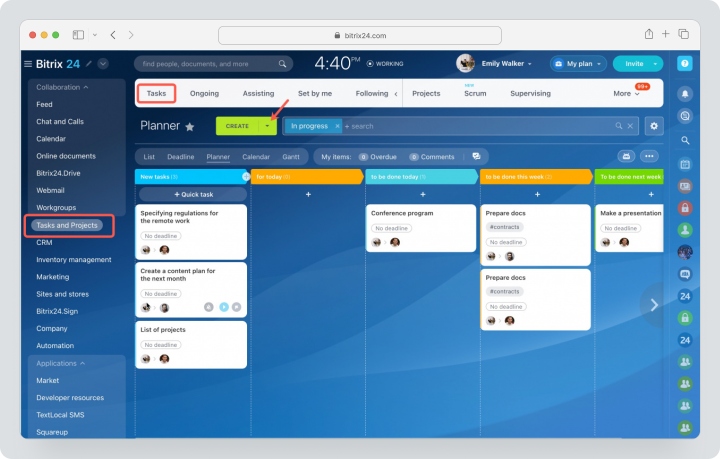
There is a free cloud plan. Monthly payment for Basic is $69 per month for 5 users, Standard is $144 for 50, Professional is $289 for 100. The Business version for a self-hosted server costs $3,590 per year and includes 50 users. Regional pricing and promotional terms may vary.
| Fact | Value |
|---|---|
| Price | Basic $69/month for 5, Standard $144 for 50, Professional $289 for 100 on a monthly payment; Business for self-hosted server $3,590/year for 50 |
| Free / Trial period | There is a free cloud plan |
| Pricing model | Fixed package price based on user limit |
| Verified | August 3, 2026 |
Key Features
- CRM and sales automation;
- Tasks and projects;
- Chat, video, and intranet;
- Contact center;
- Websites and online store;
- Warehouse operations;
- Automations and integrations.
Main Difference from Odoo
Bitrix24 is stronger in CRM, communications, and digital workspace, but it is not a full-fledged ERP for manufacturing and accounting.
Advantages
- Fixed package pricing;
- Strong communications;
- Free cloud plan.
Limitations
- The interface is overloaded;
- Warehouse accounting is simpler than in a full-fledged ERP;
- Accounting and manufacturing require other systems.
Who It’s Suitable For
Sales departments, service companies, and teams where CRM is more important than ERP.
Acumatica
Acumatica — a cloud ERP with editions for general business, distribution, manufacturing, construction, retail, and professional services. The company emphasizes the absence of charges for each user.
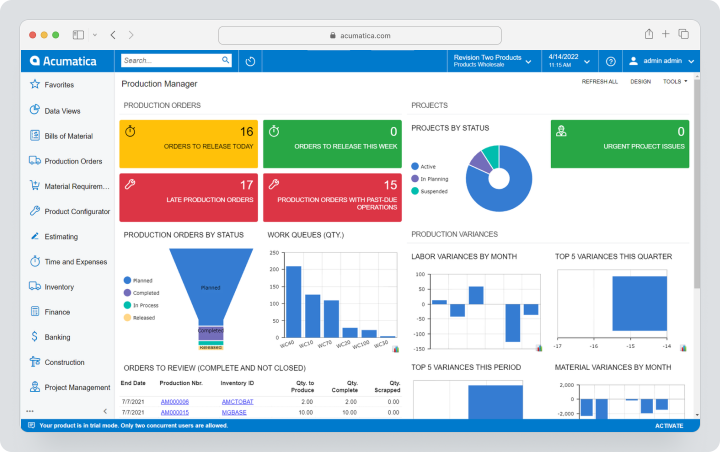
Cost: the price depends on the required applications, expected transaction volume/resource consumption, and hosting option, not the number of users.
| Fact | Value |
|---|---|
| Price | Custom offer |
| Free / trial period | There is no permanent Free |
| Billing model | Based on applications, transaction volume, resource consumption, and hosting option; no user-based billing |
| Verified | August 3, 2026 |
Key Features
- financial management;
- distribution and inventory management;
- manufacturing;
- construction and project financial accounting;
- commerce;
- CRM;
- open APIs and extension catalog.
Main Difference from Odoo
Acumatica uses a consumption-based payment model without user-based billing and offers industry editions.
Advantages
- no user limit in the licensing model;
- strong industry editions;
- open APIs.
Limitations
- custom offer;
- implementation through partners;
- cost increases with resources and modules.
Who It’s Suitable For
Distributors, manufacturers, construction and service companies that are growing.
Axelor
Axelor combines open-source ERP, CRM, BPM, workflows, BI, and a low-code platform. The system is aimed at companies needing standard modules and deep process customization.
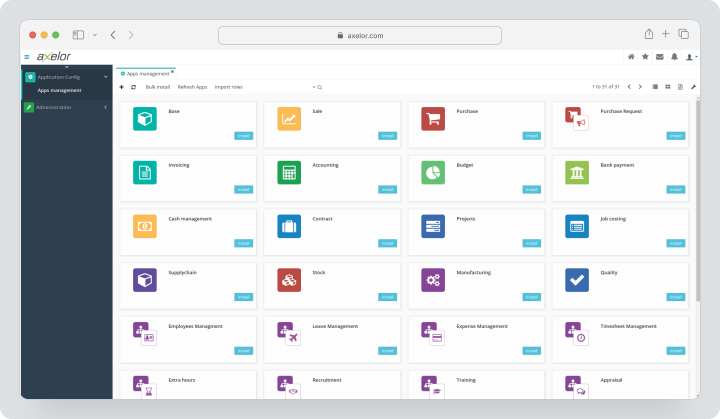
Cost, verified August 12, 2026: Community — €0 and designed for self-hosting. Publicly displayed €40 and €60 for Pro and Enterprise respectively. Implementation, hosting, and additional services are charged separately.
| Fact | Value |
|---|---|
| Price | Community €0; for Pro and Enterprise, monthly price €40 and €60 |
| Free / trial period | Community is free |
| Billing model | Per user for Pro/Enterprise; hosting and implementation separate |
| Verified | August 3, 2026 |
Key Features
- CRM and sales;
- finance and billing;
- purchases and inventory management;
- manufacturing and quality control;
- HR and projects;
- BPM and workflows;
- Studio for customization with low coding;
- APIs and connectors.
Main Difference from Odoo
Axelor makes BPM and low-code customization the core layer of ERP, providing more freedom for unconventional processes but increasing design requirements.
Advantages
- open source and low-code customization;
- strong workflows;
- adaptation of complex processes.
Limitations
- paid plans have a minimum threshold of 10 or 20 users;
- smaller partner ecosystem;
- customization requires governance.
Who It’s Suitable For
Medium and large organizations with unconventional processes.
Comparative Table of Odoo Alternatives
The table shows the differences between ERP, business suites, and specialized PM; prices and features were checked on August 3, 2026.
| Service | Best Scenario | CRM | Finance | Inventory / Production | Projects | Customization | Implementation |
|---|---|---|---|---|---|---|---|
| Worksection | Project Execution | Not a full-fledged CRM | Only expenses | No | Strong | API and settings | Fast |
| ERPNext | Open-source ERP | Yes | Strong | Strong | Yes | Frappé, source code | Requires partner/IT |
| Zoho One | Set of cloud business applications | Very strong | Via Zoho Finance | Inventory, no deep ERP for production | Yes | Creator, Flow | Average |
| Business Central | Microsoft ERP for SMBs | Sales and customer data | Very strong | Inventory and production at Premium | Yes | Extensions, Power Platform | Partner-based |
| NetSuite | International cloud ERP | Yes | Very strong | Strong | Project finance accounting | SuiteCloud | Complex |
| SAP Business One | Trading and manufacturing SMBs | Yes | Strong | Strong | Through modules and add-ons | Partner add-ons | Complex |
| Dolibarr | Simple open-source ERP/CRM | Yes | Basic/localization | Inventory, limited production | Yes | Modules, source code | From simple to implementation with a partner |
| Bitrix24 | CRM and digital workspace | Very strong | Not ERP accounting | Inventory without production ERP | Strong | Automation and applications | Average |
| Acumatica | Industry-specific cloud ERP | Yes | Strong | Strong | Project finance accounting | API and extension catalog | With a partner |
| Axelor | ERP with minimal programming | Yes | Yes | Yes | Yes | Very strong customization without programming | Community or from 10 users |
Which service to choose for different scenarios?
For the closest open-source replacement
ERPNext is the closest in terms of module breadth. Dolibarr is simpler but less deep. Axelor is suitable for companies needing open-source ERP, BPM, and minimal programming customization.
For a SaaS application package
Zoho One is practical if a business needs CRM, marketing, finance, HR, and collaboration but does not require complex production. Bitrix24 is suitable for CRM and team collaboration.
For a Microsoft company
Choose Business Central when Microsoft 365, Power BI, Power Platform, and partner extensions are important.
For an international group
NetSuite is stronger in multi-company accounting, consolidation, and global finance. SAP Business One is suitable for SMBs with a local partner, Acumatica is for companies that benefit from a model without paying per user.
For project-based business
Worksection is a good fit when you need to manage tasks, deadlines, time, and reports, while finance and CRM are already handled in other systems. Zoho One and Bitrix24 offer stronger CRM options.
For manufacturing and distribution
Compare ERPNext, Business Central Premium, NetSuite, SAP Business One, Acumatica, and Axelor. Check MRP, routing, quality control, batch/serial number tracking, and localization using real data.
How to calculate the total cost of ERP?
Licensing is rarely the main expense. The budget should include pre-project analysis, process design, data migration, enhancements, integrations, training, testing, support, and updates.
Calculate:
- subscription or hosting for three years;
- implementation by a partner;
- migration of key data and initial balances;
- migration of open orders, inventory data, and transactions;
- localization of accounting and electronic invoicing;
- integrations with banks, ecommerce, payroll, and BI;
- development of enhanced modules;
- testing of updates;
- internal time of key users;
- parallel run and possible downtime.
Compare not the user price, but the cost of the automated process and the risk of errors. A free open-source license may require an expensive technical team, while an expensive SaaS can lower infrastructure costs.
How to migrate from Odoo without losing data?
- Compile a list of databases, companies, modules, users, and customizations.
- Document the version of Odoo, hosting model, and installed applications.
- Separate standard fields from Studio and customized modules.
- Inventory integrations and planned tasks.
- Clean up duplicates in customers, vendors, products, and accounts.
- Close or document accounting periods.
- Export core data, open documents, and balances.
- Create a mapping of the chart of accounts, taxes, units of measure, warehouses, and statuses.
- Migrate one company or business unit in a pilot.
- Check accounts, inventory valuation, receivables and payables, and change logs.
- Launch a parallel period.
- Save a read-only archive and technical documentation.
Do not automatically transfer all historical transactions. Sometimes it’s safer to keep a legal archive and upload only core data, initial balances, and open documents to the new ERP.
How to use Worksection instead of the Projects module in Odoo?
- Create a project for a client, contract, or internal deliverable.
- Break down work into tasks, subtasks, and checklists.
- Assign responsibilities, deadlines, priorities, and dependencies.
- Monitor the schedule on the Gantt chart.
- Log hours and expenses within tasks.
- Add the client or contractor as a guest.
- Analyze plan vs. actual, overdue tasks, and workload.
- Transfer total amounts to the accounting system or CRM via an agreed integration.
Worksection should be an execution system, not a source of accounting or warehouse truth.
FAQ
What is the best alternative to Odoo in 2026?
The closest open-source ERP in terms of process breadth is ERPNext. Zoho One is suitable as a cloud suite of applications, Business Central for Microsoft companies, NetSuite for international groups, and Axelor for automation with minimal coding. There is no single winner: first define mandatory finance, localization, inventory, production, CRM, hosting, and implementation budget, and then compare the shortlist.
Are there free analogs of Odoo?
Yes. ERPNext, Dolibarr, and Axelor Community can be deployed independently without a commercial license, and Odoo has One App Free. However, free software does not equate to free implementation. The company still pays for hosting, backups, localization, data migration, integration, support, and the work of an internal administrator. Before making a choice, calculate the three-year total cost of ownership.
Which alternative to Odoo is suitable for small businesses?
For simple accounting based on open source, Dolibarr is suitable, for a broader ERP — ERPNext, for cloud applications — Zoho One, for CRM and communication — Bitrix24. Worksection should only be chosen for projects and team collaboration. Small businesses should start with a minimal essential set of processes instead of implementing inventory or production “for the future.”
What replacement for Odoo is better for teams?
For a project team without ERP needs, Worksection is suitable. Zoho One and Bitrix24 integrate communications, CRM, and collaboration. If the team needs connected finances, procurement, and inventory, consider ERPNext or Business Central. Before choosing, check roles, approvals, mobile access, audit logs, costs for all employees, and ease of daily operations, rather than just administrator features.
How does Worksection differ from Odoo?
Odoo is a modular ERP/CRM with accounting, sales, purchasing, inventory, production, HR, and projects. Worksection is a specialized project management system for tasks, deadlines, responsibilities, time, expenses, and reports. It does not replace accounting, CRM, inventory, or MRP. Worksection is sensible when these processes are already covered by other products and a convenient execution layer is needed.
Can data be migrated from Odoo?
Yes, Odoo supports export, import, and API on appropriate plans, but migration depends on the version, hosting, and customizations. Migrate core data, open documents, balances, attachments, and history separately. Customized modules, Studio fields, accounting entries, and integrations require field mapping and testing. First, perform a pilot with one company or business unit and keep an archive as read-only.
How to compare service prices?
Compare the total cost over three years, not just the subscription. Include hosting, partner implementation, localization, data migration, refined modules, integrations, training, support, updates, and the internal time of key users. For open-source products, calculate infrastructure and DevOps separately. For user-based pricing, forecast team growth, and for consumption-based models — the growth of transactions and resources.
How to choose between a specialized and a universal platform?
ERP is justified when processes are truly interconnected: ordering should affect purchasing, inventory, production, delivery, invoicing, and financial entries. A specialized product is better if the company only needs to improve CRM, projects, or support services. In a bundle of specialized systems, define the primary accounting system and integration rules in advance so that customers, products, and balances are not edited independently.
What functions to check before migration?
Check accounting localization, taxes, chart of accounts, inventory valuation, batches and serial numbers, MRP, CRM, projects, access rights, change logs, APIs, exports, backups, and updates. Be sure to test exceptions: partial delivery, returns, credit notes, price changes, closed periods, and negative balances. It is the non-standard operations that show the true readiness of the ERP to operate.
Conclusion
Odoo remains a strong modular ERP/CRM with a wide set of applications and a flexible growth path. But the breadth of the platform requires quality implementation, localization, and customization management.
ERPNext is the closest open-source ERP by logic. Zoho One offers a large suite of cloud applications. Business Central integrates with Microsoft. NetSuite and SAP Business One cover mature financial and operational scenarios. Dolibarr is simpler, Bitrix24 is stronger in CRM and communication, Acumatica uses a no-per-user payment model, and Axelor combines ERP with minimal programming customization.
Worksection is not an ERP. It should only be chosen when a company needs projects, tasks, deadlines, time, and reports, while accounting, CRM, inventory, and production are already managed by other systems. More details can be found in the Worksection overview and on the pricing page.