Freedcamp stands out with one of the most generous free plans in the project management category: the company claims unlimited users, projects, tasks, and storage capacity even on Free. This allows small teams to start working without a budget and not to disrupt processes immediately after adding new members.
However, alternatives to Freedcamp are sought not only due to cost. As growth occurs, deeper reporting, automation, resources, portfolios, client billing, a modern interface, or predictable administration may be needed. Therefore, Freedcamp alternatives should be compared by the full working scenario, not just by the availability of Free.
The selection includes Worksection, ClickUp, Trello, Asana, monday.com, Basecamp, Wrike, Zoho Projects, MeisterTask, and Teamwork.com. Worksection is first as a managed execution system: tasks and subtasks, deadlines, dependencies, Gantt charts, roles, guest access, time tracking, and reports in one space.
Freedcamp Alternatives in 30 Seconds
- Worksection — for teams that need tasks, deadlines, Gantt charts, time tracking, expenses, and clear reports without complex setup.
- ClickUp — for a single workspace with extensive views, documents, automation, and customization.
- Trello — for a simple Kanban process and quick implementation without heavy project structure.
- Asana — for cross-functional programs, goals, portfolios, forms, and automated workflows.
- monday.com — for visual boards and process customization through columns, reporting dashboards, and automation.
- Basecamp — for simple communication, files, task lists, calendars, and client work.
- Wrike — for managed processes, enterprise control, resources, and complex reporting.
- Zoho Projects — for teams in the Zoho ecosystem that need Gantt charts, time tracking, budgets, and integrations.
- MeisterTask — for European teams that value simple Kanban, GDPR compliance, German hosting, and clear structure.
- Teamwork.com — for agencies and professional services with time tracking, budgets, clients, and profitability.
To find the closest replacement for Freedcamp in terms of overall project management logic, compare Worksection, ClickUp, and Zoho Projects. For simple visual management — Trello or MeisterTask. For agency billing — Teamwork.com. For corporate use — Wrike, Asana Advanced, or monday.com Pro/Enterprise.
What is Freedcamp and who is it for?
Freedcamp is a cloud-based project management system with tasks, discussions, calendars, files, and additional modules. Its key feature is a constant Free plan with unlimited users, projects, tasks, and storage capacity. Paid plans add deeper roles, reports, Gantt charts, CRM, billing, custom branding, SSO, and other features depending on the level.
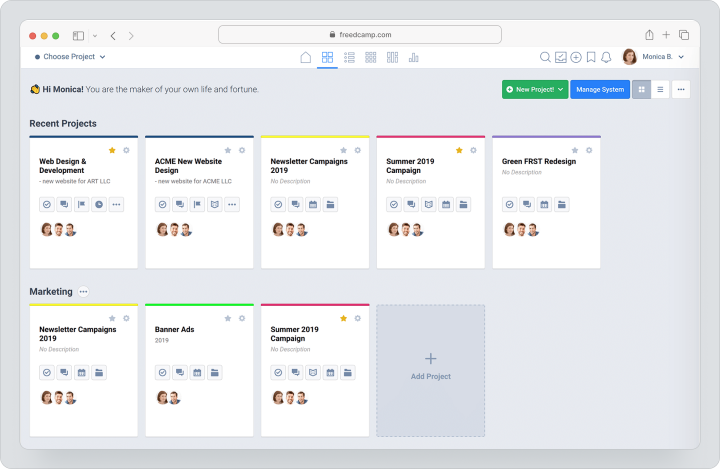
As of the verification date, August 4, 2026, Pro costs $2.49 per user per month for monthly payments, Business — $8.99, Enterprise — $19.99. A 14-day trial is available for paid plans.
Freedcamp is suitable for startups, non-profit organizations, freelancers, and small teams that value a low entry threshold. However, during selection, it’s important to verify which features are available on Free and which require Business or Enterprise.
Why do teams look for alternatives to Freedcamp?
The free plan doesn’t always cover the workflow
An unlimited number of users and projects seems like a strong advantage, but the team may need dependencies, advanced reporting, uploads, approvals, portfolios, or client billing. Thus, the real value is determined not by Free, but by the plan that covers the required process.
A different interface is needed
Freedcamp is oriented towards a classic project structure. Teams accustomed to visual boards may find it easier to master Trello, monday.com, or MeisterTask. Organizations with cross-functional programs may prefer Asana or ClickUp.
Deeper reporting is needed
It’s important for managers to see not only completed tasks but also overdue items, workload, planned vs. actual, costs, and profitability. Worksection, Wrike, Teamwork.com, and Zoho Projects offer clearer reporting and resource scenarios.
Need for Automation
ClickUp, Asana, monday.com, and Wrike work more deeply with rules, forms, submissions, and process automation. Freedcamp also has automation, but the team may need more triggers, actions, and integrations.
Company Scaling
With growth come portfolios, SSO, SCIM, audit logs, data storage region selection, and centralized rights. Freedcamp Enterprise addresses some of these needs, but it should be compared to Wrike, Asana Enterprise, ClickUp Enterprise, and MeisterTask Enterprise.
A Customer Financial Framework is Needed
For agencies and consulting, billable time, rates, budgets, subscriptions, invoices, and profitability are important. Teamwork.com is more specifically oriented towards this scenario, while Worksection links time and expenses to projects without a full PSA.
How Did We Choose and Compare Services?
Tasks and Structure
Tasks, subtasks, checklists, dependencies, milestones, recurring tasks, and customizable fields were checked. The presence of a Kanban board doesn’t mean that the system supports a complex hierarchy.
Views
List, board, calendar, timeline, Gantt chart, workload, and portfolio views were compared. In some products, the timeline is available only on higher plans.
Time and Budgets
Timers, timesheets, time estimates, rates for billable hours, budgets, expenses, and profitability were considered. Basecamp, for example, offers timesheets through an additional module or higher package, while Trello typically requires a Power-Up.
Guests and Clients
It was checked whether external participants can be invited for free, what rights they have, and whether they are considered paid users.
Automation and API
Rules, forms, webhooks, integrations, APIs, import and export were compared. For migration, it’s important not only to import tasks but also to retain comments, attachments, and structure.
Total Cost of Ownership
Considerations included the minimum number of seats, commitments under an annual contract, add-ons, AI credits, onboarding, and team growth. A low starting price does not guarantee low cost after a year.
Checklists for Choosing an Alternative to Freedcamp
Before a pilot, document five real processes: request submission, planning, execution, approval, and reporting. Then check:
- whether the service supports the required task hierarchy;
- whether dependencies and Gantt charts are available on the selected plan;
- whether time tracking and budgets are included;
- how much guests and clients cost;
- whether views for workload and portfolio can be created;
- what limits apply to automations;
- whether API and scheduled export are available;
- how comments and files are imported;
- whether SSO, SCIM, and audit logs are included;
- how much the team will cost in 12 – 24 months.
Top Alternatives to Freedcamp in 2026
Worksection
Worksection integrates projects, tasks, subtasks, deadlines, Gantt chart, time, expenses, and reports. The team can manage client and internal projects in one space, assign responsibilities, and monitor deadlines.
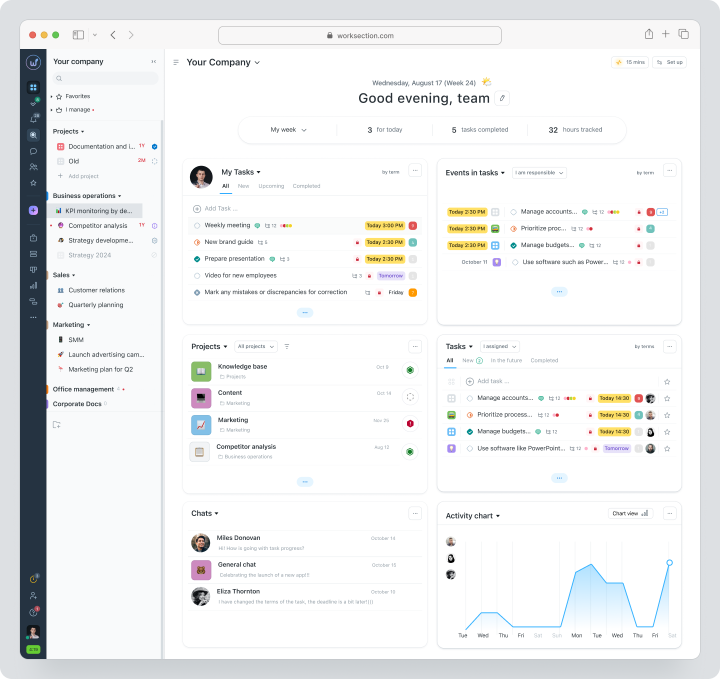
Cost: Free for up to 5 users and 2 projects. Monthly payment for Basic is $5, Business is $10, Premium is $15 per seat per month. Gantt chart, dependencies, time, expenses, and guest access are available with Business.
| Fact | Value |
|---|---|
| Price | Free; Basic $5, Business $10, Premium $15 |
| Free / Trial Period | Permanent Free for up to 5 users and 2 projects |
| Model | Per active seat |
| Verified | August 4, 2026 |
Key Features
- tasks and subtasks;
- deadlines, statuses, priorities, and responsible parties;
- Gantt chart and dependencies;
- time tracking, expenses, and plan vs actual;
- roles, rights, and guests;
- API and integrations.
Main Difference from Freedcamp
Worksection is less generous in its Free offering, but it more deeply connects tasks, deadlines, labor costs, expenses, and reports into a single process.
Advantages
- clear project logic;
- built-in time tracking;
- transparent plan/fact.
Limitations
- Free is limited by users and projects;
- advanced features available with Business;
- less customization than ClickUp.
Who it’s suitable for
Agencies, IT, marketing, and service teams.
ClickUp
ClickUp is an all-in-one workspace with tasks, Docs, Chat, Whiteboards, Forms, reporting dashboards, automations, and a lot of integrations.
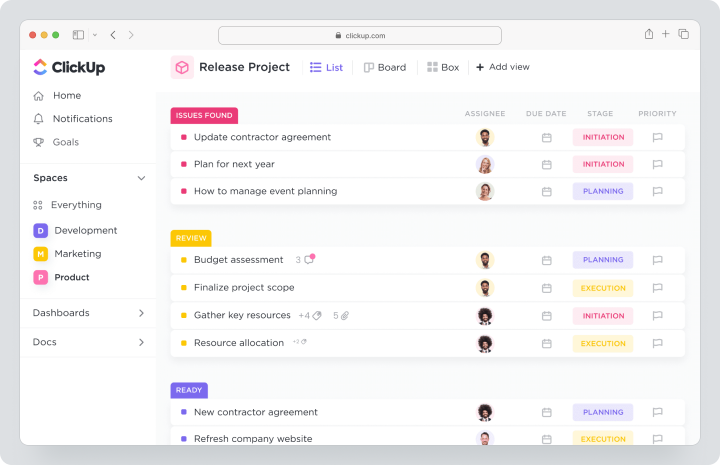
Pricing, verified on August 4, 2026: Free Forever available at no cost. With monthly billing Unlimited costs $10, Business — $19 per user per month. Enterprise is customized individually. Brain AI and Everything AI are billed separately.
| Fact | Value |
|---|---|
| Price | Free; Unlimited $10; Business $19 |
| Free / trial period | Free Forever |
| Model | Per user; AI separately |
| Verified | August 4, 2026 |
Key features
- tasks, subtasks, and dependencies;
- Gantt chart, calendar, timeline, and workload;
- built-in time tracking with Unlimited;
- Docs, Chat, and Whiteboards;
- reporting dashboards and automations;
- API and integrations.
Main difference from Freedcamp
ClickUp is significantly more customizable but requires more setup time and unified management rules.
Advantages
- wide range of features;
- many integrations;
- strong automation.
Limitations
- interface can be overwhelming;
- AI increases costs;
- Free has storage limits and limited integrations.
Who it’s suitable for
Product, IT, and operations teams with complex workflows.
Trello
Trello builds work around boards, lists, and cards. It’s one of the easiest ways to implement Kanban and visualize task flows.
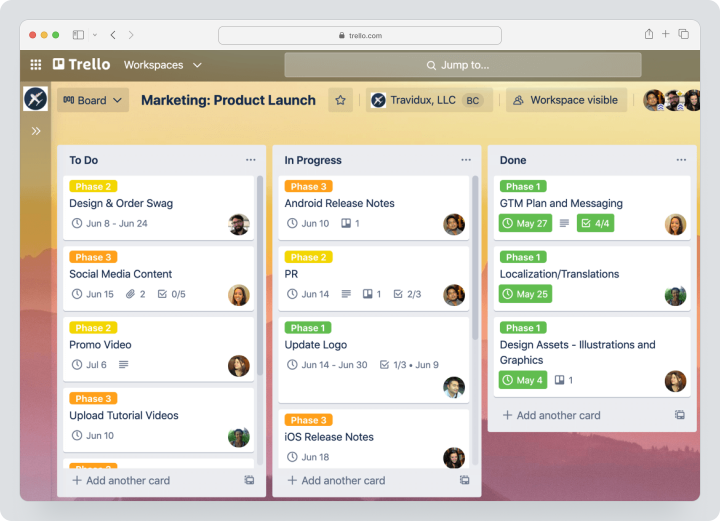
Pricing, verified on August 4, 2026: Free is available for up to 10 members in the workspace. With monthly billing Standard costs $6, Premium — $12.50 per user per month. Enterprise is available only with annual payment starting at $17.50 per user per month.
| Fact | Value |
|---|---|
| Price | Free; Standard $6; Premium $12.50; Enterprise — annual payment only |
| Free / trial period | Free; Premium trial 14 days |
| Model | Per workspace member |
| Verified | August 4, 2026 |
Key features
- boards, cards, and checklists;
- tags, customizable fields, and automation;
- timeline, calendar, and reporting dashboard on Premium;
- Power-Ups and integrations;
- observers and export on Premium;
- corporate access rights.
Main difference from Freedcamp
Trello is simpler and more visual, but weaker in hierarchy, budgeting, and built-in time tracking.
Advantages
- quick implementation;
- clear Kanban;
- large catalog of Power-Ups.
Limitations
- no full-fledged built-in time tracking;
- complex projects require Power-Ups;
- Free is limited to one workspace.
Who it’s suitable for
Small teams and simple visual processes.
Asana
Asana is designed for cross-functional management of tasks, goals, portfolios, and workflows.
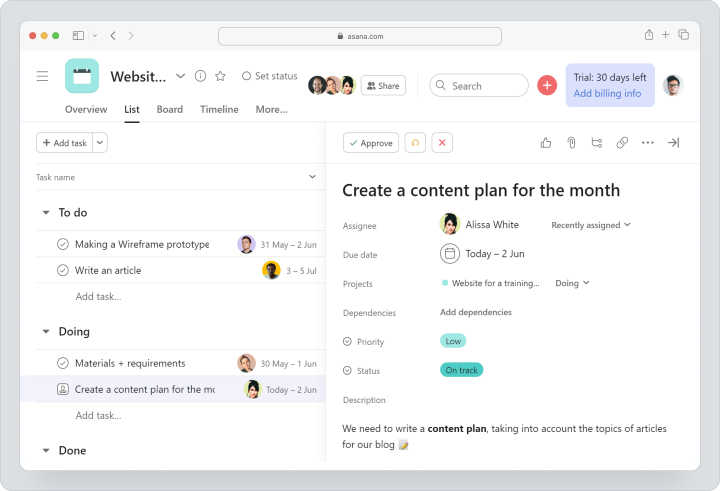
Pricing, verified on August 4, 2026: Personal is free for two users. Monthly, Starter costs $13.49, Advanced — $30.49 per user per month. Enterprise and Enterprise+ are calculated individually. For the Timesheets and Budgets add-on, the public page shows a price of $5.99 with annual billing; no separate monthly price is publicly displayed.
| Fact | Value |
|---|---|
| Price | Personal; Starter $13.49; Advanced $30.49 |
| Free / Trial Period | Personal for up to 2 users |
| Model | Per user; individual add-ons |
| Verified | August 4, 2026 |
Key Features
- list, board, calendar, timeline, and Gantt chart;
- forms, rules, and templates;
- portfolios and goals on Advanced;
- uploads and approvals;
- unlimited number of free guests on Starter;
- integrations and API.
Main Difference from Freedcamp
Asana manages cross-functional programs and goals more comprehensively but is noticeably more expensive.
Advantages
- strong workflows;
- good forms and reporting;
- mature portfolios.
Limitations
- Free for only two users;
- built-in time tracking is deeper on Advanced and through add-ons;
- cost increases quickly.
Who It’s Suitable For
Marketing, product, and corporate teams.
monday.com
monday.com is a visual work management platform where the process is built from boards, columns, submissions, reporting panels, and automations.
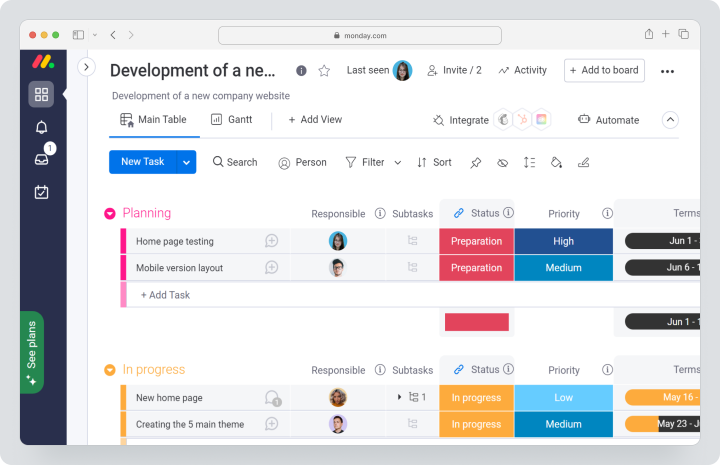
Pricing, verified on August 4, 2026: Free for up to 2 seats. Monthly, Basic costs $12, Standard — $14, Pro — $24 per seat per month. Total cost depends on the region, number of seats, and terms of engagement. Enterprise is calculated individually. A 14-day trial for monday work management is available for Pro.
| Fact | Value |
|---|---|
| Price | Free; Basic $12; Standard $14; Pro $24 |
| Free / Trial Period | Free for up to 2 seats; Pro trial period 14 days |
| Model | Seat packages; currency and minimum package depend on region and engagement |
| Verified | August 4, 2026 |
Key Features
- boards and customizable columns;
- timeline, Gantt chart, and calendar;
- reporting panels and uploads;
- forms and automations;
- guest access on appropriate plans;
- integrations and API.
Main Difference from Freedcamp
monday.com offers more visual customization and reporting panels but requires structuring the project.
Advantages
- flexible boards;
- strong automations;
- vivid visual reporting.
Limitations
- time tracking available on Pro;
- Free is too limited for teams;
- price depends on bundled seats and region.
Who It’s Suitable For
Operational, marketing, and cross-functional teams.
Basecamp
Basecamp combines to-do lists, message boards, chat, schedules, files, and automated recurring questions. The product emphasizes simplicity and communication.
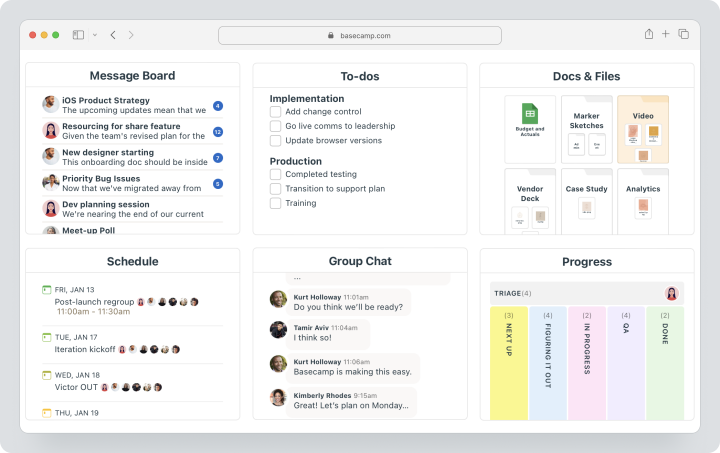
Pricing, verified August 4, 2026: Free allows for one project with 20 users. Pro costs $15 per employee per month on a monthly payment basis, clients and contractors are free. Pro Unlimited costs $299 per month only for annual payment; there is no separate monthly rate for Pro Unlimited.
| Fact | Value |
|---|---|
| Price | Free; Pro $15 per user per month; Pro Unlimited $299/month only for annual payment |
| Free / trial period | Free — 1 project; Pro — 30 days; Pro Unlimited — 60 days |
| Model | Per user or flat rate |
| Verified | August 4, 2026 |
Key Features
- to-do lists and Card Tables;
- message boards, Campfire, and Pings;
- schedules and calendars;
- documents and files;
- reports and automated recurring questions;
- free clients and contractors.
Main Difference from Freedcamp
Basecamp is simpler and stronger in communication but does not offer a classic Gantt chart and complex dependencies.
Advantages
- easy to master;
- clients are free;
- flat rate for large teams.
Limitations
- weaker resource planning;
- time tracking is not included in basic Pro;
- less customization.
Suitable for
Agencies and teams for whom communication is more important than complex planning.
Wrike
Wrike is a work management platform for processes, resources, reporting, and corporate governance.
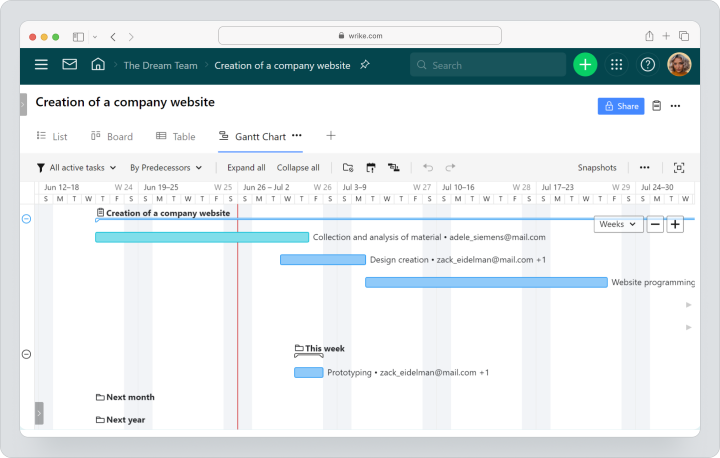
Pricing, verified August 4, 2026: Free costs $0. Public prices are Team $10 and Business $25 per user per month. Pinnacle and Apex are priced individually.
| Fact | Value |
|---|---|
| Price | Free; Team $10 and Business $25; |
| Free / trial period | Free and 14-day trial period |
| Model | Per user; plans are sold in groups of seats |
| Verified | August 4, 2026 |
Key Features
- tasks, projects, and customizable item types;
- Gantt chart, reporting panels, and reports;
- request forms and workflows;
- uploading and capacity planning;
- timesheets on Business and above;
- SSO, auditing, and corporate add-ons.
Main Difference from Freedcamp
Wrike manages resources and corporate policies more deeply, but is noticeably more complex and expensive.
Advantages
- mature reporting;
- strong corporate control measures;
- flexible workflows.
Limitations
- minimum seat groups;
- some features only available on higher plans;
- more complicated implementation.
Suitable for
Medium and large organizations with multiple departments.
Zoho Projects
Zoho Projects integrates with Zoho CRM, Books, Invoice, People, Desk, and other ecosystem products.
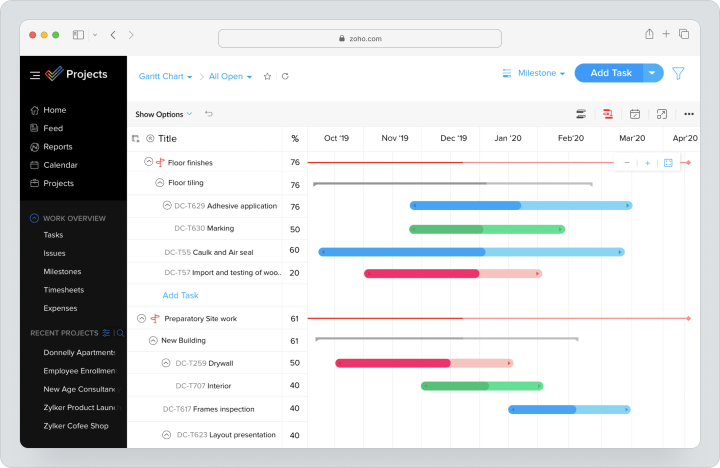
Pricing, verified August 4, 2026: Free supports up to 5 users and 3 projects. With monthly payment, Premium costs $5, Enterprise — $10, Ultimate — $15 per user per month. Currency, taxes, and final price depend on the country and local version of the pricing page, so they need to be rechecked before purchase.
| Fact | Value |
|---|---|
| Price | Free; Premium $5; Enterprise $10; Ultimate $15 with monthly payment |
| Free / trial period | Free for up to 5 users and 3 projects |
| Model | Per user; currency, clients, and resources depend on region and add-ons |
| Verified | August 4, 2026 |
Key Features
- tasks, subtasks, and dependencies;
- Gantt chart and critical path;
- time tracking, timesheets, and approvals;
- budgets and plan/actual comparisons;
- dashboards and customizable reports;
- Zoho integrations, API, and webhooks.
Main Difference from Freedcamp
Zoho Projects is more deeply integrated with CRM, financial, and service products of Zoho.
Advantages
- affordable starting price;
- strong time tracking;
- wide ecosystem.
Limitations
- cluttered interface;
- some roles are charged separately;
- pricing and best reports depend on the region and selected plan.
Who is it Suitable For
Teams already using Zoho.
MeisterTask
MeisterTask is a visual task management platform with Kanban, notes, automations, and hosting in Germany.
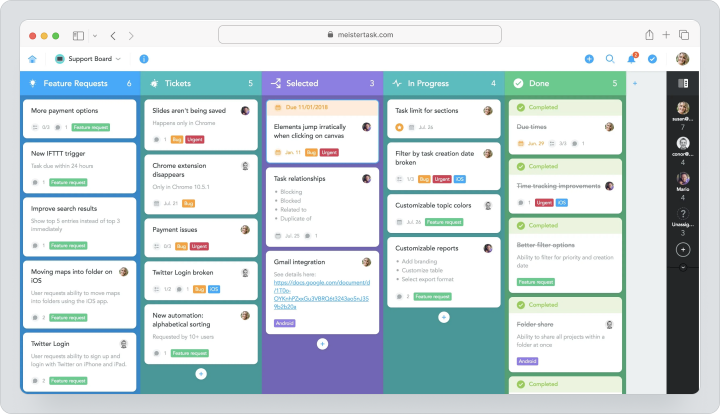
Pricing, verified on August 4, 2026: Free costs $0. Monthly, Pro is $13, Business — $25 per user per month. Enterprise pricing is customized. Taxes and currency displayed depend on the region.
| Fact | Value |
|---|---|
| Price | Free; Pro $13; Business $25; Enterprise — customized |
| Free / trial period | Free; trial period for Business on request |
| Model | Per user; taxes depend on the region |
| Verified | August 4, 2026 |
Key Features
- Kanban projects and tasks;
- time tracking and reports;
- automations and recurring tasks;
- timeline and subtasks in Business;
- uploads and portfolios in Enterprise;
- GDPR, ISO 27001, and German hosting.
Main Difference from Freedcamp
MeisterTask is visually simpler and emphasizes European security, but advanced planning requires Business.
Advantages
- simple interface;
- German hosting;
- unlimited observers.
Limitations
- timeline only with Business;
- high pricing;
- fewer financial features.
Who is it Suitable For
European SMBs and regulated organizations.
Teamwork.com
Teamwork.com focuses on client work, time tracking, budgets, billing, resources, and profitability.
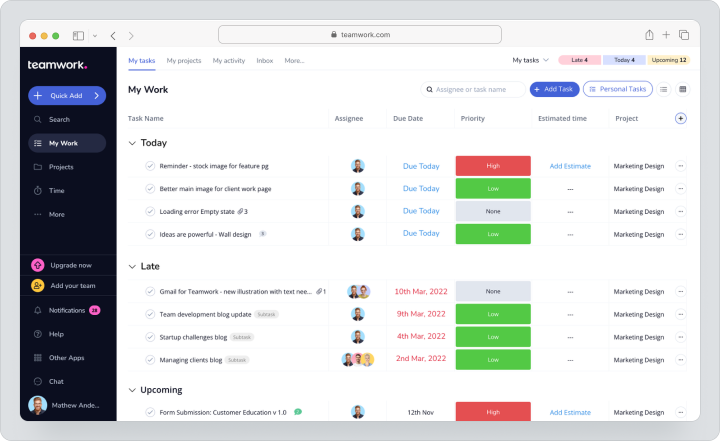
Pricing, verified on August 4, 2026: Free supports up to 5 users and 5 projects. Monthly, Basics starts from $13.99 per user. The exact monthly price for Accelerate is displayed after selecting monthly billing on the checkout page; the public page by default shows the annual rate of $24.99. Optimize and Enterprise are customized. The trial period lasts 30 days.
| Fact | Value |
|---|---|
| Price | Free; Basics from $13.99 monthly; Accelerate — exact price after selecting monthly billing |
| Free / trial period | Free for up to 5 users/5 projects; trial period 30 days |
| Model | Per user; minimum spots required |
| Verified | August 4, 2026 |
Key Features
- tasks, list, board, table, and Gantt chart;
- time tracking and timesheets;
- budgets, rates, and profitability;
- client users and material approvals;
- uploads and resources;
- invoices, automations, and integrations.
Main Difference from Freedcamp
Teamwork.com manages client profitability more deeply, but requires a more expensive plan.
Advantages
- strong client work;
- time and budget in one place;
- advanced resource planning.
Limitations
- Free is limited;
- advanced financial features on Accelerate/Optimize;
- minimum spots on paid plans.
Who is it Suitable For
Agencies, consulting, and professional services.
Comparison Table of Freedcamp Alternatives
Prices and features in the table were verified on August 4, 2026.
| Service | Best Use Case | Tasks and Subtasks | Gantt / Timeline | Time Tracking | Reports | Guest Access | Pricing Model |
|---|---|---|---|---|---|---|---|
| Worksection | Managed execution | Strong | Gantt with Business | With Business | Plan/actual | Yes | Per seat |
| ClickUp | Flexible single space | Very strong | Unlimited | Yes | Reporting dashboards | Yes | Per user + AI |
| Trello | Simple Kanban | Basic | Premium timeline | Via Power-Up | Premium reporting | One board guests | Per user |
| Asana | Cross-functional projects | Strong | Starter | Advanced/add-ons | Strong | Unlimited Starter guests | Per user |
| monday.com | Visual processes | Strong | Standard | Pro | Reporting dashboards | Depending on plan | Seat packages, currency depends on region |
| Basecamp | Client communication | Task lists | No classical | Add-ons/Unlimited | Basic | Clients free | Per user/fixed |
| Wrike | Corporate processes | Strong | Team | Business | Very strong | Observers/limited | Group seats |
| Zoho Projects | Zoho ecosystem | Strong | Even Free | Premium | Strong | Add-ons | Per user, regional pricing |
| MeisterTask | European Kanban | Business subtasks | Business | Yes | Business | Observers | Per user |
| Teamwork.com | Client work profitability | Strong | Yes | Yes | Profitability | Client users | Per user |
Which service to choose for different scenarios?
For managed projects
Worksection is rational if the team needs tasks, deadlines, dependencies, time tracking, and reports without deep customization. Zoho Projects is suitable if you are using the Zoho ecosystem.
For complex setups
ClickUp and monday.com provide more customizable fields, views, and automations. But the team will need a system owner who will oversee the structure.
For simple Kanban
Trello is good for quick launches. MeisterTask offers a similar visual logic with European hosting and a clearer work management model.
For client and billing
Teamwork.com covers rates, budgets, invoices, and profitability in more depth. Basecamp is simpler for client communication, but financial features are limited.
For corporate teams
Wrike, Asana Advanced/Enterprise, and ClickUp Enterprise are suitable for portfolios, workload, security, and corporate governance. Decisions should be made after piloting with real permissions and reports.
How to migrate from Freedcamp without losing data?
- Create a list of active projects, participants, and roles.
- Separate archived projects from those that need to be transferred.
- Export tasks, subtasks, statuses, dates, and assignees.
- Save comments, attachments, discussions, and time logs.
- Document recurring tasks and automation rules separately.
- Create a mapping of statuses and roles.
- Migrate one typical project.
- Check the number of tasks, files, and comments.
- Verify notifications, permissions, and guests.
- Run a parallel period for two weeks.
- Only after acceptance fully transfer the team.
How to organize work in Worksection?
- Create a project for a client, product, or internal result.
- Break the work down into tasks and subtasks.
- Add checklists, priorities, and tags.
- Assign responsible parties and deadlines.
- Set dependencies on the Gantt chart.
- Connect the client via guest access.
- Track time and expenses.
- Compare planned vs. actual.
- Monitor overdue tasks and workload in reports.
- You can check the conditions on the Worksection pricing page.
FAQ
What is the best alternative to Freedcamp in 2026?
For managed projects with tasks, Gantt charts, time tracking, and reporting, Worksection is suitable. ClickUp is better for deep customization, Trello for simple Kanban, Teamwork.com for agency billing, and Wrike for corporate teams. The best choice depends on required features, number of guests, budget, and who will administer the system.
Are there free alternatives to Freedcamp?
Yes, there are free plans with Worksection, ClickUp, Trello, Asana, monday.com, Wrike, Zoho Projects, MeisterTask, and Teamwork.com. However, Freedcamp stands out with unlimited users and projects on its free plan. Compare limitations on storage, submissions, automations, time tracking, reports, and guests, as these usually determine the need to switch to a paid plan.
Which alternative to Freedcamp is suitable for small businesses?
Small businesses should compare Worksection, Trello, Zoho Projects, and ClickUp. Worksection is suitable for systematic control of deadlines and time, Trello for simple boards, Zoho for integration with CRM and finances, and ClickUp for custom processes. Start with one real project and check not only the price but also the time required for training.
Which replacement for Freedcamp is better for teams?
For a small project team, Worksection or Zoho Projects are rational choices. For cross-functional teams, Asana or monday.com. For teams with many external clients, Basecamp or Teamwork.com. Before choosing, check guest licensing, permissions, uploads, mobile apps, and reports, since the same task can cost differently as the number of participants grows.
How does Worksection differ from Freedcamp?
Freedcamp offers a more generous free plan with unlimited users, projects, and storage capacity. Worksection restricts the free tier but provides deeper connections between tasks, dependencies, Gantt charts, time tracking, costs, and plan vs. actual reporting. Worksection is rational when cost of the license is not the only concern for the manager, but also control over deadlines, labor costs, and project expenses.
Can data be transferred from Freedcamp?
Yes, but the completeness depends on the target platform. Typically, you can transfer projects, tasks, deadlines, assignees, and some comments via CSV, API, or a specialized import tool. Attachments, recurring tasks, discussions, time entries, and permissions need to be checked separately. First, transfer one completed project and one active project, then reconcile the number of items.
How to compare service prices?
Calculate the monthly cost for all active users, minimum seat requirements, guests, add-ons, automation, AI, onboarding, and support. Check separately which plans have Gantt charts, time tracking, budgets, and uploads available. A free product can become more expensive as the team grows, while Basecamp’s fixed price may be more advantageous than per-user rates at higher employee counts.
How to choose between a specialized and a universal platform?
A universal system is suitable if processes vary significantly and require Docs, Chat, Whiteboards, and customizable workflows. A more focused project management product is better when the team needs tasks, deadlines, time, and reports without extensive customization. The more customization, the higher the administration costs and the risk of different teams creating incompatible structures.
What features to check before migration?
Check for subtasks, dependencies, recurring tasks, customizable fields, time entries, guests, reports, automation, API, import, and export. Test permissions, notifications, mobile apps, and attachment storage separately. Create an acceptance checklist and do not deactivate Freedcamp until you verify data and conduct a full workflow in the new system.
Conclusion
Freedcamp remains a strong choice for teams needing a free project management tool with unlimited users and projects. However, the word “free” shouldn’t be the only criterion: as needs grow, time tracking, reporting, file uploads, guests, and automation become increasingly important.
Worksection is suitable for managed execution. ClickUp is for customization, Trello is for Kanban, Asana and monday.com are for cross-functional workflows, Basecamp is for communication, Wrike is for corporate teams, Zoho Projects is for the Zoho ecosystem, MeisterTask is for European Kanban, and Teamwork.com is for client profitability.
To learn more about Worksection’s features, you can read the system overview.