The best alternative to Confluence depends on the knowledge base the team is building. Some companies need a corporate wiki that is as close as possible with a hierarchy of pages, permissions, version history, and powerful search. For others, technical documentation, a client help center, or a working system where discussions and materials are instantly turned into tasks, deadlines, and responsibilities are more important.
Confluence remains a strong solution for corporate wikis, collaborative editing, documentation, and knowledge management, especially when used in conjunction with Jira and other Atlassian products. However, teams look for Confluence alternatives when they want to simplify administration, change the pricing model, improve navigation, organize external access, or transition to a lighter tool.
This review compares Worksection, Notion, Slite, Guru, Nuclino, Microsoft SharePoint, ClickUp Docs, Document360, GitBook, and Tettra. All solutions are evaluated against the same criteria: content structure, collaboration, search, permissions, export, task connection, and use case.
Which Confluence alternative to choose quickly
- Worksection — when it’s more important for the team not to build a separate wiki but to turn materials, decisions, and agreements into tasks, deadlines, responsibilities, and reports.
- Notion — for a flexible workspace with documents, wikis, databases, and easy project management.
- Slite — for a simple internal knowledge base with document relevance checks and AI search.
- Guru — for large companies that need managed corporate knowledge, verification, and search across different systems.
- Nuclino — for a small team that needs a simple and fast wiki without complex administration.
- Microsoft SharePoint — for organizations already working in Microsoft 365 and needing sites, document libraries, and corporate permissions.
- Document360 or GitBook — for client, product, technical, or API documentation.
Worksection is not a direct replacement for Confluence as a specialized wiki. It should only be included in comparisons in scenarios where the team’s main problem lies not in knowledge storage but in the gap between discussion and execution. If a company needs a large library of regulations, technical specifications, and reference materials, it is better to choose a wiki or documentation platform.
What is Confluence and who is it suitable for?
Confluence is Atlassian’s corporate platform for creating pages, spaces, documents, regulations, project documentation, and team knowledge bases. Teams use it for meeting notes, requirements, decisions, onboarding materials, instructions, product documentation, and collaborative editing.
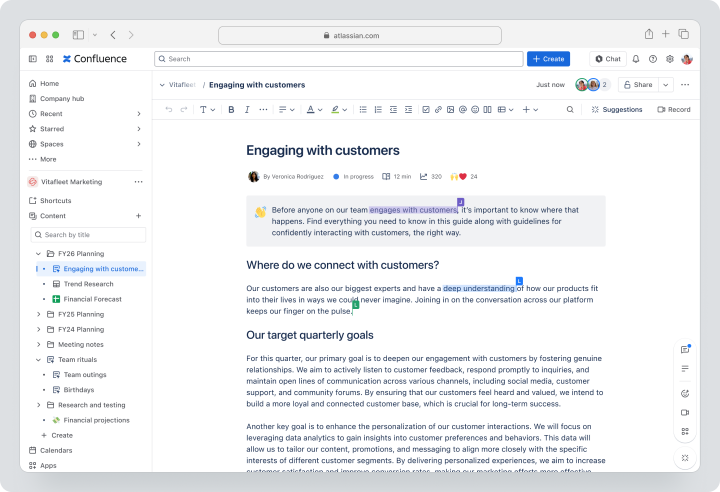
The service is particularly well-suited for IT, product, engineering, and large corporate teams that already use Jira. Pages can be grouped into spaces, access can be restricted, comments can be added, tasks can be linked, and changes can be tracked. Confluence also offers whiteboards, templates, databases, automations, and AI features depending on the plan.
As of July 31, 2026, Confluence Cloud offers Free, Standard, Premium, and Enterprise plans. The free plan is designed for a maximum of 10 users and includes 2 GB of storage. Standard adds space and content rights, guest access, and 250 GB of storage. Premium includes advanced administration, analytics, more automation, and unlimited storage. Prices and allowed instance scale depend on the current conditions from Atlassian, so it’s best to check in the official calculator directly before purchase.
Why are teams looking for alternatives to Confluence?
Teams consider replacing Confluence not because the platform fails to meet its primary purpose. More often, the requirements for knowledge, costs, external access, or the connection of documentation to everyday work change.
Administration Complexity
Confluence allows you to create a large number of spaces, pages, templates, groups, and access rules. For a mature company, this is an advantage, but without a knowledge base owner, the structure gradually becomes more complicated. Duplicates appear, neglected sections, inconsistent templates, and pages without anyone responsible for their accuracy.
If the team needs a small knowledge base, a lighter wiki can be implemented faster and require less support.
Cost with Team Growth
The free plan is limited to 10 users. After that, the cost depends on the number of licensed participants and the chosen level. Additionally, the company may pay for Atlassian Guard, Marketplace applications, migration, implementation, and administration.
It’s important to compare not only the price of a single license but also the costs of managing the entire ecosystem.
Material Search and Relevance
A good knowledge base should not just store pages but also help quickly find verified answers. If documents are created without owners and review deadlines, even a strong search will return outdated materials.
Slite, Guru, and Tettra make the verification of relevance, responsibility for materials, and control of outdated content an important part of the product. This can be a decisive criterion for HR, support, and operations teams.
Complex Space Structure
The page tree is convenient as long as the structure is clear to everyone. As the number of users grows, they may lose track of where to place new material and which page should be considered primary. Notion offers more flexible bases and views, Nuclino provides minimalist navigation, while Guru gives contextual access to knowledge within other tools.
External Access
An internal wiki, client help center, and public technical documentation require different access models. Confluence is suitable for internal work and can publish individual materials, but specialized Document360 and GitBook better handle branded documentation, public sites, SEO, API documentation, and user analytics.
The Need to Link Knowledge to Execution
A document may describe a solution well, but it does not guarantee its execution on its own. When a team keeps meeting notes in a wiki and creates tasks manually in another service, accountability can easily be lost.
In such a scenario, Worksection should not be seen as a wiki but as a space where materials are attached to tasks and projects, and agreements receive owners, deadlines, and status.
How Did We Choose and Compare Services?
The comparison is built around real scenarios: creating a document, organizing it in a structure, inviting a colleague or client, finding an answer, checking the change history, exporting materials, and turning solutions into action.
Document and Space Structure
For an internal wiki, spaces, folders, collections, page hierarchy, backlinks, tags, and templates are important. For technical documentation, versions, branches, synchronization with Git, and publication of multiple sites are additionally required.
Collaborative Editing
The team should be able to edit a document simultaneously, leave comments, mention colleagues, and approve changes. For regulated processes, a review and approval process is useful.
Search and Navigation
Check not only word searches but also AI responses, filters, searching attachments, related pages, and the ability to search knowledge in Slack, Teams, Google Drive, or other sources.
Content Relevance Management
Responsibilities for materials, relevance checks, reports on outdated content, and reminders help maintain knowledge. If the system only stores documents, the update process will have to be organized manually.
Permissions and External Access
You need to understand who counts as a paid participant, whether guests can be invited, whether individual pages can be published, or if a fully public help center can be created. It is important to separately check reading, commenting, and editing rights.
Linking to Tasks and Projects
If documentation constantly creates work, the system should support tasks or integrate with a PM tool. Here, Worksection, ClickUp, and Notion differ from specialized wikis and documentation platforms.
Import and Export
Before migration, check the transfer of pages, attachments, comments, version history, internal links, tables, and permissions. The presence of HTML, Markdown, or PDF export does not mean that the entire structure will be restored automatically.
Best Confluence Alternatives in 2026
Below are ten solutions for various scenarios: project execution, internal wiki, corporate knowledge management, Microsoft 365, client and technical documentation.
Worksection
Worksection is a project and task management system. It does not replace Confluence as a corporate wiki but is suitable for teams that need to link materials and discussions to specific work.
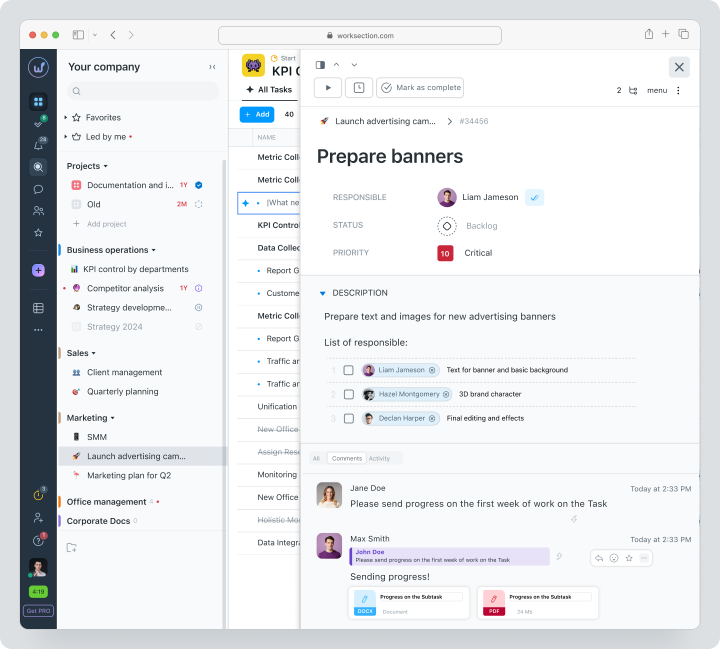
In Worksection, files, comments, links, checklists, and decisions are stored within the project or task. The team creates tasks, adds descriptions and materials, assigns responsibilities, deadlines, priorities, and statuses. For complex work, subtasks, dependencies, Gantt charts, Kanban, and reports are available.
Cost: there is a free plan for up to 5 users and 2 projects. With monthly payment, Basic costs $5 per user per month, Business — $10, Premium — $15. Guest access, extended permissions, and some management features depend on the plan.
Key Features
- tasks, subtasks, and checklists;
- files, comments, tags, and history within tasks;
- deadlines, responsibilities, statuses, and dependencies;
- Gantt chart, Kanban, and calendar;
- time tracking, plan/fact, and reports;
- guest access for clients and contractors;
- integrations, API, and webhooks.
Main Difference from Confluence
Confluence organizes knowledge into pages and spaces. Worksection organizes work execution around projects and tasks. If the priority is a full-fledged wiki, Confluence is stronger. If the goal is to turn agreements into controlled execution, Worksection may be more practical.
Advantages
- materials are directly linked to responsibilities and deadlines;
- less gap between discussion and action;
- convenient for client and project teams.
Limitations
- there is no complete corporate knowledge base (wiki);
- not suitable as a public documentation portal;
- a large knowledge base will require a separate structure or external knowledge base.
Who It’s Suitable For
Agencies, service, marketing, and operations teams for whom not thousands of reference pages are important, but task execution based on materials and decisions.
Notion
Notion is a flexible workspace for documents, wikis, databases, forms, projects, and light automation. It is suited for companies that want to combine knowledge and workflow without the rigid structure of Confluence.
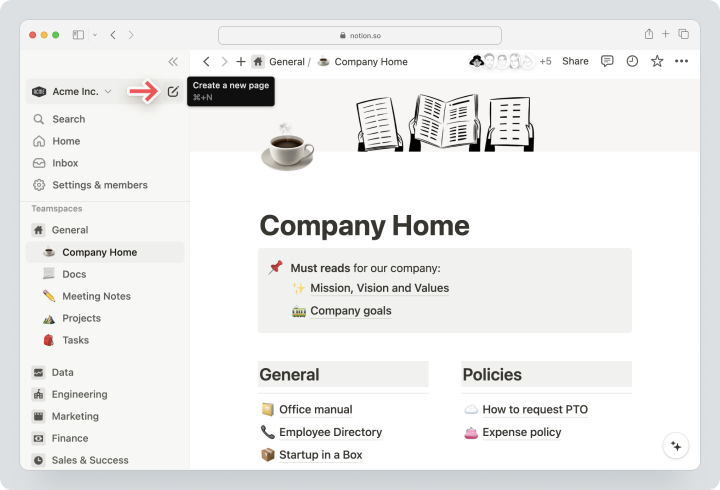
Cost: Free — $0. With monthly payment, Plus costs $12 per participant per month, Business — $24. Enterprise is priced individually. Guests do not occupy paid spots within the plan conditions.
Key Features
- pages, nested documents, and wiki;
- databases, relations, computed fields, and various views;
- comments, mentions, and collaborative editing;
- templates, forms, and automations;
- API, import, and export;
- AI and enterprise search on applicable plans.
Main Difference from Confluence
Notion offers more freedom in building a base and combines documents with databases and project views. Confluence offers a more traditional corporate wiki and deep integration with Atlassian.
Advantages
- flexible structure;
- documents, wiki, and projects in one workspace;
- a wide range of templates.
Limitations
- without management rules, the structure quickly becomes inconsistent;
- complex permissions are less familiar to large Atlassian teams;
- migrating large Confluence spaces requires testing.
Who It’s Suitable For
Startups, product, content, and small cross-functional teams.
Slite
Slite is a team knowledge base focused on simple documents, searching, and relevance control. In 2026, the product will develop AI search, verification, and knowledge updating with AI agents.
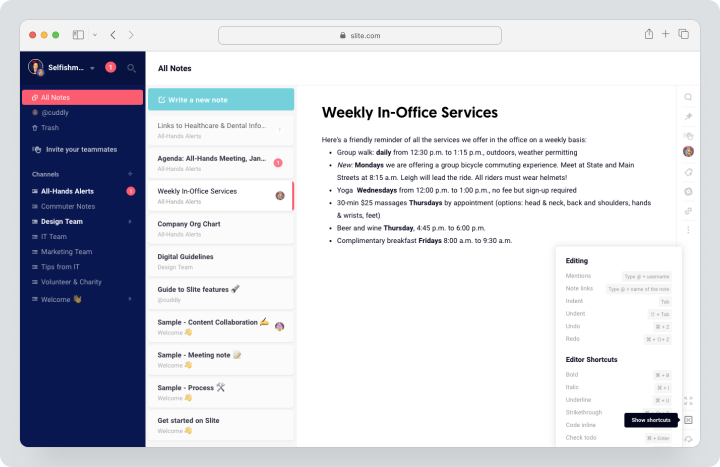
Cost: there is no free permanent plan. The Basic monthly plan costs $12 per user, and the Pro costs $25. Enterprise is individually calculated. Basic and Pro can be tested for 14 days.
Key Features
- unlimited documents;
- collaborative editing, comments, and history;
- AI search with answers based on the database;
- document owners and relevance verification process;
- export to PDF, Markdown, and HTML;
- API and MCP;
- search in connected tools on Pro.
Main Difference from Confluence
Slite is simpler and focuses more on trust in knowledge and AI responses. Confluence is better suited for complex Atlassian architecture and large sets of corporate spaces.
Advantages
- clean editor;
- built-in verification;
- understandable search for non-technical teams.
Limitations
- no free permanent plan;
- search in connected tools is available on Pro;
- fewer project features.
Who It’s For
Remote companies, HR, operations, and support teams that need a living internal knowledge base.
Get Guru
Get Guru is a corporate knowledge management platform with AI search, relevance checking, corporate governance, and delivery of answers in the tools where the team already works. The service connects to Slack, Microsoft Teams, Salesforce, Zendesk, Confluence, SharePoint, and other systems.
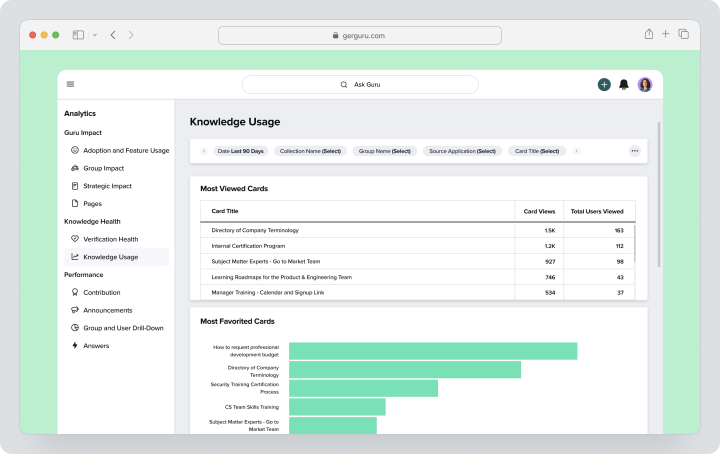
Cost: Get Guru has moved to an individual model. There is no public price per seat; the offer is calculated based on scale, complexity of knowledge, integrations, governance, and support level.
Key Features
- AI search with citations and rights consideration;
- relevance checking and knowledge owners;
- integrations with corporate systems;
- Knowledge Agents;
- audit, SSO, SCIM, and role-based access;
- implementation and consulting on knowledge architecture.
Main Difference from Confluence
Get Guru is less focused on creating a wiki page tree and more on searching and delivering verified knowledge from various sources.
Advantages
- strong verification;
- search across multiple systems;
- advanced enterprise governance.
Limitations
- no transparent public pricing;
- implementation is aimed at mature organizations;
- may be excessive for a small wiki.
Who It’s For
Medium to large companies where knowledge is distributed across many SaaS systems.
Nuclino
Nuclino is a minimalist team wiki with documents, kanban, tables, graph view, and Canvas. It is designed for quick start and small teams.
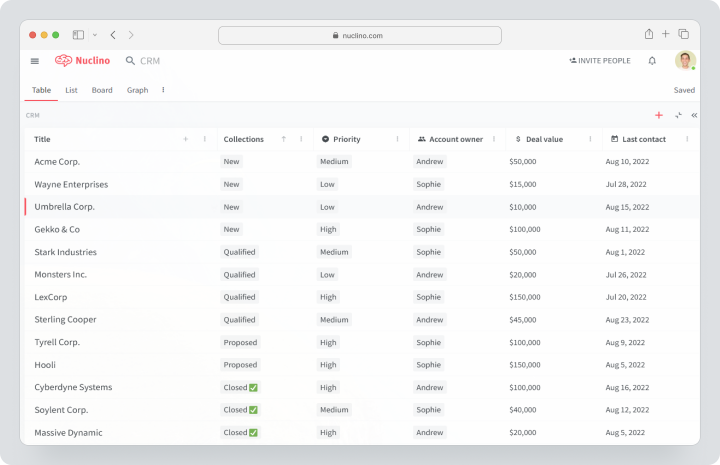
Cost: Free includes up to 50 items, up to 3 interactive boards, and 2 GB of shared storage. Starter costs $8 per user per month, Business costs $12. A 14-day trial is available for Starter.
Key Features
- collaborative documents;
- list, board, table, and graph view;
- Canvas for diagrams and whiteboards;
- API and integrations;
- publishing space as a website;
- version history on paid plans;
- SSO, audit log, and Sidekick AI on Business.
Main Difference from Confluence
Nuclino is significantly simpler and faster to implement. Confluence is deeper in permissions, Atlassian integrations, and scalability.
Advantages
- low entry threshold;
- clear pricing;
- documents and visual views in one product.
Limitations
- Free is limited to 50 documents;
- all users, including guests and read-only participants, are counted in billing;
- fewer enterprise features.
Who It’s For
Small product, design, content, and operations teams.
Microsoft SharePoint
Microsoft SharePoint is a corporate platform for sites, files, document libraries, intranet, and collaborative work within the Microsoft 365 ecosystem.
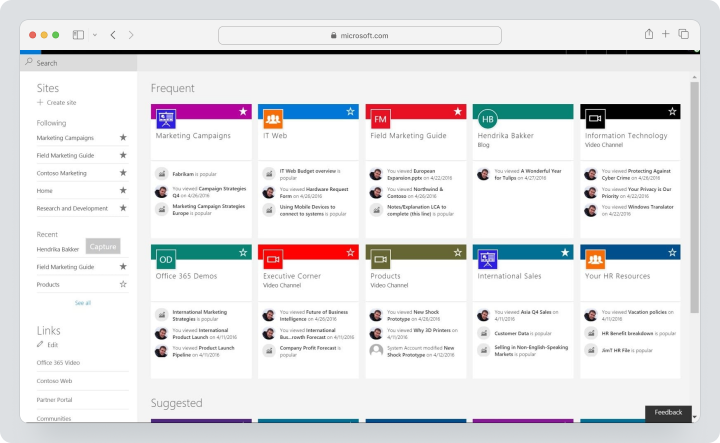
Cost: SharePoint is available as part of the corresponding Microsoft 365 subscriptions, and the final price depends on the region and application set. Microsoft 365 business plans usually include SharePoint, OneDrive, Microsoft Lists, and 1 TB of cloud storage per user. The current price should be checked on the official Microsoft page for your region.
Key Features
- team and communication sites;
- document libraries and versions;
- real-time coauthoring;
- permissions, groups, and external access;
- Microsoft Search;
- Lists, OneDrive, Teams, and Power Automate;
- enterprise compliance and retention.
Main Difference from Confluence
SharePoint is more deeply integrated with Microsoft 365 and stronger in file management, intranet, and compliance. Confluence is more convenient as a ready-to-use wiki for product and IT teams.
Advantages
- natural integration with Office and Teams;
- advanced permissions and security;
- suitable for corporate intranet.
Limitations
- implementation and architecture can be complex;
- the user experience depends on the quality of setup;
- may be excessive for a simple wiki.
Who It’s Suitable For
Organizations that already use Microsoft 365 and want to centralize documents and internal sites.
ClickUp Docs
ClickUp Docs is part of the universal ClickUp platform. Documents are linked to tasks, people, dashboards, and workflows.
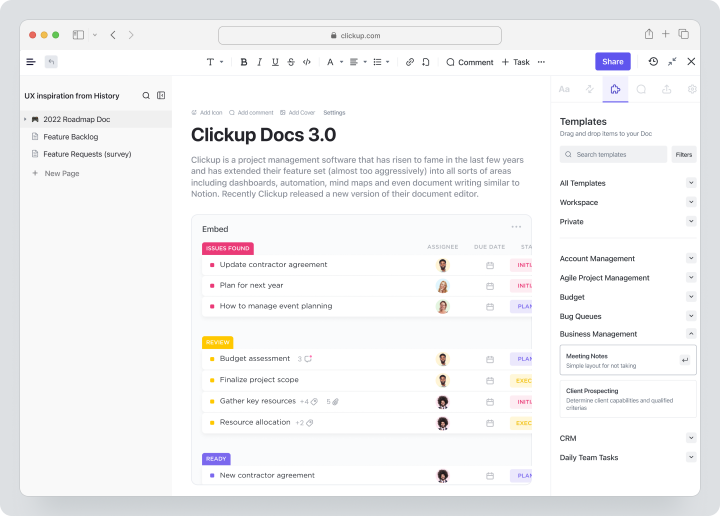
Cost: Free is available at no charge. For the monthly subscription, Unlimited costs $10 per user per month, Business — $19. Unlimited offers unlimited spaces, integrations, Gantt charts, time tracking, and guests with customizable permissions.
Key Features
- shared documents and wikis;
- pages and nested structure;
- linking text to tasks;
- comments, mentions, and assigned comments;
- workspace search;
- export and sharing;
- tasks, dashboards, and automations alongside documents.
Main Difference from Confluence
ClickUp Docs is more closely related to execution and tasks. Confluence is deeper as a standalone corporate wiki.
Advantages
- knowledge and tasks in one platform;
- a wide range of work modules;
- affordable starting plan.
Limitations
- workspace can be easily overloaded;
- documentation is not the sole focus of the product;
- large knowledge bases require management rules.
Who It’s Suitable For
Teams looking to replace multiple tools with one workspace.
Document360
Document360 is a platform for internal and external knowledge bases, product documentation, user guides, SOPs, and help centers. It provides a separate editor portal and a site for readers.
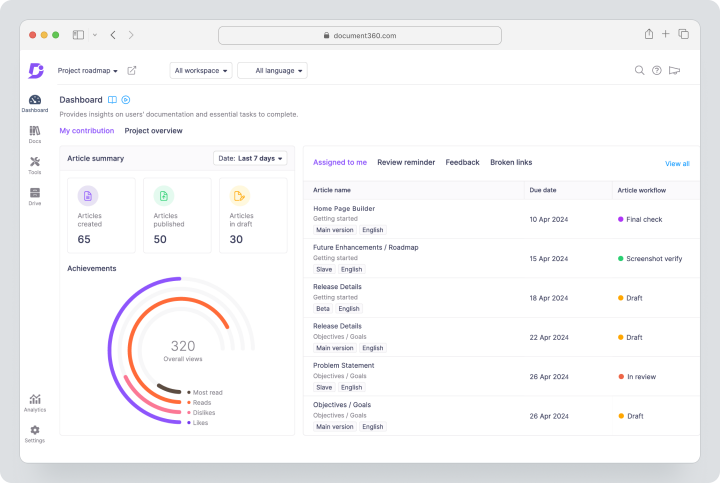
Cost: there are no fixed public rates. The price is calculated individually based on the number of editors, workspaces, languages, access model, security, and AI. A 14-day trial is available.
Key Features
- Markdown and WYSIWYG editor;
- categories, tags, reusable content, and version history;
- public and private knowledge bases;
- customizable workflow and analytics;
- SEO, custom domain, and built-in help;
- AI search and AI writing;
- import from Confluence, SharePoint, Word, and PDF.
Main Difference from Confluence
Document360 is deeper in client documentation and help centers, SEO, and product documentation. Confluence is more versatile for internal team collaboration.
Advantages
- strong publication of external materials;
- reader and search analytics;
- migration support.
Limitations
- price is only available upon request;
- may be excessive for a small internal wiki;
- project tasks are not the main scenario.
Who It Is For
For SaaS companies, support, product education, and technical editorial teams.
GitBook
GitBook is a documentation platform for developer materials, APIs, product guides, and public sites. It supports synchronization with GitHub/GitLab, change requests, and content optimization for LLM.
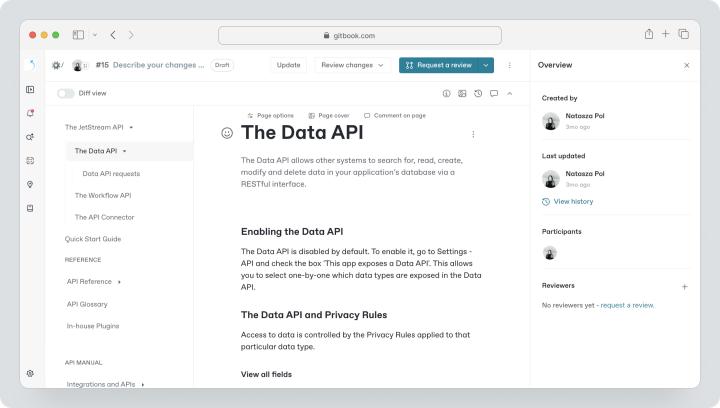
Pricing: GitBook offers a free Free tier for one user, a 14-day trial, and a custom Enterprise plan. The main paid plans are calculated based on the formula “price per site + $15 per user per month”: Premium costs $79 per site/month + $15 per user/month, while Ultimate is $299 per site/month + $15 per user/month.
Key Features
- block editor and synchronization with Git;
- public docs sites;
- API playground;
- AI search and Agent;
- checks and change requests;
- custom domain, analytics, and redirects;
- LLM optimization and MCP;
- authenticated access on higher plans.
Main Difference from Confluence
GitBook is focused on published technical and product documentation. Confluence is better suited for internal wikis and collaborative work pages.
Advantages
- developer-friendly workflow;
- high-quality docs publishing;
- synchronization with repositories.
Limitations
- the payment model includes sites and users;
- real-time collaboration is unavailable on Free;
- not intended for general project management.
Who It Is For
For engineering teams, developer relations, and product documentation teams.
Tettra
Tettra is an internal knowledge base with AI-powered answers, integration with Slack, relevance checks, and reports on outdated content.
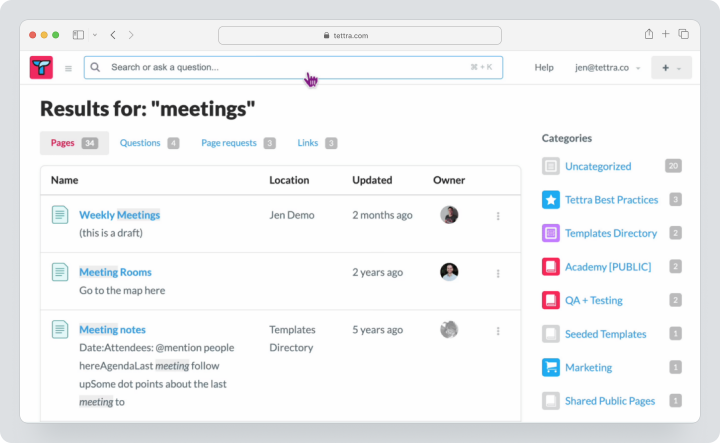
Pricing: With monthly billing, Scaling costs $10 per user per month, with a minimum of 10 users. Enterprise is priced individually. A 30-day trial is available.
Key Features
- pages, Q&A, and unlimited history;
- AI-powered answers;
- Slack bot and Google Workspace integration;
- page requests and relevance checks;
- reports on outdated content and materials without an owner;
- public external sites;
- API and Zapier;
- HTML export.
Main Difference from Confluence
Tettra is simpler and more focused on internal questions, Slack, and knowledge relevance. Confluence is broader and deeper in structure.
Advantages
- clear control over outdated content;
- convenient Slack integration;
- transparent pricing.
Limitations
- at least 10 licenses required;
- application interface is available only in English;
- weaker for technical docs and complex permissions.
Who It Is For
For operations, support, and HR teams looking to quickly respond to repetitive questions.
Comparative Table of Confluence Alternatives
The data on rates and capabilities was verified on 12.08.2026. The final cost depends on the region, number of users, payment period, AI limits, and corporate conditions.
| Service | Best Scenario | Documents / Wiki | Collaboration | Search | Tasks | External Access | Export |
|---|---|---|---|---|---|---|---|
| Worksection | Execution-related materials | Descriptions and files in projects | Comments and collaboration | By projects and tasks | Strong | Guests on Business | Through reports, API, and files |
| Notion | Flexible internal wiki and databases | Strong | Yes | Workspace and AI | Built-in | Guests and publishing | HTML, Markdown, CSV, PDF |
| Slite | Proven internal knowledge base | Strong | Yes | AI search | Limited | Public documents on paid plans | PDF, Markdown, HTML |
| Guru | Enterprise knowledge layer | Strong | Yes | Across multiple sources | Through integrations | Managed | Depends on configuration |
| Nuclino | Simple wiki for small teams | Strong | Yes | By workspace | Light boards | Publishing and guests | Available export |
| SharePoint | Intranet and Microsoft 365 documents | Strong | Yes | Microsoft search | Through Lists/Planner | Flexible external access | Files and API |
| ClickUp Docs | Documents alongside tasks | Strong | Yes | Workspace search | Strong | Guests and links | Available export |
| Document360 | Help center and product documentation | Strong | Editor workflow | AI and analytics | Not a main focus | Public/private sites | PDF and migration tools |
| GitBook | Documentation for developers and APIs | Strong | Reviews and collaborative editing on paid plans | AI search | Not a main focus | Public and protected sites | PDF on paid plans, sync with Git |
| Tettra | Internal knowledge base in Slack | Strong | Yes | AI responses | Requests, not project management | External sites | HTML |
Which service to choose for different scenarios?
For internal wiki
Choose Notion, Slite, or Nuclino. Notion is suitable for flexible teams, Slite for companies focused on verification and AI search, and Nuclino for small groups where simplicity is key.
For enterprise knowledge management
Guru and SharePoint are suitable for organizations with complex permissions, a large number of sources, and governance requirements. SharePoint is logical within Microsoft 365, and Guru is best when knowledge is spread across dozens of systems.
For technical and client documentation
GitBook is better suited for developer and API documentation. Document360 is for help centers, user guides, and client knowledge bases. These services are more rational than Confluence if publishing for an external audience is the main process.
For linking materials with tasks
Choose Worksection or ClickUp Docs. Worksection is appropriate when the project, deadline, responsible person, and reporting are more important than wiki structure. ClickUp is useful if the team wants documents and a wide range of workspace modules in one product.
How to migrate from Confluence without losing data?
The migration should start with an audit of content and permissions.
- Compile a list of spaces, pages, interactive boards, databases, templates, attachments, and integrations.
- Identify abandoned and duplicate materials.
- Assign owners for critical sections.
- Decide what will be moved to the new wiki, what will be published externally, and what will be turned into project tasks.
- Check the export of HTML, XML, PDF, and the limitations of the target system.
- Transfer one space with nested pages, tables, files, and comments.
- Verify internal links, permissions, history, and formatting.
- Set up templates, responsible persons for materials, and review cycles.
- Train editors and readers.
- Leave Confluence in read-only mode during the transition period.
Do not transfer the entire accumulated archive without cleaning it. The new system will not automatically rectify bad structure.
How to Turn Knowledge into Action with Worksection?
The workflow looks like this:
- The team creates a project for a result, client, or direction.
- Decisions from the meeting are formatted as tasks.
- Context, links to documents, files, or instructions are added to the description.
- The work is broken down into subtasks and checklists.
- Responsible parties, deadlines, priorities, and dependencies are assigned.
- The client or contractor joins through guest access.
- The manager tracks progress on the Gantt chart and in reports.
This process does not replace the corporate wiki, but it addresses another issue: knowledge does not remain a passive page, but becomes part of managed work.
FAQ
What is the best alternative to Confluence in 2026?
There is no single solution. Notion is suitable for flexible wikis and databases, Slite — for a proven knowledge base, SharePoint — for Microsoft 365, GitBook — for technical documentation. Worksection is a rational choice when the main task is to convert materials into deadlines, tasks, and responsibilities.
Are there free alternatives to Confluence?
Yes. Free plans are available with Worksection, Notion, Nuclino, ClickUp, and GitBook. Limitations concern users, documents, storage, collaboration, and publication. The free plan should be used for a pilot project, not just chosen based on price.
Which alternative to Confluence is suitable for small businesses?
Small businesses often prefer Notion, Nuclino, Slite, or Worksection. Nuclino is simpler as a wiki, Notion is more flexible, and Slite better controls relevance. Worksection fits if the team primarily needs projects and tasks, rather than a large reference guide.
Which Confluence replacement is best for a team?
For product teams, Notion and Slite are convenient; for engineering documentation — GitBook; for Microsoft organizations — SharePoint. The choice depends on the type of content, permissions, publication, search, and the need to link documents to tasks.
How does Worksection differ from Confluence?
Confluence is a specialized wiki and documentation platform. Worksection is a project and task management system. In Worksection, materials serve as context for work, but the product does not replace a large knowledge base, technical documentation with versions, or a public help center.
Can data be migrated from Confluence?
Yes, Confluence supports export, and many competitors offer import or migration support. However, it’s essential to check attachments, comments, history, interactive boards, databases, macros, and permissions separately. Before bulk migration, conduct a pilot in one space.
How to compare service prices?
Count not only the editor’s price. Consider readers and guests, storage, AI credits, SSO, API, additional sites, migration, implementation, and administration. For example, GitBook charges for the site and users, while Guru and Document360 use tailored proposals.
How to choose between a wiki and a documentation platform?
A wiki is suitable for internal knowledge and collaboration. A documentation platform is needed for product documentation, APIs, SEO, branding, and external audiences. If one product needs to cover both scenarios, check permissions, publication, and analytics in advance.
What features to check before migration?
Check hierarchy, search, collaborative editing, version history, content owners, relevance checks, permissions, guests, public publication, import, export, API, and connection to tasks. Be sure to test critical pages with complex formatting and attachments.
Conclusion
Confluence remains a strong platform for corporate wikis and documentation, especially in the Atlassian ecosystem. However, the best alternative depends on where and for whom the knowledge is used.
Notion is suitable for a flexible workspace. Slite and Tettra — for internal databases with relevance control. Guru — for the corporate knowledge layer. Nuclino — for small teams. SharePoint — for Microsoft 365. Document360 and GitBook — for external and technical documentation. ClickUp Docs — for documents alongside tasks.
Worksection occupies a unique place. It is not a direct replacement for Confluence, but it helps when a team wants to stop keeping solutions separate from execution. If materials need to immediately gain an owner, deadline, and progress control, check out Worksection overview and compare pricing.