Receiving notifications
Getting timely notifications about important events helps you stay on top of current activity and make the right decisions. For example, you can receive notifications when tasks are created or completed, when a new comment is added, and more.
Worksection supports the following notification channels:
Bell notifications (internal) and desktop notifications.
Email (two-way communication).
Telegram, Viber, and Slack (two-way communication).
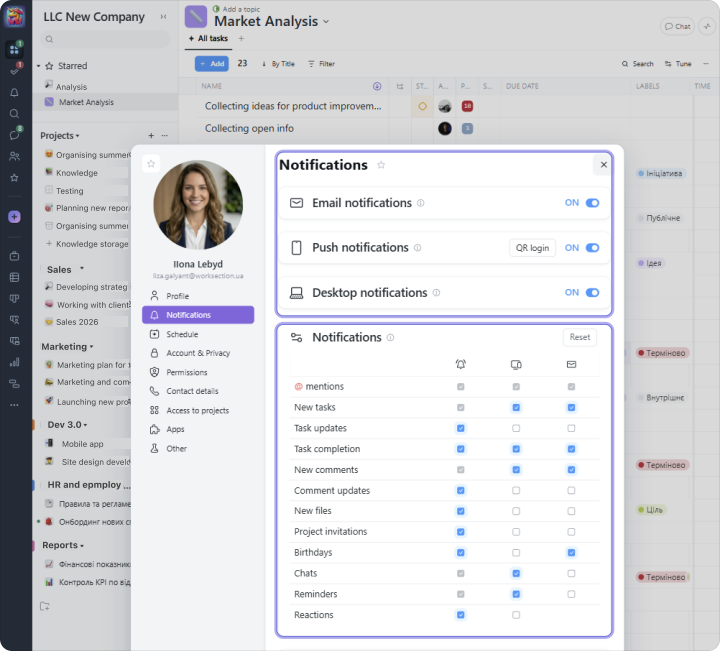
In your Profile settings, you can turn notification channels on or off and choose which event types you want to receive notifications for.
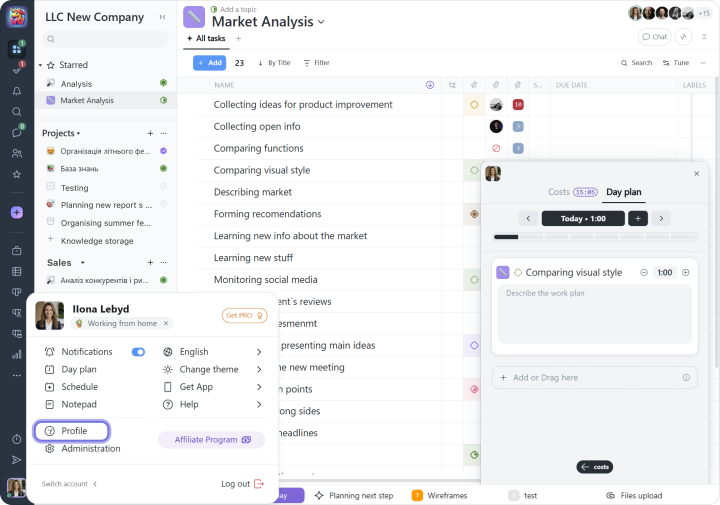
Select the settings you want to apply to your profile:
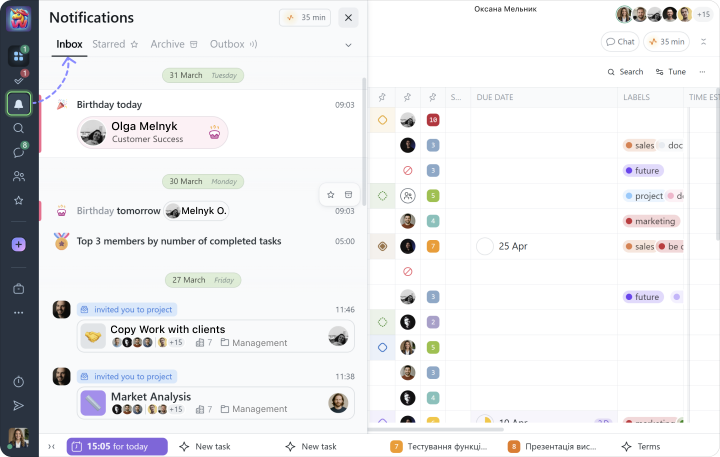
Internal notifications are available through the Bell and are divided into:
- Inbox: notifications you receive about different events in the account;
- Outbox: a timeline of your recent actions in the system.
You can not only receive Email, Telegram, and Viber notifications for certain events, but also reply to them, and Worksection will automatically add your reply as a comment to the relevant task.
You can also connect Slack as your corporate messenger. Slack connection and settings are available in Administration under Integrations → Slack.

