Receiving notifications
Quick access to notifications about different events helps you understand the current status and make the necessary decisions. For example, notifications about task creation or completion, new comments, and more.
Worksection offers the following notification channels:
Bell notifications (internal) and Desktop notifications.
Email (two-way communication).
Telegram, Viber, and Slack (two-way communication).
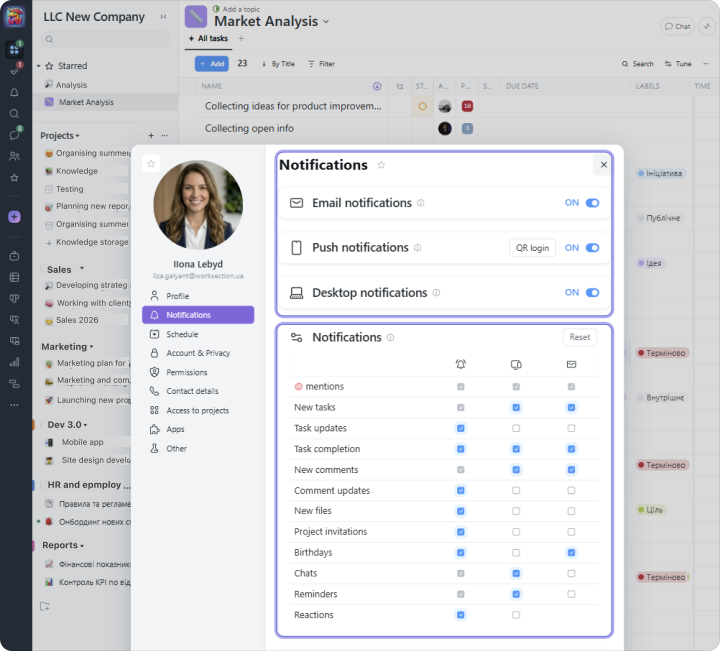
In the “Profile” settings, you can enable or disable channels and event types for which you want to receive notifications:
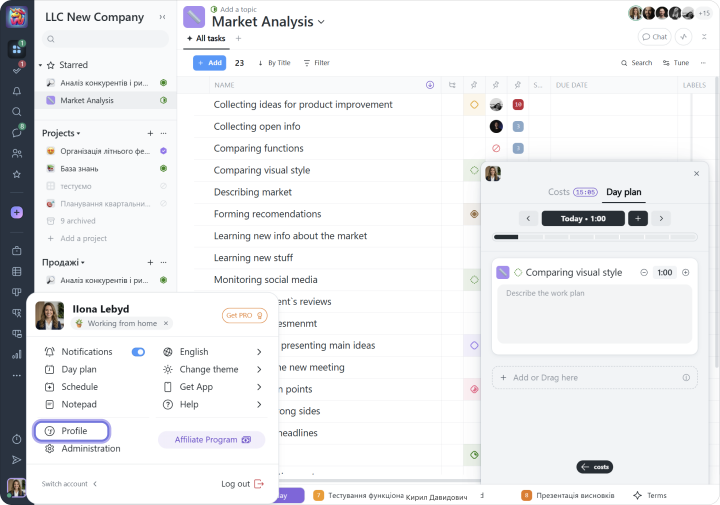
Choose the required settings that will be applied to your profile:
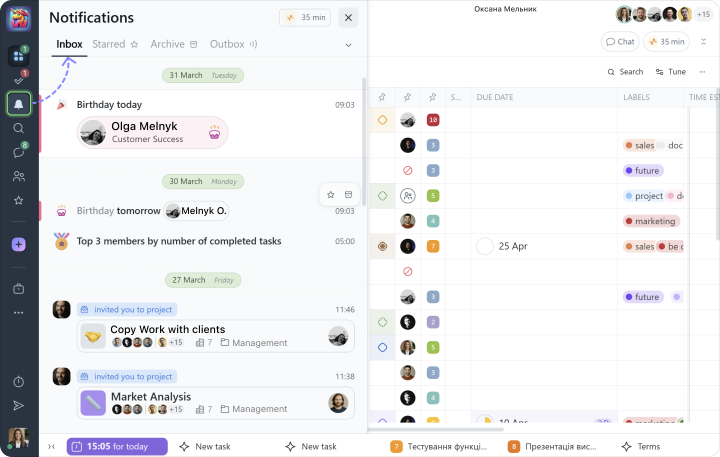
Internal notifications are available through the Bell section and are divided into:
- Inbox: notifications you receive about various events in the account;
- Outbox: a timeline of your recent actions in the system.
Email, Telegram, and Viber notifications can be used not only to receive updates about certain events, but also to reply to them, and our system will add that reply as a comment to the corresponding task.
You can also add the Slack corporate messenger. Its connection and settings are available in “Administration,” under the “Integrations” section, then Slack.

