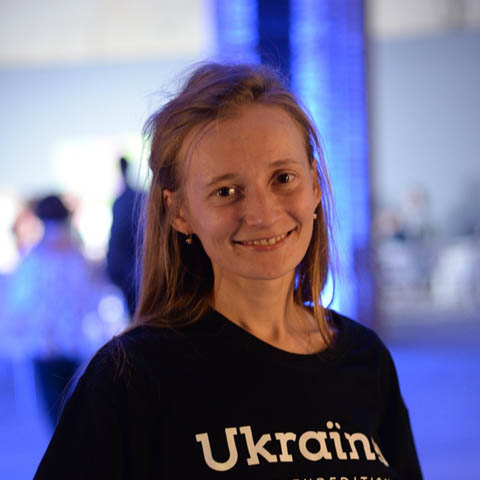
About the Project:
- a team of 320 volunteers;
- working in Worksection since 2018.
Ukraїner is a social media project that started in July 2016. Ukraїner tells the world about Ukraine in simple language.
The Heroes of This Case:
Bohdan Lohvynenko — a writer, editor, literary critic, public figure, and founder of Ukraїner. Worked at TSN.ua, traveled around Ukraine by hitchhiking, author of 3 books.
Lyuda Kucher — the coordinator and organizational manager of Ukraїner. She implemented Worksection in the media project!
How Ukraїner Developed
Abroad, Ukrainians often run into the fact that no one knows about Ukraine. When foreigners ask, “Where are you from?”, the answer “from Ukraine” doesn’t tell them anything, because most don’t even know where it is. That’s how the idea for the media project Ukraїner was born.
At the start of the project, there were 5 people: we began with an announcement on Facebook, which drew a lot of positive feedback and our first audience. Within a couple of months, the project became recognizable, and we took on the responsibility of telling the world about Ukraine in 10 languages. The team grew, departments gradually formed, and coordinators were assigned to them.
Over 4 years, Ukraїner released more than 700 stories in 10 languages, a book in Ukrainian and English, and feature film. At the beginning of 2020, more than 320 people worked at Ukraїner: 20 of them made up the core team, who live the project day and night. The other volunteers work remotely when they can and as much as they can.
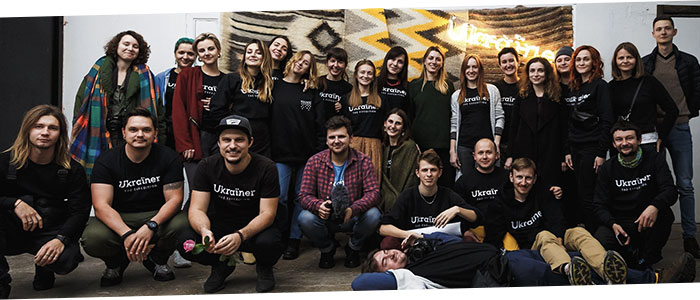
Photo of the team from the official Facebook page of Ukraїner
Started with Chats and Online Spreadsheets
At first, we managed work using online spreadsheets, and we set up communication in messengers — until we ran into the challenge of the team growing.
Messengers kept distracting us with pointless messages and spreadsheets needed extensive setup for task sequences. Many interested people came in, and we needed to coordinate effectively. We needed everyone to see what was happening in the project.
I tested many project management systems, including some quite well-known ones in the project management world. One system lacked flexibility, another had an interface we didn’t like, and so on… As a team, we concluded that Worksection was the right fit for us.
The team noted that it is a convenient tool for our tasks, and it is also a Ukrainian product.
Integration into the Team
Worksection is a system that takes some getting used to. At first, the team found it hard to adjust because they had to log all work in the new program. Within a week, people had adapted, and after 2 weeks, everyone agreed that working in Worksection was convenient.
In meetings and during calls, you always hear: — “assign me a task in Worksection.”
Rules That Helped Integrate Worksection into Ukraїner:
- Every task is logged in Worksection.
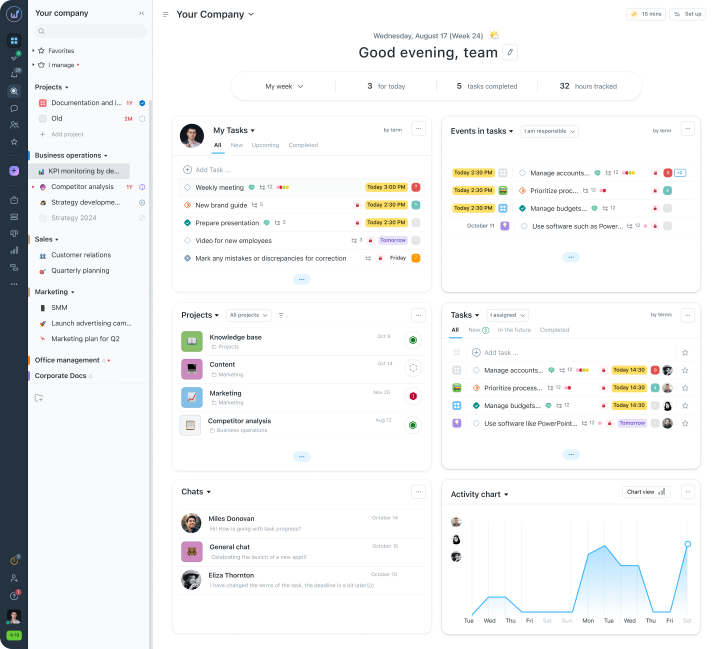
When we set tasks verbally, we often forgot about them ourselves. Now, a person logs into Worksection and sees in the task list what they need to do. This rule helps track the actual workload for each employee.
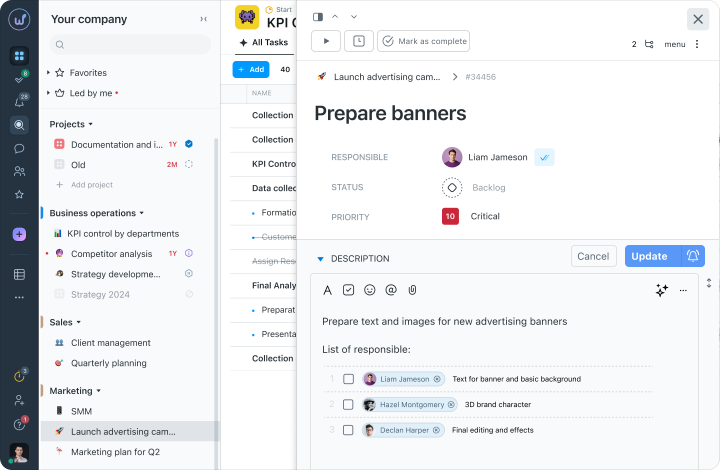
Note: small tasks are now set up as a checklist, where completed items can be crossed off:
- Important discussions are moved to Worksection.
Previously, we jotted ideas down in a notebook and then sent them to others via messengers. But important ideas get lost against the backdrop of everyday chatter.
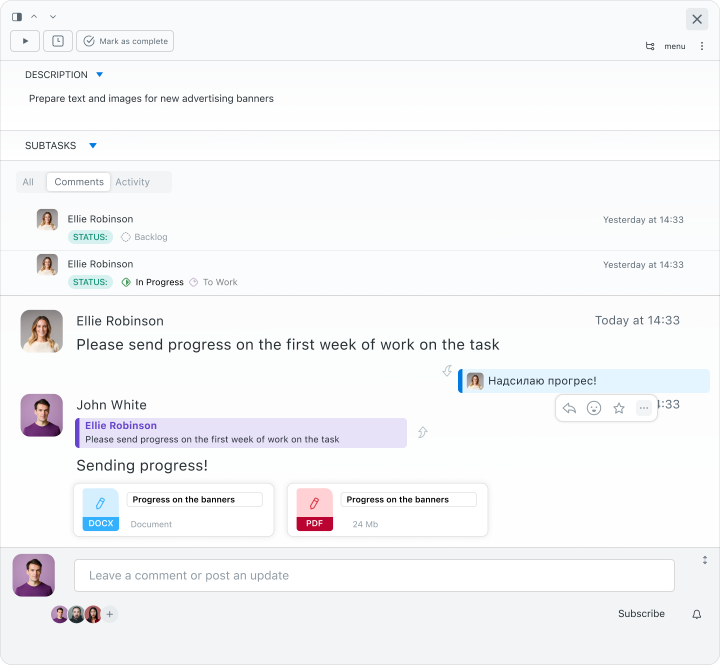
Now we discuss work-related issues in Worksection. This is convenient since the correspondence is tied to a specific task. Discussions about filming happen under the task “Filming at location N”, discussions among editors happen under the task “Editing text N”, and so on.
Note: in Worksection, the history of task changes and correspondence is available even in closed or archived tasks, so nothing is ever lost:
How Ukraїner Plans Tasks
We need to effectively coordinate people before and after filming: to ensure everyone arrives at the departure point on time, brings the necessary equipment, and doesn’t forget to prepare materials for the expedition. All of this information is entered into Worksection, and participants receive notifications about new tasks, changes, or comments.
For coordinators, it’s important to plan tasks weeks in advance and track deadlines. For this, we use the following tools in Worksection:
Gantt Chart
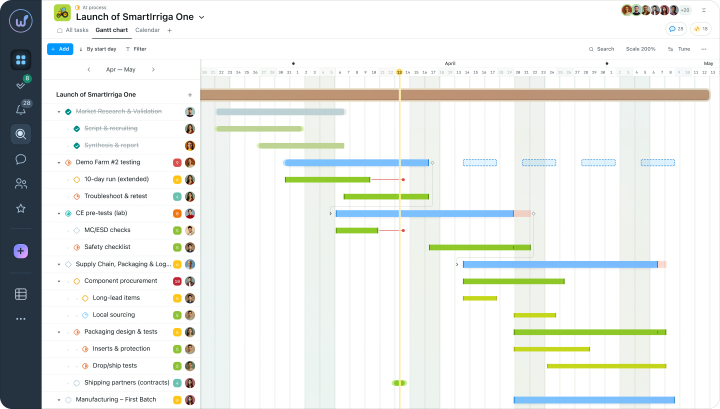
This is a convenient table for planning the project’s timelines and task durations. The timeline shows the sequence of tasks, their duration, the people responsible and priorities. This helps to ensure everything is done on time; coordinators know exactly what needs to be done, when, and in what order, while the performer knows their exact deadlines.
On the Gantt chart, you can see the critical path of the tasks, spot any delays in the schedule in good time.
Calendar
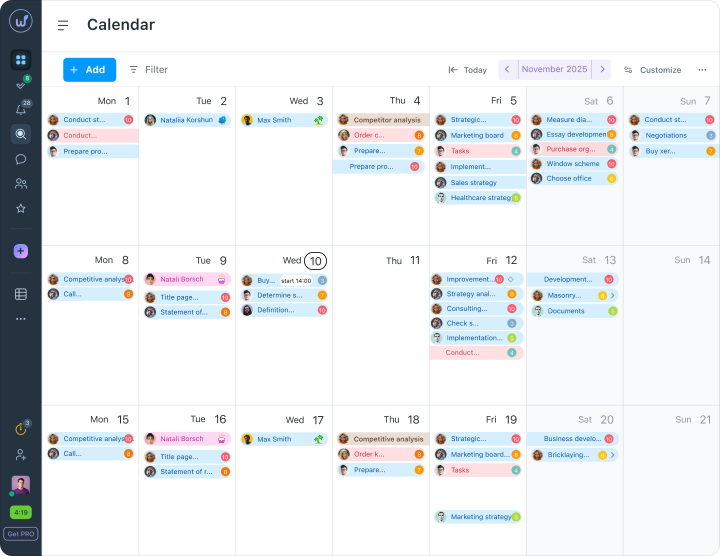
All tasks and deadlines on the Gantt chart are also visible in the Worksection calendar. We look at tasks in the calendar because it is a familiar format for everyone. The calendar is simple, and it immediately shows the upcoming deadlines for tasks.
In Worksection, we enter events as tasks with an end date, for example — “Lecture at the University.” The calendar will always remind us about the upcoming lecture and when it will take place.
Task Board
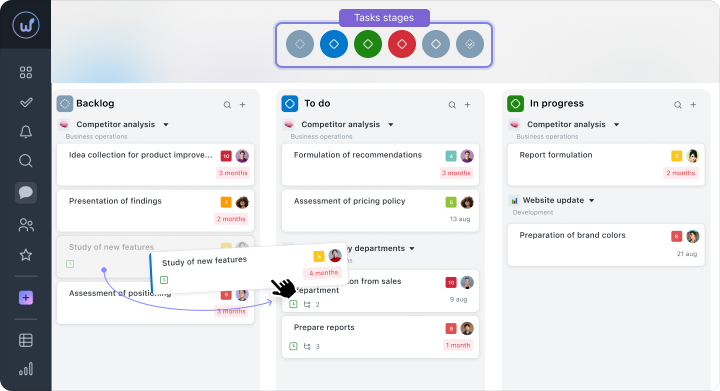
The task board or Kanban board is a way to visualize the project. Task statuses are separate cards on the board that display the corresponding tasks. Workflows are adapted to the team’s needs using flexible task statuses, which can be customized by name and color.
We have set up general project statuses, arranged in the following order:
Who Worksection Is For
Thanks to Worksection, a single project manager handles the whole volume of filming and post-production for all of Ukraїner’s content.
When asked “which task manager should you choose?” we’d say — Worksection, of course.
Every company or organization needs a good assistant for communication and task management.
With Worksection, everything became clear and simple.