Solutions
worksection
beta
help
How to delete an account?
Permissions An account can only be deleted by:
- owner
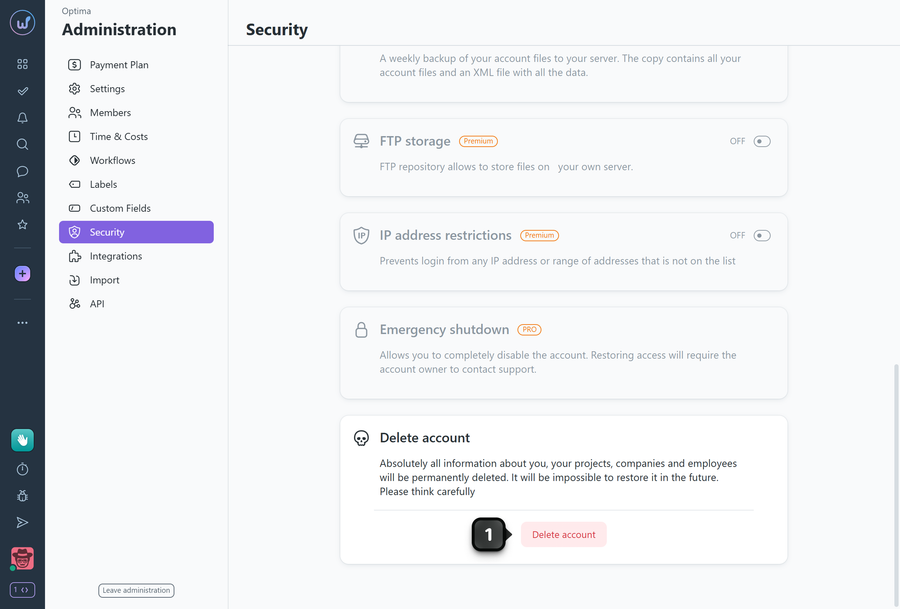
To delete an account, go to Administration > Security.
In the "Delete account" section, click "Delete account"1.
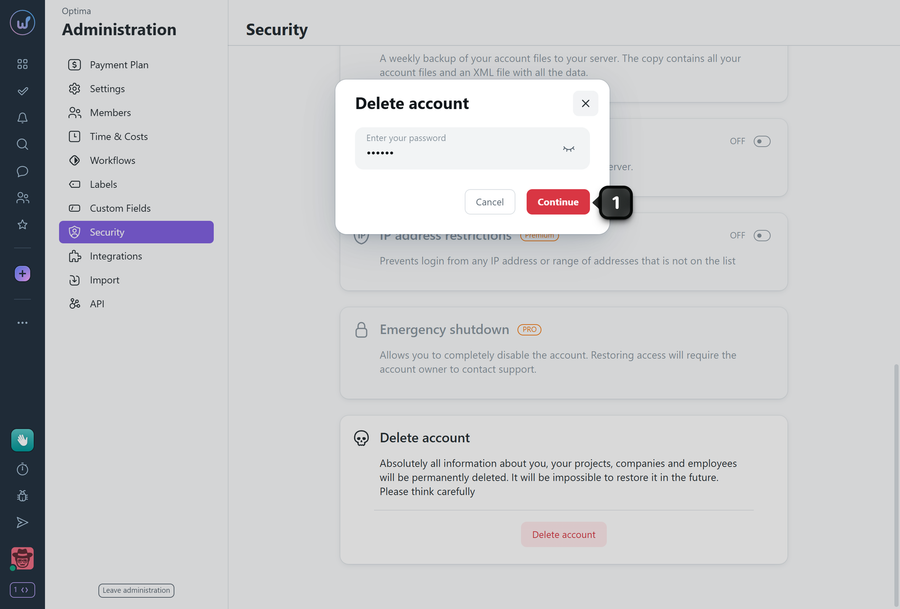
Enter your account password to confirm the deletion, then click "Continue"1.
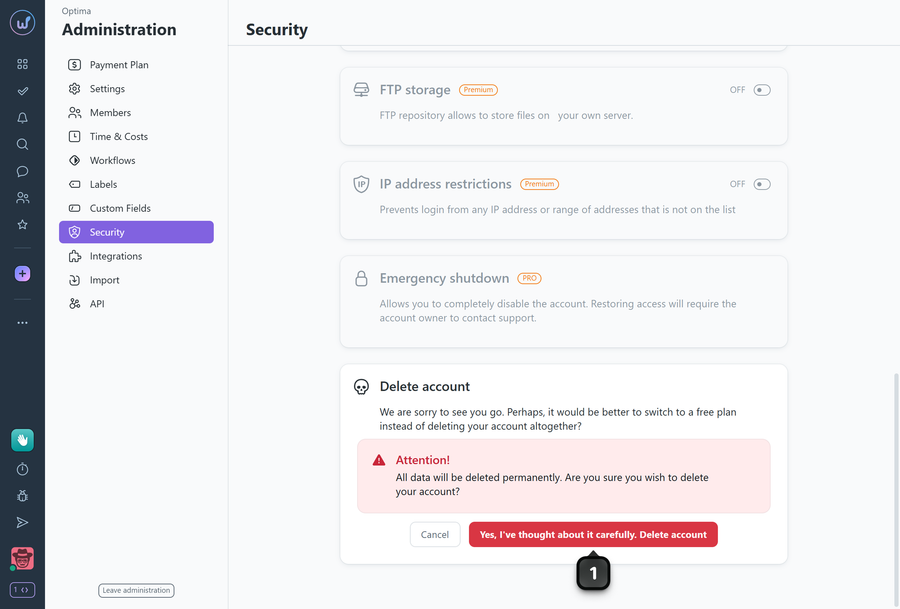
To permanently delete your account along with all its data, click "Yes, I've thought about it carefully. Delete account"1.
Leave your review
Did this article help you?
Glad we could help! What was helpful?
Sorry this didn't help. What went wrong?

