Solutions
worksection
beta
help
Disabling two-factor authentication (2FA)
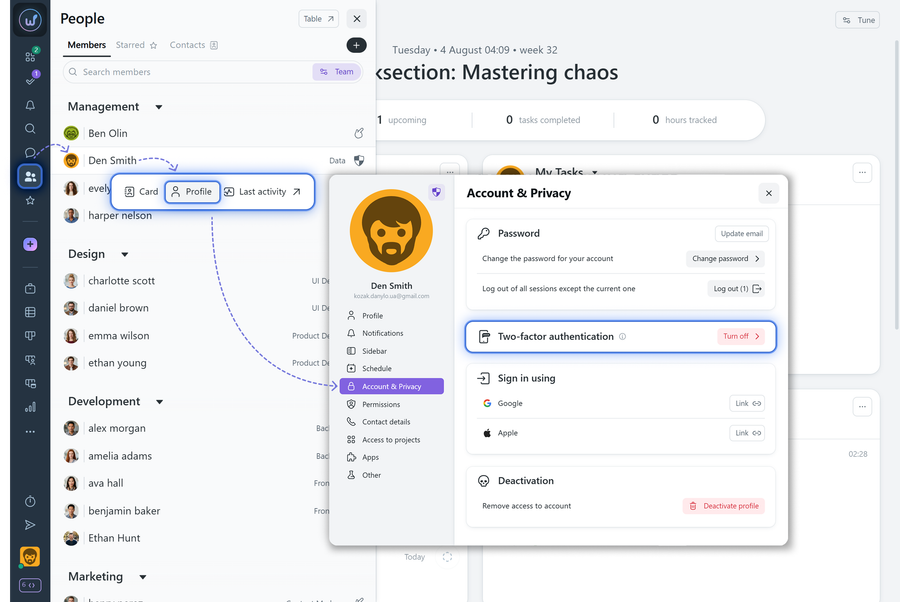
If needed, the Account Owner or Administrator can completely disable 2FA in the account settings. It is also possible to disable two-factor authentication for an individual user.
To do this, go to the “People” menu, open the user profile window, navigate to the “Account & Privacy” tab, and in the two-factor authentication section click the “Turn off” button. The user will be logged out from all Worksection sessions, and on the next login they will be prompted to scan the QR code again to re-enable 2FA.
Leave your review
Did this article help you?
Glad we could help! What was helpful?
Sorry this didn't help. What went wrong?

