Solutions
worksection
beta
help
How to set up regular backup of my account?
Permissions Users who can configure backups include:
- Account Owner
- Account Administrator with the "Access to account settings" permission
You can set up backup of your entire account to your own FTP server. Backup is available for accounts on the Premium plan. It can be enabled and configured in the Administration > Security section.
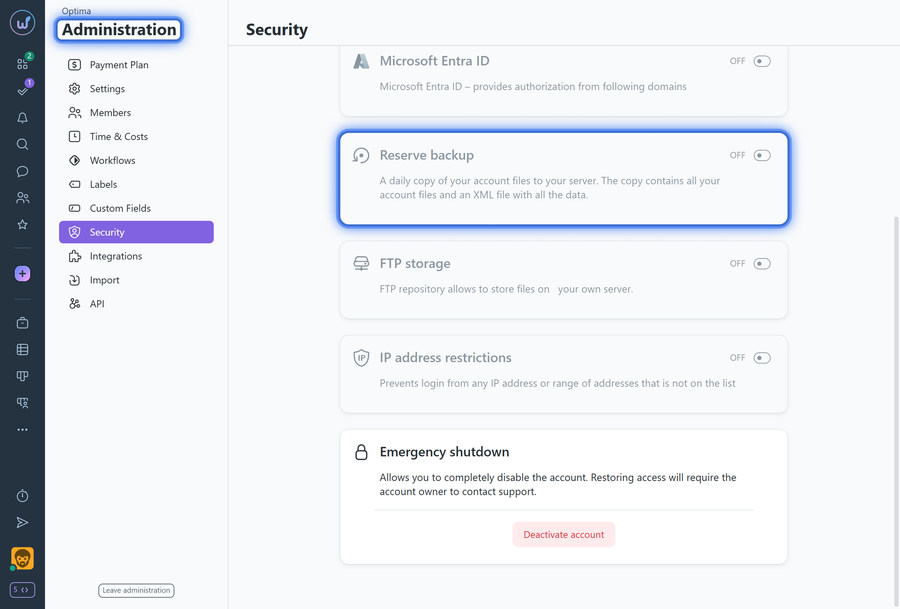
A backup is a copy of all account data in XML format, including files. The backup is created in a technical format (not for viewing) for quick data restoration.
The backup is done via FTP, so when enabling it, you need to enter your FTP server access details (server address:port, login and password, as well as the directory to copy to).
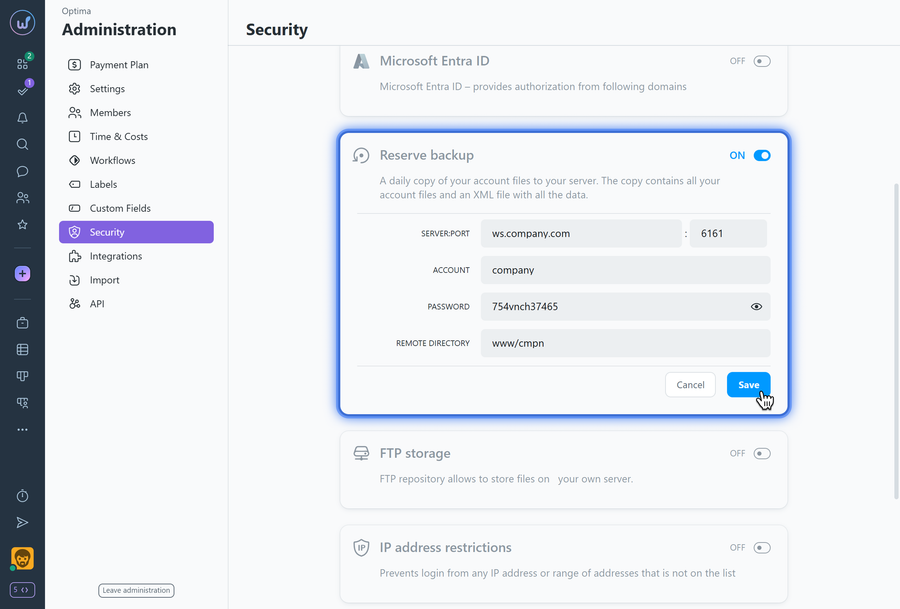
The backup is created every night.
What is backup for:
If important data or the account itself was deleted for any reason, upon your request to support, we can restore your account using your own backup from any save point.
Leave your review
Did this article help you?
Glad we could help! What was helpful?
Sorry this didn't help. What went wrong?

