Solutions
worksection
beta
help
Can I download an archive of my account data?
Permissions the following have access to this section:
- Account Owner
- Account Administrator with the "Access to account settings" permission.
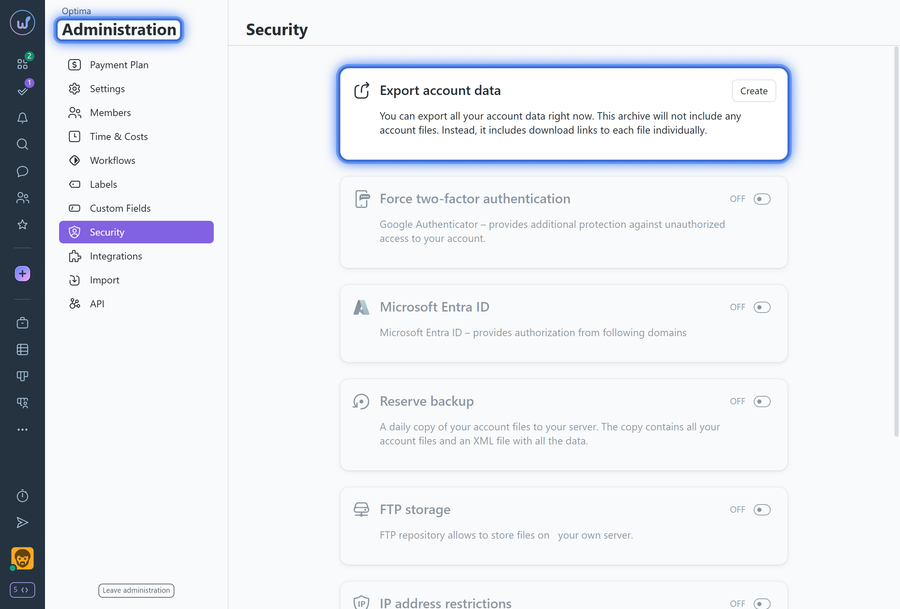
To download a copy of your account data, go to Administration > Security.
In the "Account data copy" block, click the "create" button:
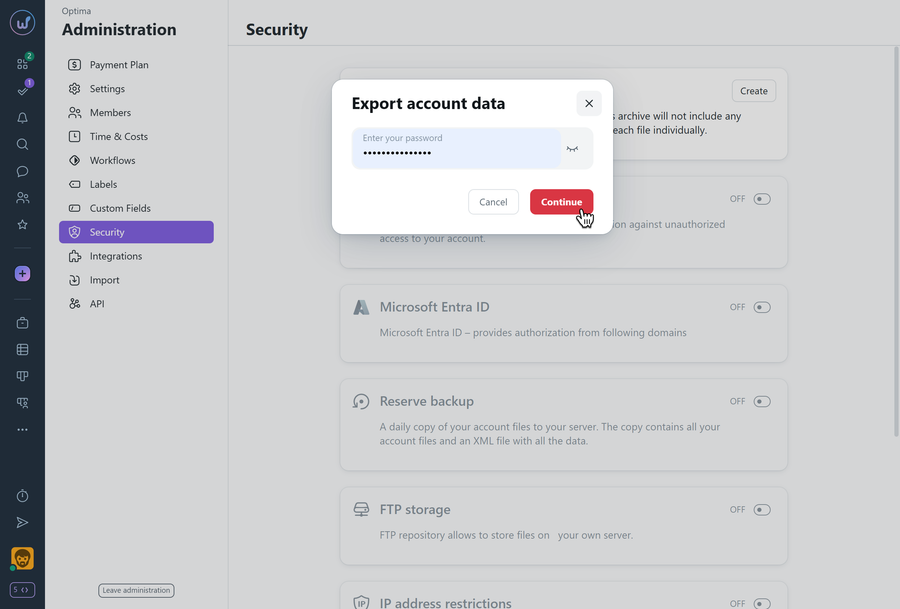
Next, pass an additional verification by entering your Worksection account password and click "Continue":
Depending on the amount of data, it will take some time to create the archive. Once done, click the "Download" button:
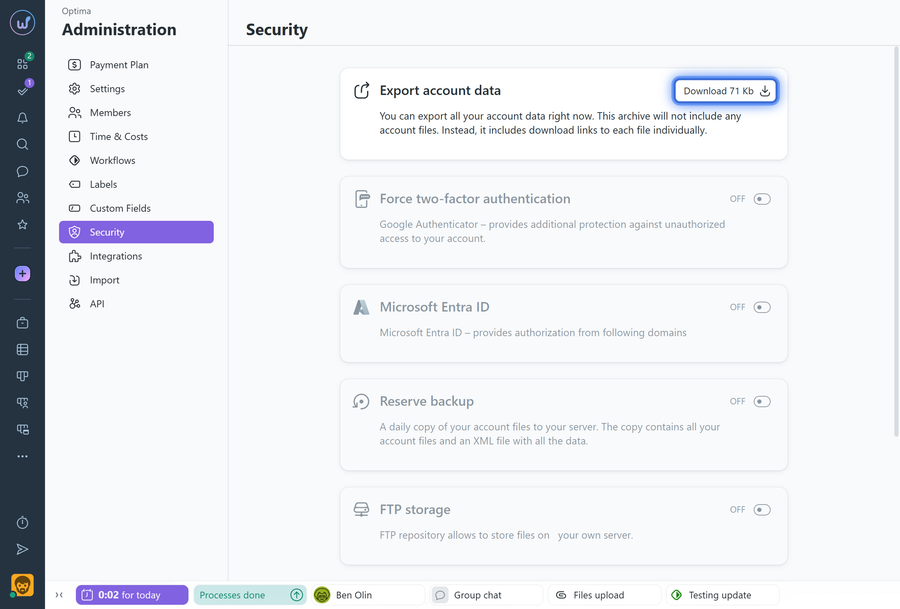
An XML file in a ZIP archive of the same name will then be downloaded.
Please note! The XML file contains the main data of your account (projects, tasks, comments, costs, etc.) and links to all uploaded files, but not the files themselves. Files are described as follows:
<file id="9625818" task="8633066" comment="21098790">
<title></title>
<filename>Image.jpg</filename>
<added>Mon, 17 Aug 2020 11:39:07 +0200</added>
<creator id="389937">Нікитюк Олег</creator>
<link>http://youraccount.worksection.com/download/9645718/</link>
</file>
Using the links in the <link> tags, you can download the necessary files either manually by entering the links one by one in the browser address bar, or in bulk by extracting the links from the file and then downloading all files via a custom script, a bulk file download tool, or a special browser extension.
Leave your review
Did this article help you?
Glad we could help! What was helpful?
Sorry this didn't help. What went wrong?

