Solutions
worksection
beta
help
How to enable two-factor authentication? (2FA)
Permissions Two-factor authentication in the account can be enabled by:
- Account owner
- Account administrator with the "Access to account settings" permission.
Two-factor authentication (2FA) is a method of identifying a user in a service by requesting data of two different types, providing two-level — and therefore more effective — protection of the account against unauthorized access.
First factor: login and password.
Second factor: the Google Authenticator app, which generates a code. The code is always different and does not need to be memorized.
Two-factor authentication can be enabled on Business and Premium plans in the Administration > Security section.
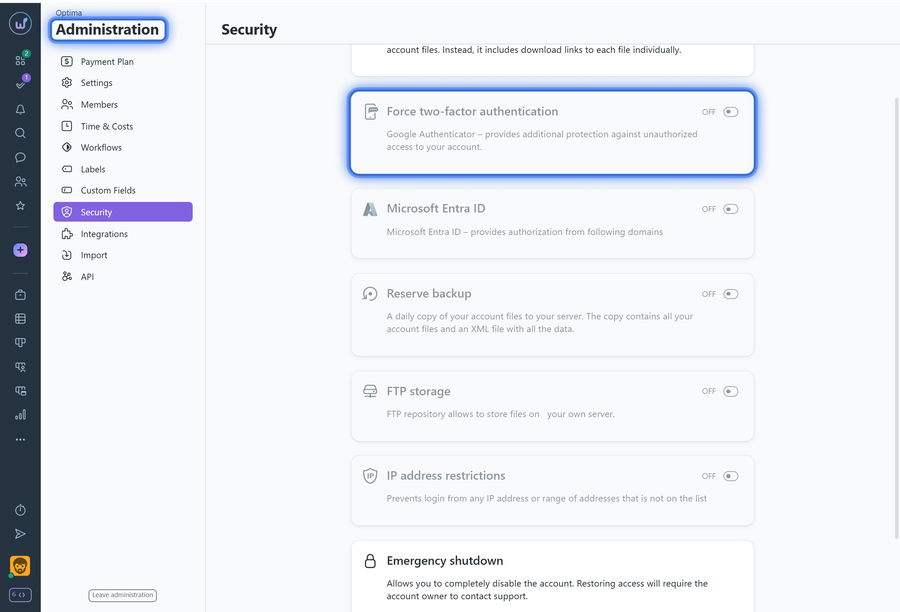
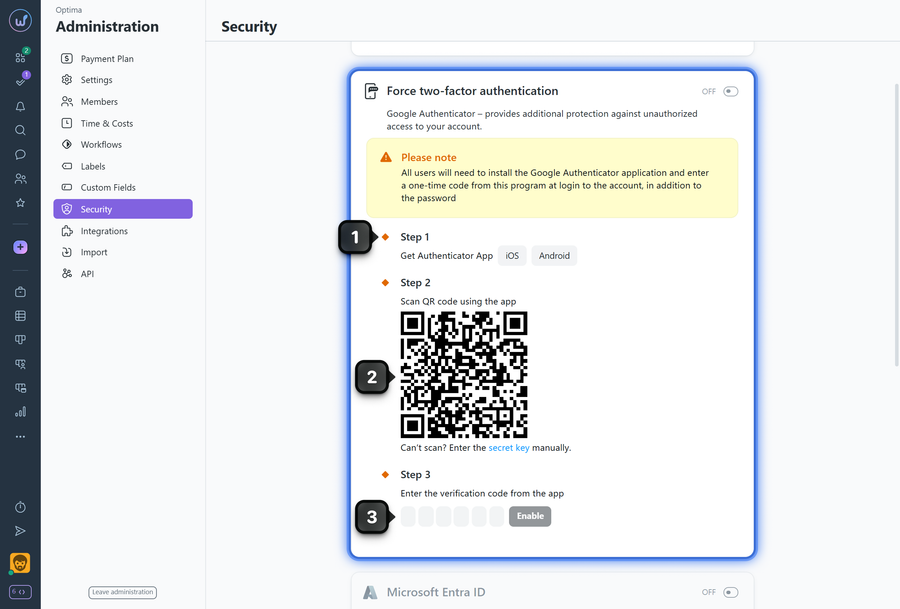
Once two-factor authentication is enabled — you will need to download the Google Authenticator app1. Then scan the QR code using this app2, enter the generated code3, and click "Enable"4:
After completing these steps, two-factor authentication will be activated.
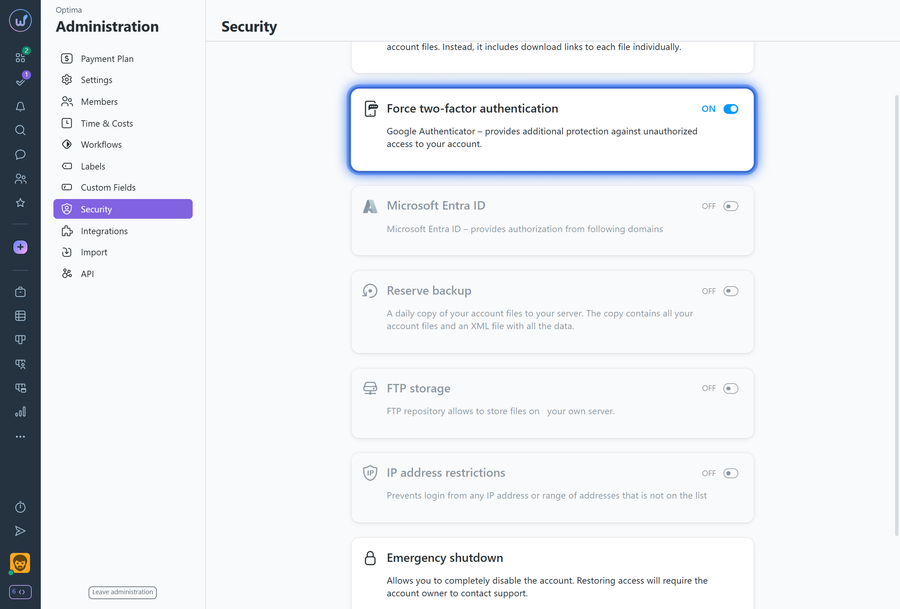
All account members will also need to download the Google Authenticator app to log in to the system. Step-by-step instructions on how members can log in to the account are described in the guide.
Please note! Also make sure that the exact time is set on your phone.
Leave your review
Did this article help you?
Glad we could help! What was helpful?
Sorry this didn't help. What went wrong?

