Workflowy remains one of the most well-known minimalist hierarchical list services: users start with one list, create nested items, expand the desired level, and gradually transform notes into a system of ideas, plans, and tasks. This approach is especially convenient for personal planning, research, note-taking, and quick information gathering without a complex structure.
But alternatives to Workflowy are needed not only by those who dislike the product itself. Often, a team outgrows a personal hierarchical list and seeks visual representations, documents, databases, attachments, reports, roles, or full project management. Therefore, Workflowy alternatives can belong to entirely different categories: from similar hierarchical lists to personal knowledge management systems and project platforms.
This review includes Worksection, Dynalist, Notion, Obsidian, Roam Research, Logseq, Todoist, Evernote, Microsoft OneNote, and Tana. Worksection is listed first only for team scenarios where ideas need to be transformed into tasks, deadlines, responsibilities, and controlled outcomes. For a personal note-taking network, daily journaling, or a minimalist hierarchical editor, specialized products are more suitable.
Workflowy Alternatives in 30 Seconds
- Worksection — for project teams that need tasks, subtasks, deadlines, Gantt charts, time tracking, and reports.
- Dynalist — the closest replacement for a classic nested hierarchical list with unlimited items on the free plan.
- Notion — for documents, wikis, databases, and flexible workspaces.
- Obsidian — for a local knowledge base in Markdown with backlinks and plugins.
- Roam Research — for networked thinking, daily notes, and bidirectional links.
- Logseq — for personal knowledge management with open-source, local storage based on a hierarchical list and journal.
- Todoist — for quickly turning lists into tasks, deadlines, priorities, and recurring actions.
- Evernote — for storing notes, documents, scans, and web materials.
- Microsoft OneNote — for freeform digital notebooks in Microsoft 365.
- Tana — for structured connected notes, meetings, super tags, and AI automation.
For a comparable experience, it’s reasonable to start with Dynalist. For personal knowledge bases, compare Obsidian, Roam Research, Logseq, and Tana. For team task management, it’s better to look at Worksection or Todoist rather than trying to turn a personal hierarchical list into a full PM system.
What is Workflowy and Who Is It For?
Workflowy is a minimalist tool for organizing information as an infinitely nested bulleted list. Any item can be expanded, collapsed, scaled to a separate working context, supplemented with a note, tag, date, link, or attachment. The product has also introduced boards, mirrored elements, tables, and timeline views, but the foundation remains a single hierarchy.
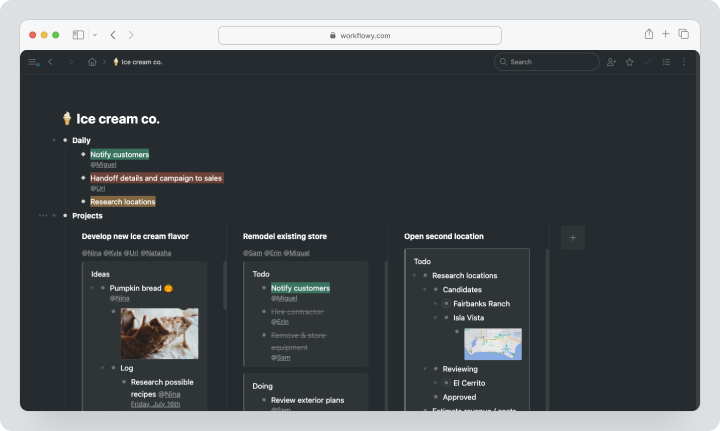
The service is suitable for users who think in lists and do not want to pre-design folders, databases, or complex templates. It is used for personal knowledge management, structuring texts, meeting notes, GTD, bullet journaling, research, and simple team lists.
As of 03.08.2026, the Basic plan is free and includes all features, 100 new nodes per month, and a file upload limit of 100 MB. Pro costs $8.99 per month for monthly billing, removes limits on nodes and uploads, and provides a seven-day trial. For team use, Workflowy offers a separate Teams scenario, the conditions of which should be checked at the time of purchase.
Why Are Teams Looking for Alternatives to Workflowy?
Workflowy is strong precisely because of its limited and understandable model. However, this same minimalism can become a limitation when the workflow changes.
Required Visual Representations
A nested list shows structure well but doesn’t always provide an overview of the project. The product team might need kanban, calendar, Gantt chart, team load, or a database with filters. Workflowy develops additional views, but specialized PM systems work deeper with terms, dependencies, and resources.
Personal System Becomes Team-Based
In a personal hierarchical editor, text, tags, and dates are enough. In team collaboration, roles, assignees, status control, guest access, SLAs, reports, and visibility rules emerge. If the list becomes the primary operational tool for the company, it’s important to check how the system manages responsibility, not just information.
Full Attachments and Documents Needed
Workflowy supports files and images but doesn’t replace a document archive, corporate wiki, or knowledge management system. For large file libraries and long documents, Notion, Evernote, OneNote, or a specialized knowledge base are more convenient.
Reports and Time Tracking Required
The personal list answers the question “what needs to be done.” A manager also needs to know who is responsible, how much time is spent, which tasks are overdue, and what the project costs. Such a level of control is provided by Worksection, while Todoist covers a simpler task management scenario.
Local Ownership of Data Needed
Obsidian and Logseq store notes locally in text files. This is important for users who want to choose their own synchronization, backup, and data processing tools.
Structured Knowledge Base Needed
Workflowy offers a flexible hierarchy but doesn’t impose data types. Notion uses databases and properties, Tana — supertags and fields, Obsidian — Markdown and metadata. Such a structure helps build directories for people, meetings, decisions, research, and projects.
How Did We Select and Compare Services?
The services were compared not by the number of claimed features, but by how the user performs core actions.
Hierarchy and Speed of Operation
It was checked how quickly a nested structure can be created, items can be moved, focus can be shifted to a branch, elements can be linked, and relevant information can be found.
Collaboration
For teams, joint editing, comments, mentions, permissions, guests, and change history are important. Local personal knowledge management systems may be stronger for a single user, but weaker for synchronous work.
Search and Links
Regular search is convenient for known formulations. Backlinks, relationship graphs, dynamic queries, and databases help find context and reuse information.
Tasks and Projects
Assignees, deadlines, repetitions, priorities, statuses, dependencies, Gantt charts, reports, and time tracking were evaluated. Not every note-taking tool needs to fulfill these functions, but noting the difference is important.
Import and Export
Official export formats, local files, APIs, and the ability to transfer nested structures were checked. A static PDF retains appearance but not links or editable hierarchy.
Cost
The cards state the basic public price. Taxes, regional fees, AI credits, storage, and corporate features may be paid separately.
Best Alternatives to Workflowy in 2026
Worksection
Worksection is a project and task management system. It does not replace Workflowy as a personal hierarchical list or personal knowledge management tool but is suitable for teams that use lists for work planning and then need deadlines, responsibilities, and reporting.
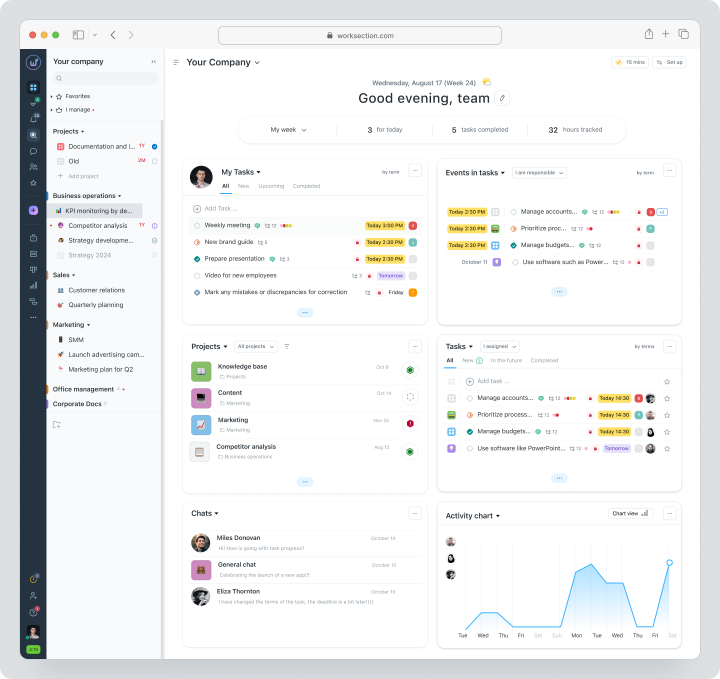
Instead of a single endless hierarchy, the team creates projects, tasks, subtasks, and checklists. Each element has an assignee, deadline, priority, status, history, and comments. Dependencies are displayed on a Gantt chart, time is tracked with a timer, and the manager compares the plan with reality.
Cost: Free for up to 5 users and 2 projects. Monthly payment for Basic is $5 per user per month, Business — $10, Premium — $15.
Key Features
- tasks, multi-level subtasks, and checklists;
- assignees, deadlines, priorities, and statuses;
- calendar, Kanban, and Gantt chart;
- time tracking, expenses, and reports on Business;
- roles, read-only access, and guest access;
- API, webhooks, and integrations.
Main Difference from Workflowy
Workflowy organizes thoughts in a flexible hierarchy. Worksection organizes execution: who is doing what, by when, how much time has been spent, and how the project is progressing.
Advantages
- strong project reporting;
- connection of materials with responsibility and deadlines;
- guest access for the client on Business.
Limitations
- not designed for personal knowledge management;
- no free, infinite structure for notes;
- time tracking and Gantt chart available from Business onward.
Who it is Suitable For
Agencies, service, marketing, and operations teams that have outgrown lists and want to manage outcomes.
Dynalist
Dynalist is a hierarchical editor that is closest to the classic logic of Workflowy. It supports infinite nesting, quick commands, internal links, tags, dates, checklists, and sharing.
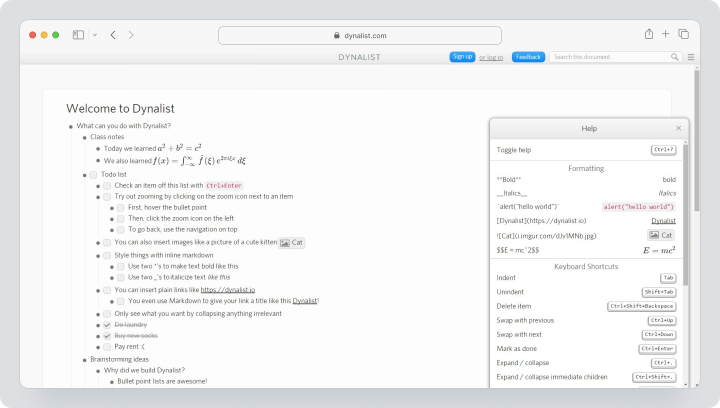
Cost: Free — $0 with unlimited items and documents. Pro costs $9.99 per month with monthly billing. After registration, a 14-day Pro trial is available.
Key Features
- unlimited lists and documents on Free;
- internal links and Markdown;
- dates, tags, and checklists;
- collaborative editing and sharing;
- import and export;
- bookmarks and advanced Pro features.
Main Difference from Workflowy
Dynalist offers a very similar model, but the free plan does not limit the number of items per month. Workflowy is more actively developing additional views and its own ecosystem.
Advantages
- low migration barrier;
- unlimited basic structure;
- desktop and mobile applications.
Limitations
- not a full-fledged PM system;
- limited reports and permissions;
- the interface and model remain list-based.
Who it is Suitable For
Users who like Workflowy but need a different free plan or specific features of Dynalist.
Notion
Notion combines documents, wikis, databases, forms, and lightweight project management. Unlike a pure hierarchical editor, users can store items in databases and display them in a table, board, calendar, or timeline.
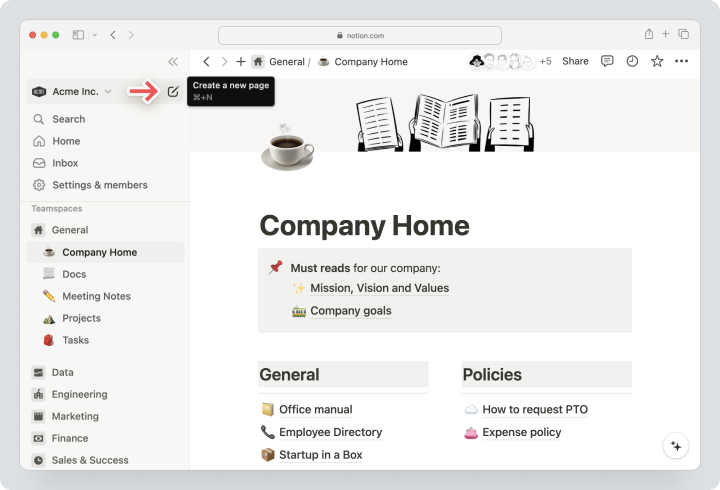
Cost: on the US page Free — $0, with monthly billing Plus costs $12 per member per month, Business — $24. Enterprise is calculated individually. AI features are included in Business and Enterprise, while other plans have a limited trial period. The regional currency and total price may vary.
Key Features
- documents and nested pages;
- databases with properties and relations;
- list, table, Kanban, calendar, and timeline;
- collaborative editing and comments;
- templates, forms, and automations;
- API, import, and export.
Main Difference from Workflowy
Notion requires more setup but provides significantly more structured views and team collaboration options for the workspace.
Advantages
- knowledge and projects in one place;
- flexible databases;
- large template catalog.
Limitations
- higher implementation complexity;
- easy to create a heterogeneous structure;
- not as fast a keyboard-first hierarchical editor.
Who it is Suitable For
Startups, product and content teams that need wikis and databases, not just lists.
Obsidian
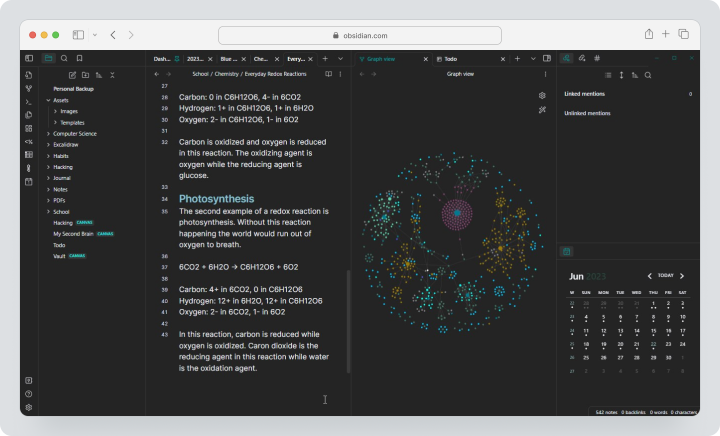
Obsidian is a local storage application for linked notes in Markdown. Notes are stored in the user’s local folder, while links, backlinks, connection graphs, and plugins turn it into a flexible personal knowledge management system.
Cost: the application is free, including for commercial use. Obsidian Sync Standard costs $5 per user per month on a monthly payment basis.
Key Features
- local Markdown files;
- backlinks and connection graph;
- properties and templates;
- a large community of plugins;
- desktop and mobile;
- optional Sync and Publish.
Main Difference from Workflowy
Obsidian gives control over files and the network of links, but by default, it is not a cloud-based collaborative hierarchical editor.
Advantages
- users own their files;
- extendability with plugins;
- free for commercial use.
Limitations
- collaboration requires separate organization;
- plugins complicate support;
- no built-in team project management.
Who It’s For
Researchers, authors, consultants, and users who value Markdown and local data.
Roam Research
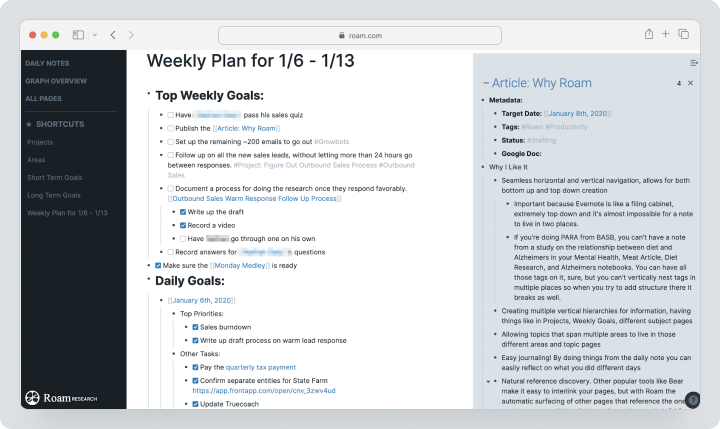
Roam Research is a tool for networked thinking with daily notes, block references, backlinks, and graphs. It builds a system around related blocks and context reuse rather than around folders.
Cost: Pro costs $15 per month on a monthly payment basis. Believer — $8.33. ($500 for 5 years) A 31-day trial period is available for new users.
Key Features
- daily notes;
- bi-directional links;
- links to embedded objects;
- connection graph;
- API and applications
- unlimited private/public participants on Pro.
Main Difference from Workflowy
Workflowy primarily builds a hierarchy, while Roam connects blocks into a network. This is useful for research but requires a different mindset.
Advantages
- strong link management;
- reusable blocks;
- suitable for complex research bases.
Limitations
- no free permanent plan;
- high price for personal use;
- weaker traditional project management.
Who It’s For
Researchers, authors, and knowledge workers who build a network of ideas.
Logseq
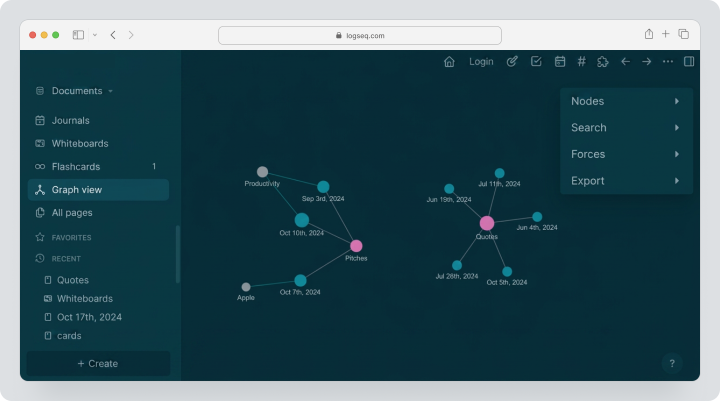
Logseq is an open-source knowledge base with local storage that combines a hierarchical list, journal, backlinks, queries, and graphs. By default, data is stored locally in Markdown or Org-mode files.
Cost: the core of Logseq is available for free as open-source. Availability, synchronization conditions, and collaboration should be verified directly before connection.
Key Features
- hierarchical list and daily journal;
- Markdown and Org-mode;
- backlinks and block references;
- queries and properties;
- whiteboards;
- open-source plugins.
Main Difference from Workflowy
Logseq is closer to personal knowledge management with local storage and offers an open data format. Workflowy is simpler as a ready-to-use cloud service.
Advantages
- free core open-source;
- local files;
- strong queries and links.
Limitations
- synchronization requires careful setup;
- collaboration is not the main scenario;
- the interface is more complex for beginners.
Who It’s For
Technical users, researchers, and proponents of local storage.
Todoist
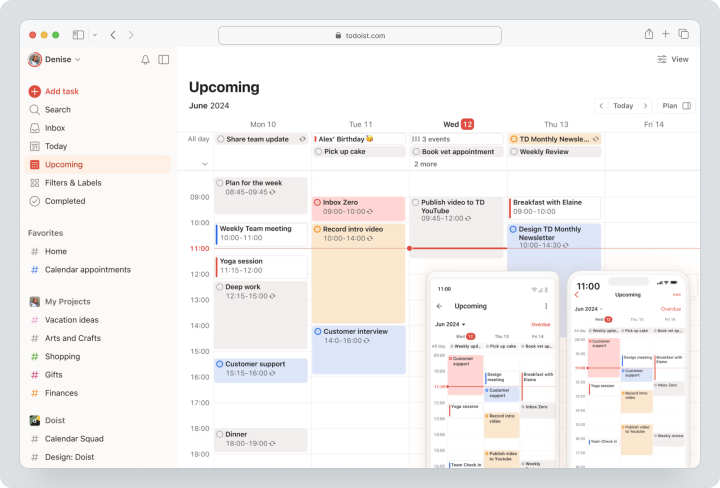
Todoist is a task manager for personal and team tasks. It maintains fast list input while adding due dates, repetitions, priorities, projects, sections, filters, and team roles.
Price: Beginner — free. Monthly payment for Pro costs $7, Business — $10 per user per month. Trial period: 7 days for Pro and 14 days for Business.
Key Features
- tasks, subtasks, and recurring dates;
- list, board, and calendar on paid plans;
- reminders, filters, and labels;
- shared projects and comments;
- team workspace, roles, and guests;
- API and integrations.
Main Difference from Workflowy
Todoist manages actions and deadlines better but is weaker as a long hierarchical note base.
Advantages
- quick input;
- strong recurring tasks;
- clear task management workflow.
Limitations
- not a full-featured wiki;
- no Gantt chart;
- team reporting is simpler than in PM systems.
Who It’s For
Personal users and small teams who need a quick action list.
Evernote
Evernote is an app for notes, documents, scans, web clips, and tasks. In 2026, Personal and Professional plans were replaced with new individual Starter and Advanced plans.
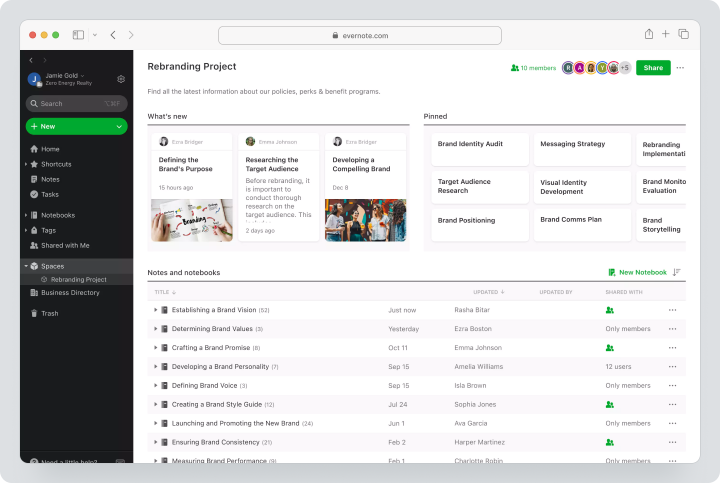
Price: Free includes up to 50 notes, one notebook, synchronization with one device, and 1 GB of storage. Starter offers up to 1000 notes, 20 notebooks, three devices, and 5 GB. Advanced removes main limits. Prices for paid plans depend on the region and are displayed on the local checkout page.
Key Features
- formatted notes;
- Web Clipper;
- document scanning;
- search and tags;
- tasks and calendar;
- applications for desktop, web, and mobile.
Main Difference from Workflowy
Evernote is stronger at storing diverse content and attachments, while Workflowy is faster for nested lists.
Advantages
- convenient material collection;
- search in a large library;
- scans, documents, and web content.
Limitations
- strict limits on Free;
- price depends on the region;
- hierarchy is less flexible than in hierarchical editors.
Who It’s For
Users who need to store documents, articles, receipts, scans, and working materials.
Microsoft OneNote
OneNote is a digital notebook with sections and pages. Users can freely place text, drawings, tables, handwritten notes, files, and images on a page.
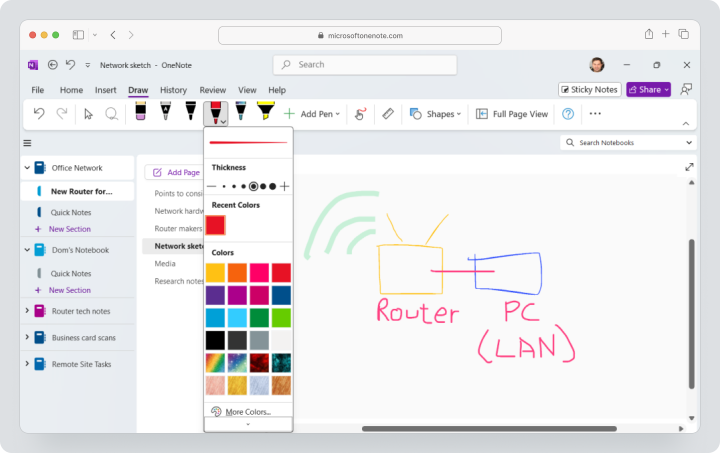
Price: OneNote is available for free with a Microsoft account. The amount of cloud storage is determined by OneDrive terms and the chosen subscription; additional storage and advanced features of Microsoft 365 are charged separately.
Key Features
- notebooks, sections, and pages;
- free-form canvas;
- handwritten input and drawing;
- collaborative editing;
- connection with OneDrive and Microsoft 365;
- export of notebooks and PDF.
Main Difference from Workflowy
OneNote mimics a free paper notebook, while Workflowy builds a strict nested structure.
Advantages
- free start;
- convenient for handwritten notes;
- integration with Microsoft 365.
Limitations
- more difficult to maintain a unified structure;
- export and transfer depend on the platform;
- not designed for project reporting.
Who It’s For
Students, Microsoft 365 teams, and users of tablets with a stylus.
Tana
Tana — a platform for connected notes with a hierarchical list, supertags, dynamic node search, a knowledge graph, and AI. In 2026, the product is actively positioned as a platform for meetings with AI agents but retains a separate Tana Outliner for personal knowledge management.
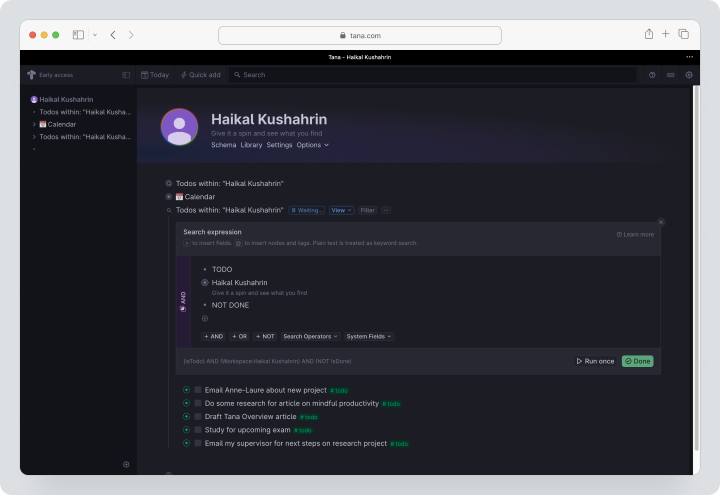
Cost: Free — $0, five AI meetings per month, one calendar, and 50 AI queries. Pro at the early price is $20 per user per month, with a standard listed price of $30. Max — $80 at the early price or $120 at the standard price. Business is priced individually. A 30-day free trial is available without a credit card.
Key Features
- hierarchical list editor and daily notes;
- supertags and structured fields;
- search by nodes and various display formats;
- knowledge graph;
- meeting transcripts and AI summaries;
- integrations, API, and MCP on the Pro plan.
Main Difference from Workflowy
Tana transforms items in a hierarchical list into typed objects with fields and queries. Workflowy remains simpler and faster for free-form hierarchies.
Advantages
- structured connected notes;
- strong meeting workflows
- AI and context automation.
Limitations
- high cost of paid plans;
- the product changes rapidly;
- overkill for simple lists.
Who It’s Suitable For
Consultants, product teams, and knowledge work professionals who want to combine meetings and personal knowledge management.
Comparative Table of Workflowy Alternatives
| Service | Best Scenario | Hierarchy | Collaboration | Search and Links | Tasks | Local Data | Export |
|---|---|---|---|---|---|---|---|
| Worksection | Team project execution | Projects and subtasks | Strong | By tasks and projects | Full-fledged | No | Excel, CSV, API, files |
| Dynalist | Classic hierarchical editor | Strong | Yes | Links, tags | Simple | Offline apps | Import and export |
| Notion | Wiki and databases | Pages and databases | Strong | Search, relations, AI | Built-in | No | HTML, Markdown, CSV, PDF |
| Obsidian | Personal knowledge management with local storage | Folders and links | Limited | Back links, graph | Via plugins | Yes | Markdown |
| Roam Research | Networked thought | Blocks | Collaborators | Strong back links | Simple | Cloud | Available export |
| Logseq | Journal and personal knowledge base with open source | Hierarchical list | Not the main scenario | Queries, back links | Simple | Yes | Markdown/Org |
| Todoist | Personal and team tasks | Projects and subtasks | Yes | Filters, labels | Strong | No | Backups/API on paid |
| Evernote | Archive of notes and documents | Notebooks | Yes | Search, tags | Built-in | No | ENEX/PDF under terms |
| OneNote | Free digital notebooks | Notebook/section/page | Yes | Search | Checklists | Via OneDrive | Notebook/PDF |
| Tana | Structured personal knowledge management and meetings | Nodes and supertags | Developing | Search by nodes, graph | Built-in | No | Export available |
Which service to choose for different scenarios?
For the closest alternative to Workflowy
Start with Dynalist. It preserves nested lists, quick commands, and a minimalist approach. The main advantage of Free is the lack of a limit on the number of items and documents.
For a personal knowledge base
Obsidian is suitable for those who want to store Markdown locally. Roam Research is better for block linking and networked thinking. Logseq is worth choosing for its open source and journal-first approach. Tana is ideal for supertags, meetings, and AI.
For documents and wikis
Notion better organizes databases, documents, and team workspace. Evernote is stronger in collecting materials and scanning. OneNote is more convenient for free pages and handwritten notes.
For Actions and Deadlines
Todoist is suitable for simple task management. Worksection is rational when several projects, clients, dependencies, time tracking, and management reports come into play.
How to transition from Workflowy without losing data?
- Divide the content into personal notes, knowledge, active tasks, and archive.
- Remove duplicates and outdated branches.
- Document common elements, mirrored tasks/blocks, attachments, dates, and tags.
- Export data in available formats and keep a backup.
- Import one representative branch into the new system.
- Check the nesting, notes, links, and completed items.
- Do not transfer your personal knowledge base into the PM system without conversion.
- Create a project in Worksection, turning key points into tasks and subtasks.
- Assign responsibilities and deadlines.
- Keep Workflowy accessible for verification during the transition period.
How to convert an outline into a project in Worksection?
- Select the Workflowy branch that describes a specific outcome.
- Create a project for the client, product, or initiative.
- Transfer the top level as a task.
- Convert nested items into subtasks and checklists.
- Add links to original notes and files.
- Assign executors, deadlines, and priorities.
- Link dependent stages.
- Monitor deadlines on the Gantt chart.
- Log time and analyze reports.
This way, your personal thought structure becomes a team execution plan.
FAQ
What is the best alternative to Workflowy in 2026?
For a similar hierarchical editor, it’s best to start with Dynalist. For local personal knowledge management, Obsidian or Logseq works well; for databases — Notion, and for tasks — Todoist. Worksection should be chosen only when lists turn into team projects with deadlines and responsibilities.
Are there free alternatives to Workflowy?
Yes. Free plans or free cores are available in Dynalist, Notion, Obsidian, Logseq, Todoist, Evernote, OneNote, Tana, and Worksection. Limitations relate to nodes, devices, notes, AI, storage, users, and projects.
What alternative to Workflowy is suitable for small businesses?
A small company can use Notion for documents, Todoist for simple tasks, or Worksection for client projects. The choice depends on whether there’s a need to preserve knowledge, maintain a task list, or control deadlines, time, and outcomes.
What Workflowy replacement is better for teams?
For a shared knowledge base, choose Notion; for light tasks — Todoist; for comprehensive project management — Worksection. Dynalist is good for shared lists but lacks the reporting and resource management features.
What distinguishes Worksection from Workflowy?
Workflowy is a hierarchical editor for organizing thoughts and lists. Worksection is a PM system with tasks, responsibilities, deadlines, Gantt charts, time tracking, roles, and reports. It doesn’t replace personal knowledge management systems but facilitates team collaboration execution.
Can data be transferred from Workflowy?
Yes, Workflowy supports export, but the completeness of import depends on the target service. Be sure to check nesting, notes, completed items, mirrors, files, and tags on the pilot branch.
How to compare service prices?
Look not only at the monthly amount. Consider the number of users, AI credits, synchronization, publishing, storage, guests, API, and the need for additional applications. In Obsidian, for instance, the core is free, but Sync and Publish are paid separately.
How to choose between an outliner and a PM system?
A hierarchical editor is needed for thinking, decomposition, and personal structure. A PM system is required for distributing work among people, monitoring deadlines, time, and progress. If the list includes several executors and reporting, a project tool becomes more rational.
What features should be checked before migration?
Check nesting, backlinks, search, collaborative editing, files, permissions, tasks, deadlines, mobile apps, import, export, and API. Additionally, test the deepest and most complex branch separately.
Conclusion
Workflowy remains a strong minimalist hierarchical editor, especially for users who need a single quick and flexible list. However, the best alternative depends on the next step.
Dynalist is the closest in logic. Obsidian, Roam Research, Logseq, and Tana excel in linked notes and personal knowledge management. Notion builds documents and databases. Evernote and OneNote store a variety of materials. Todoist turns items into actions.
Worksection is needed in a different scenario: when a list becomes a project and requires responsibilities, deadlines, dependencies, time tracking, and reports. For such a transition, you can explore the Worksection overview and compare the pricing.