Many people are wary of time trackers, as no one likes the feeling of excessive control over every minute. However, in modern business, tracking time is by no means an attempt to check whether the team is slacking. It’s a matter of simple mathematics, and here’s why.
If you don’t know how many hours are actually spent on tasks, you’re estimating work blindly. Projects that seem profitable can quietly drain the team’s energy, and specialists can get tired from constant minor revisions.
The timer in Worksection 2.0 helps the team conveniently log their work while allowing the business to see honest numbers instead of assumptions.
A Tool for People, Not for Control
The biggest fear about time tracking is the feeling of intrusive micromanagement. However, in Worksection, everything is built on trust and self-organization.
The timer is a fully manual tool controlled solely by the employee. You decide when to press “Start” to focus on a task and when to stop it to take a break or switch to other matters.
The system doesn’t account for anything without your team. This way, employees have full control over their day while the business receives real, not “inflated” due to fear, numbers.
Protection Against “Five-Minute Fixes”
We think you’ve likely found yourself in the trap where a client or manager asks for “just a small tweak, it’s only two minutes”. But first, you open the design or code, then discuss details in chat, make changes, check – and before you know it, two hours have slipped by.
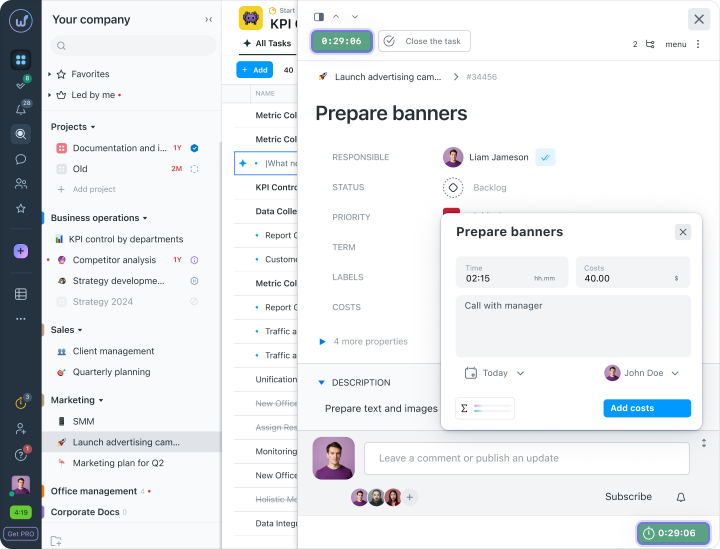
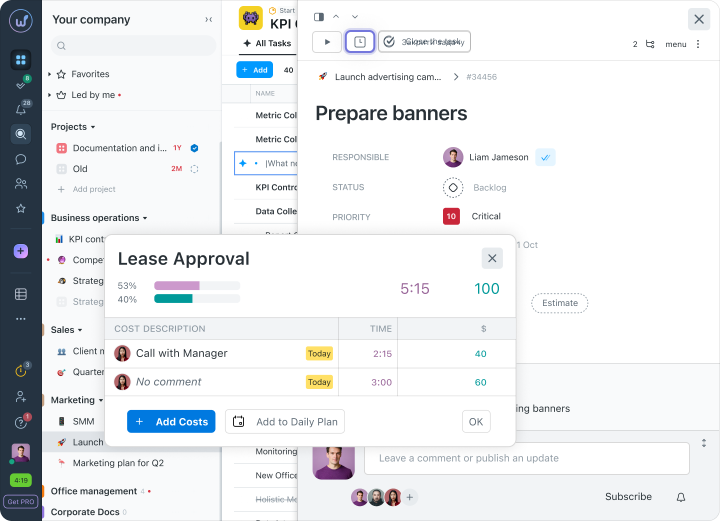
In Worksection 2.0, we’ve made it so the timer collects all the small fixes together. For the specialist, this protects against unpaid work, while for the company, it provides the opportunity to see if minor fixes are consuming all the profit from the project. When you stop the timer or manually enter time, you can immediately add a short comment about what exactly you did. This way, your minutes add up to real working time that won’t get lost and will be fairly compensated.
Quick Start with the Daily Plan
When you have many tasks across different projects, constantly switching between them takes time and distracts you. To make time tracking easy and not turn it into another burden, we have a Daily Plan.
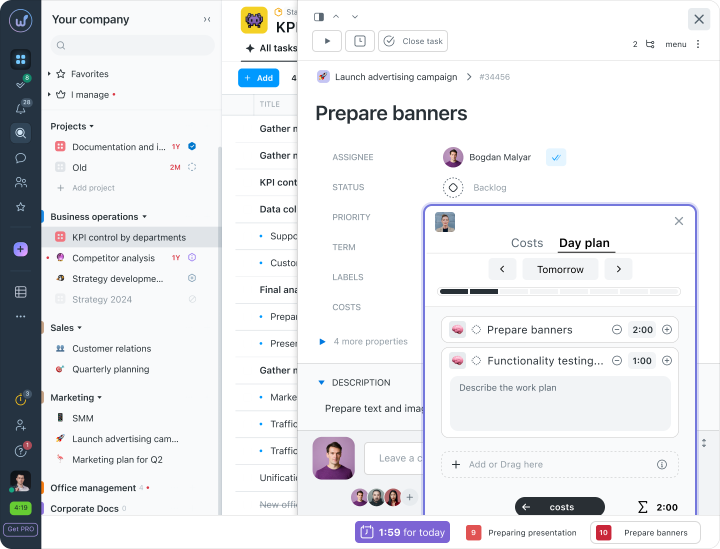
In the morning, you can simply add the tasks you plan to accomplish today. They will gather in one list on a single screen. You won’t have to search for where a particular task is – you simply start the timer right from the Daily Plan and work peacefully. Less hassle for the team means faster results for the company.
Ready Reports Instead of Manual Data Collection
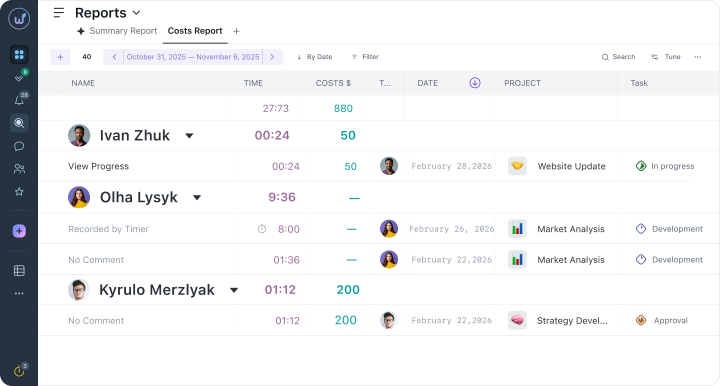
Preparing monthly reports for clients or calculating salaries often turns into additional tedious work. Usually, you have to recall the time spent and manually sum up all the figures in spreadsheets.
For the employee, this is the best argument to affirm their contribution to the company’s work.
Time is Money, Count It Together
In Worksection 2.0 we view time tracking not as a way to control every step of the team. For us, it’s primarily a financial tool. After all, the working hours of specialists are literally money you invest in projects.
When you know the exact cost of each minute, managing budgets becomes significantly easier:
- Discover the true cost and earn more. Instead of estimating future contracts “by eye,” you rely on accurate statistics from past tasks. This allows you to quote clients a fair price that fully compensates the team’s work.
- Identify hidden costs and close “gaps”. You clearly see where most resources are going and which tasks are silently eating into your profit. This helps you timely adjust processes so that money stops leaking into nowhere.
- Save the team from overload. When every minute of revisions is logged in the system, specialists feel that their work is valued. This creates an atmosphere of transparency and trust, where everyone works towards a common result without unnecessary stress.