Flowlu combines CRM, projects, finance, documents, and a knowledge base into one system. This approach is convenient when it’s important for small businesses to reduce the number of separate subscriptions and link sales to the execution of client work. However, Flowlu alternatives may better suit teams that need deeper ERP logic, a different CRM, local accounting, or, on the contrary, a simpler project outline.
This review gathers Flowlu analogs for different tasks: Worksection, Bitrix24, Zoho One, Odoo, ClickUp, monday.com, Scoro, Teamwork.com, Pipedrive, and Insightly. Each Flowlu alternative is evaluated based on real scenarios, pricing, implementation complexity, and limitations.
The selection of Flowlu alternatives does not declare a single universal winner: the choice depends on whether you want to replace the entire set of business modules or just project management.
Flowlu Alternatives in 30 Seconds
A quick selection helps narrow down the list to two or three services for a pilot.
- For tasks, deadlines, time tracking, and reports: Worksection.
- For the closest comprehensive scenario: Bitrix24 or Zoho One.
- For ERP, inventory, and production: Odoo.
- For a flexible workspace: ClickUp or monday.com.
- For professional services and project finances: Scoro or Teamwork.com.
- For CRM and sales: Pipedrive or Insightly.
- For a small budget: Flowlu Free, ClickUp Free, or the limited free plan of Worksection, if their limits fit your process.
What is Flowlu and Who is it Suitable For?
Flowlu is a cloud platform for small and medium businesses that connects CRM, projects, tasks, finance, invoices, time tracking, automation, and a knowledge base. The free plan offers access for two users, a basic CRM outline, projects, documents, and financial operations.
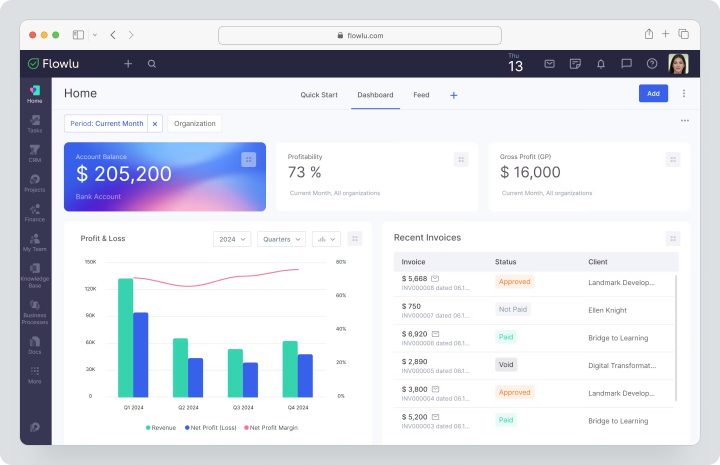
Paid plans add several funnels, Gantt charts, dependencies, online payments, a client portal, portfolios, advanced financial reporting, and roles. Flowlu is suitable for agencies, consulting, and service companies that manage deals, projects, and accounting in one space.
However, the system does not replace local accounting, a full-fledged production ERP, or specialized inventory solutions in all countries.
Flowlu Pricing: Free is available for two users. The Essential monthly subscription costs $12 per user, the Advanced — $22. The Ultimate cost is calculated individually.
Why Do Teams Look for Flowlu Alternatives?
A Flowlu alternative is usually needed not because the original product is bad, but because the core business process changes.
A Universal Platform Becomes More Complex Than Needed
The more modules are enabled, the higher the requirements for setting permissions, directories, and automations. A team that only needs projects and time tracking may find it simpler to use Worksection or Teamwork.com than to maintain a CRM, finance, and knowledge base that are rarely used.
CRM Logic Does Not Match the Sales Process
Flowlu links deals with projects and finances, but the sales department may need a more specialized funnel, forecasting, email sequences, lead scoring, or a rich ecosystem of CRM integrations.
Then Pipedrive, Insightly, Bitrix24, or Zoho CRM within Zoho One turn out to be closer to the daily work of sellers.
Local Finances and Accounting Needed
Invoices, estimates, expenses, and cash flow in Flowlu are useful for management accounting. However, tax reporting, local forms, banking integrations, and legislative requirements depend on the country.
For such tasks, companies often compare Zoho Books, Odoo Accounting, or a separate local accounting system.
Inventory, Procurement, or Production Needed
Flowlu has inventory tracking on Advanced, but a business with batches, routes, production orders, and complex cost accounting needs a deeper ERP.
In this scenario, Odoo is closer to the task than a standard PM system.
Lack of Integrations or Customization
As growth occurs, important API limits, webhooks, a marketplace, and low-code tools, as well as the ability to create custom entities, become critical.
Zoho One, Odoo, Bitrix24, and monday.com offer different approaches to expansion but will require separate cost assessments for implementation.
Need a more focused project system
If CRM and accounting are already working, Flowlu may duplicate part of the stack. Worksection, ClickUp, monday.com, and Teamwork.com allow you to focus on tasks, deadlines, resources, and reports without trying to replace a financial or inventory system.
How did we choose and compare services?
Services were compared based on the use case rather than the number of items on the feature page. Prices and features were verified on August 4, 2026, on the official pages.
Before purchasing, it is worth confirming again: currencies, taxes, minimum number of licenses, and packages may vary by region.
Modularity and process coverage
It was verified what is included in the product: CRM, projects, documents, invoices, inventory, HR, and knowledge base. The presence of a module name does not imply the same depth of functionality.
CRM and client operations
Important funnels, deals, contacts, email synchronization, forms, forecasts, automation, and the transition from sales to fulfillment. For a service company, linking the deal to the project is particularly useful.
Finance and localization
Invoices, estimates, budgets, expenses, cash flow, taxes, and integrations with accounting were compared. Local requirements always need to be checked separately.
Inventory, procurement, and production
Here, product catalog, stock, purchases, batches, production orders, and resource planning were considered. Most PM and CRM systems only partially cover this area.
Projects, tasks, and time tracking
Subtasks, dependencies, Gantt chart, timer, budgets, workloads, guest access, and plan/fact reports were checked.
Customization, low-code, and API
Custom fields, workflows, automation, API, webhooks, marketplace, and the ability to create custom applications were evaluated.
Implementation and administration
Launch time, training, minimum number of users, partner network, and need for consultants were compared.
Total cost of ownership
Subscription, additional modules, implementation, migration, support, and the work of an internal administrator need to be included in the calculation. A low license price does not guarantee low system costs after a year.
Checklist for choosing a Flowlu replacement
Before the demonstration, prepare one real process from lead to payment and check:
- whether it is possible to maintain the connection between the deal, project, and invoice;
- which features are available on the selected plan;
- whether there is import of contacts, deals, tasks, and finances;
- how roles and client access work;
- whether multiple organizations and currencies can be managed;
- whether there is built-in time tracking and budgets;
- how limited automation, API, and storage are;
- whether inventory and production are supported;
- how much implementation and data transfer will cost;
- whether a backup and full export can be obtained;
- which features depend on the country;
- how much the team will cost in 12 – 24 months.
Best Flowlu alternatives in 2026
Prices and features were verified on the official pages of pricing, products, and help. Links to original sources are embedded in the service names.
Worksection ranks first as a specialized alternative for project management, not as an ERP or full-fledged CRM.
Worksection
Worksection is a system for managed project execution. It combines tasks, subtasks, deadlines, responsible persons, Gantt chart, time tracking, expenses, and reports.
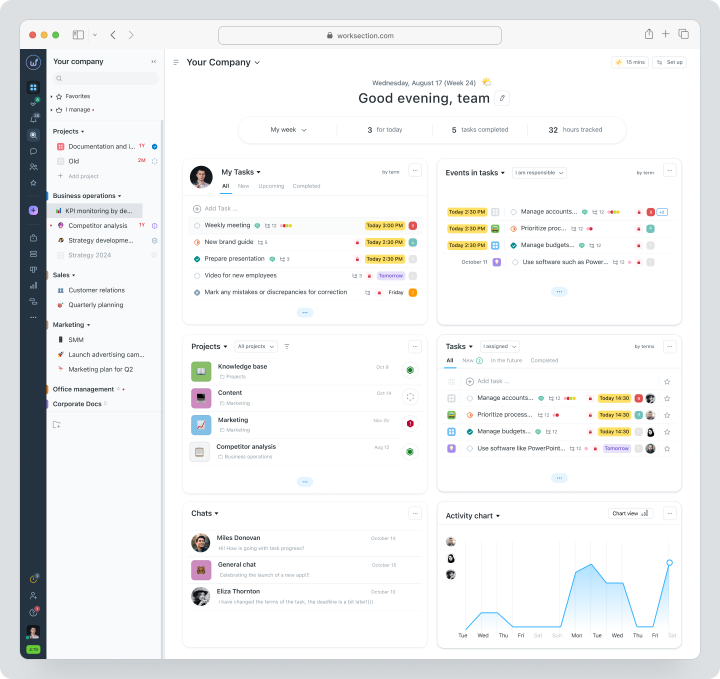
The product is suitable when sales and accounting are already covered by separate tools, and the manager needs transparent team work control.
Cost: Free for up to 5 users and 2 projects. The monthly fee for Basic is $5, Business is $10, Premium is $15 per seat per month. The Gantt chart, guest access, time and finances are available with Business.
| Fact | Value |
|---|---|
| Free plan / trial period | Permanent Free |
| Model | Per active seat |
| Main scenario | Projects, tasks, time, and reporting |
Key Features
- tasks, subtasks, checklists, and tags;
- Gantt chart and dependencies;
- time tracker, expenses, and plan/fact;
- roles, permissions, and guest access;
- API, webhooks, and integrations.
Main Difference from Flowlu
Flowlu is stronger in integrating CRM, projects, and finance, while Worksection is worth considering when priorities are deadlines, responsibility, labor costs, and reporting without implementing a universal business platform.
Advantages
- clear project structure;
- built-in time and expense tracking;
- quick setup for service teams.
Limitations
- no full-fledged CRM;
- no accounting, inventory, or manufacturing;
- advanced features available with Business.
Who It Suits
Agencies, IT, marketing, and service companies that need a project system alongside CRM and accounting.
Bitrix24
Bitrix24 is a platform that combines CRM, tasks, communication, websites, contact center, automation, and part of HR functions.
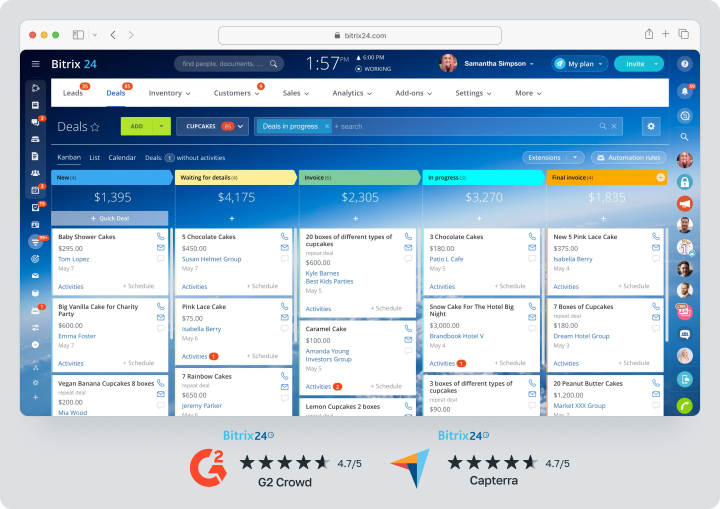
Cloud plans are paid a fixed fee per organization and include a certain number of users.
Cost: Free for 1 – 2 users. Basic costs $69 per organization per month and includes 5 users. Professional is $289 per organization and includes 100 users. Enterprise starts at $579 per organization per month.
| Fact | Value |
|---|---|
| Free plan / trial period | Free for 1 – 2 users and a trial period of individual features |
| Model | Fixed price per organization |
| Main scenario | CRM, sales, communication, and tasks |
Key Features
- deals, contacts, leads, and sales automation;
- tasks, Kanban, Gantt chart, and projects;
- chat, video calls, and company feed;
- invoices, estimates, online payments, and e‑commerce;
- cloud and on-premise versions.
Main Difference from Flowlu
Bitrix24 offers broader communication, contact center, and website coverage, but may require more complex administration. Flowlu is generally simpler for linking client projects and management finance.
Advantages
- fixed price for a user package;
- advanced CRM and communication;
- affordable on-premise version.
Limitations
- interface and permissions require customization;
- some services and telephony are charged separately;
- financial features do not replace local accounting.
Who It Suits
Companies that want to combine CRM, communication, and tasks, and are ready to appoint a system administrator.
Zoho One
Zoho One is a package of over 50 business applications for CRM, marketing, finance, support, HR, collaboration, and analytics.
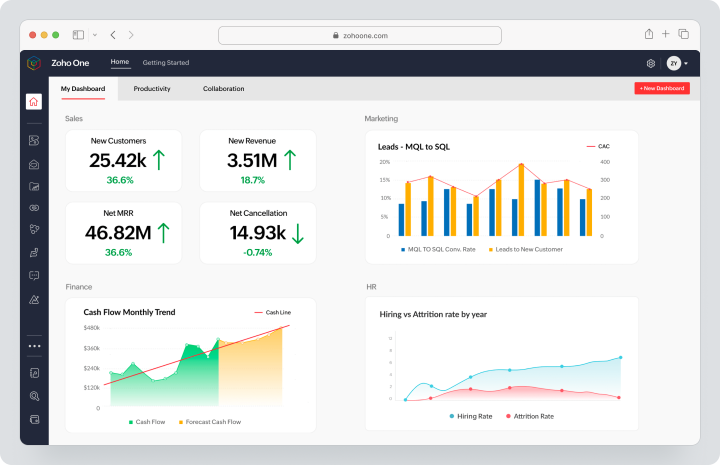
This is not a single monolithic program, but a connected ecosystem with centralized user management.
Cost: Zoho One offers monthly payment: All Employee — $45 per employee per month, Flexible User — $105 per user per month. The price depends on the country and chosen licensing model. A trial period for the full set of applications is available.
| Fact | Value |
|---|---|
| Free plan / trial period | Trial period of the full package |
| Model | All employees or individual users |
| Main scenario | Comprehensive ecosystem of business applications |
Key Features
- Zoho CRM, Bigin, and SalesIQ;
- Zoho Books, Invoice, and Expense;
- Zoho Projects, WorkDrive, and Cliq;
- Zoho Desk, Campaigns, and People;
- Zoho Creator, Analytics, and Directory.
Main Difference from Flowlu
Zoho One covers more departments and provides individual specialized applications, but implementation and unified data model are more complex. Flowlu offers a more compact interface for service SMBs.
Advantages
- widespread process coverage;
- strong integration of CRM and finance;
- low-code tools and analytics.
Limitations
- the price and availability of applications depend on the region;
- connections between applications need to be configured;
- All Employee requires licenses for the entire organization.
Who it’s suitable for
Companies that need a single provider for sales, finance, support, and HR.
Odoo
Odoo is a modular ERP platform that includes CRM, accounting, sales, procurement, inventory, manufacturing, projects, e‑commerce, and HR.
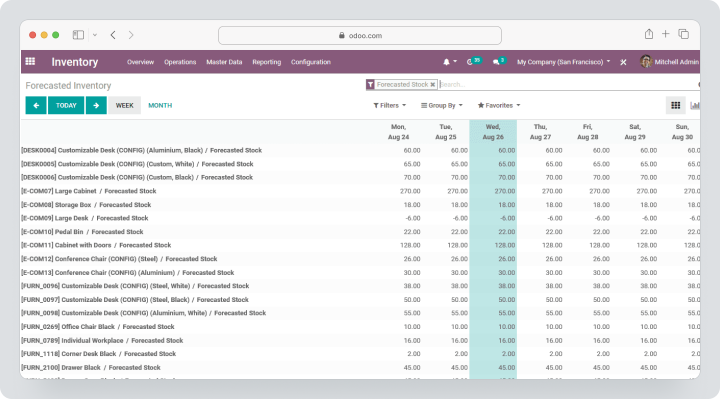
It is the closest to fully replacing Flowlu when operational processes are a key requirement.
Cost: One App Free allows you to use one application for free. The Standard monthly payment starts at $14.80 per user per month. The Custom plan adds Odoo Studio, multi-company features, and external API access. Regional prices, taxes, promotional terms, and implementation costs may vary.
| Fact | Value |
|---|---|
| Free plan / trial period | One App Free and trial period |
| Model | Per user, all applications |
| Main scenario | ERP, inventory, manufacturing, and sales |
Key Features
- CRM, sales, and subscriptions;
- Accounting, invoicing, and expenses;
- inventory, purchase, and manufacturing;
- projects, time sheets, and field service;
- e‑commerce, website, and POS.
Main difference from Flowlu
Odoo is significantly deeper in ERP, inventory, and manufacturing. For this depth, companies pay for more complex implementations, configurations of directories, and possible partner work.
Advantages
- wide ERP outline;
- open-source foundation;
- many industry scenarios.
Limitations
- implementation may cost more than licenses;
- accounting localization depends on the country;
- custom development complicates updates.
Who it’s suitable for
Trade, manufacturing, and service companies that need a unified ERP, not just CRM and projects.
ClickUp
ClickUp is a single workspace with tasks, documents, chats, boards, dashboards, and automations.
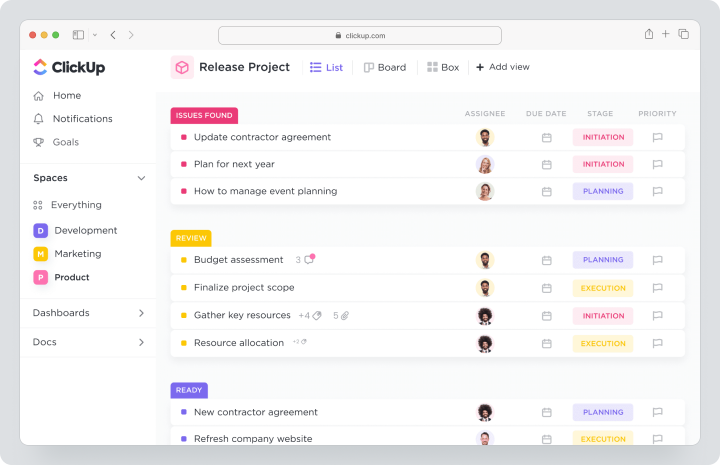
The product can be customized for a CRM-like process, but it remains a work management system, not accounting or ERP.
Cost: Free Forever is available at no cost. The Unlimited plan costs $10 per user per month, while Business is $19. Enterprise pricing is individual. Brain AI and Everything AI are charged separately.
| Fact | Value |
|---|---|
| Free plan / trial period | Free Forever |
| Model | Per user, AI separately |
| Main scenario | Flexible work management |
Key Features
- tasks, subtasks, dependencies, and customizable fields;
- Docs, Chat, and Whiteboards;
- Gantt chart, calendar, timeline, and uploads;
- built-in time tracking;
- dashboards, forms, and automation.
Main difference from Flowlu
ClickUp is more customizable as a workspace but lacks the built-in financial and CRM framework at Flowlu’s level.
Advantages
- many views and templates;
- strong customization;
- documents and tasks in one space.
Limitations
- the interface can be overloaded;
- CRM has to be designed independently;
- AI and additional credits increase costs.
Who it’s suitable for
Product, operations, and IT teams that need a flexible work system without ERP.
monday.com
monday.com is a visual work management platform where processes are built from boards, columns, submissions, reporting panels, and automation.
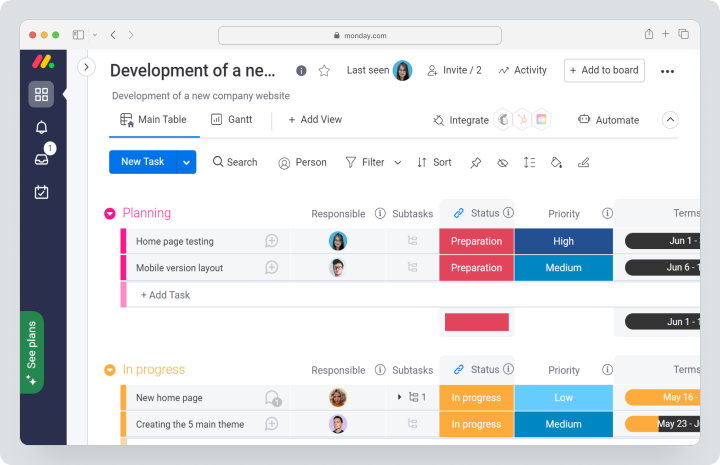
For sales, the company offers a separate monday CRM, so it’s important not to mix product pricing.
Pricing: for monday work management, monthly billing is available: Basic costs $12, Standard — $14, and Pro — $24 per user per month. The exact total cost depends on the country and the selected number of seats and is displayed after choosing the monthly billing cycle. Annual prices are not equivalent to monthly rates, and the Enterprise plan is available upon request.
| Fact | Value |
|---|---|
| Free plan / trial period | Free for up to 2 seats and a trial period |
| Model | Seat packages, regional currency |
| Main use case | Visual processes and automation |
Key features
- boards and customizable columns;
- Timeline, Gantt, and Calendar;
- forms, reporting panels, and automation;
- guest access on relevant plans;
- separate products for CRM, Dev, and Service.
Main difference from Flowlu
monday.com is easier to adapt to unconventional workflows, but the financial framework and CRM are sold as separate solutions. Flowlu immediately connects projects, sales, and invoices.
Advantages
- visual customization;
- strong automations;
- advanced reporting panels.
Limitations
- time tracking is available on Pro;
- cost depends on the number of seats;
- complex processes require management rules.
Who is it suitable for
Marketing, operations, and cross-functional teams.
Scoro
Scoro is a PSA system for professional services. It connects CRM, commercial proposals, projects, resources, time, invoices, budgets, and profitability.
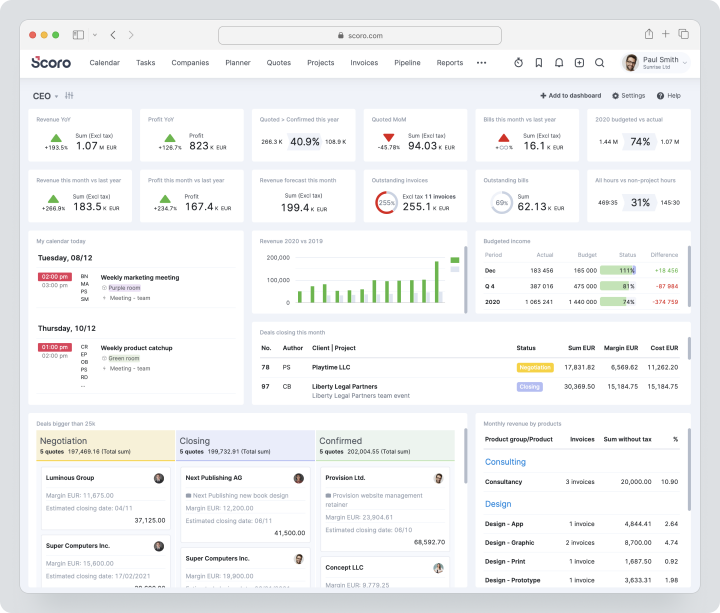
Thus, Scoro is closer to Flowlu for agencies and consulting than generic task management systems.
Pricing: with monthly billing, Core costs $23.90 per user per month, Growth — $38.90, Performance — $59.90. Enterprise is calculated individually. The minimum for all packages is 5 users, and the trial period lasts 14 days.
| Fact | Value |
|---|---|
| Free plan / trial period | 14-day trial period |
| Model | Per user, minimum of 5 seats |
| Main use case | Automation of professional services |
Key features
- CRM, commercial proposals, and pipeline;
- projects, planning, and workload;
- time tracking and pay rates;
- budgets, invoices, and profitability;
- reporting panels and forecasting.
Main difference from Flowlu
Scoro specializes deeper in the profitability and workload of professional services but is not positioned as a warehouse or manufacturing ERP.
Advantages
- cycle from proposal to payment for service businesses;
- strong resource and financial reports;
- unified client and project information.
Limitations
- minimum of 5 licenses;
- implementation can take several weeks;
- no permanent free plan.
Who is it suitable for
Agencies, consulting firms, architectural and other professional services.
Teamwork.com
Teamwork.com — a platform for client projects, time tracking, budgeting, invoicing, resources, and profitability.
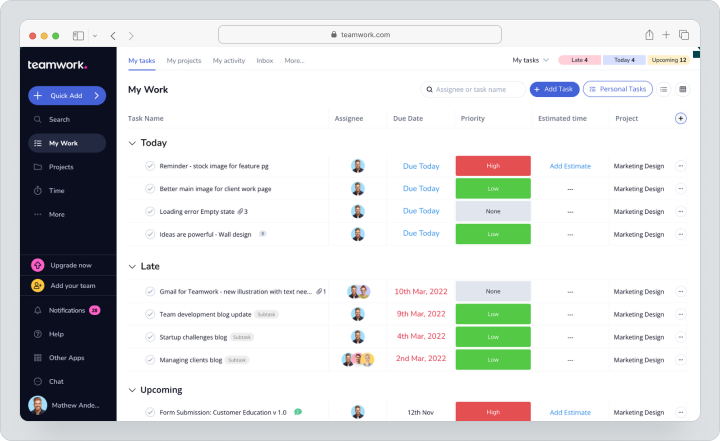
It is closer to project PSA than CRM or ERP.
Pricing: Free supports up to 5 users and 5 projects. Teamwork.com offers monthly payment; the exact monthly price for Basics is $13.99, Accelerate is $29.99. Optimize and Enterprise are available upon request. The trial period lasts 14 days.
| Fact | Value |
|---|---|
| Free plan / trial period | Free and 30-day trial |
| Model | Per user |
| Main scenario | Client projects and profitability |
Key Features
- tasks, Gantt, Table, List, and Board;
- time tracking and timesheets;
- budgets, rates, and invoices;
- client users and request forms;
- uploads, forecasting, and profitability.
Main Difference from Flowlu
Teamwork.com is deeper in customer work execution and project profitability but does not replace Flowlu’s sales CRM, accounting, inventory, or knowledge base.
Advantages
- strong client work;
- project financial control;
- easy collaboration with external clients.
Limitations
- advanced financials on higher plans;
- no full-fledged CRM;
- minimum seat counts may apply to paid plans.
Who It’s For
Agencies, consulting firms, and professional services.
Pipedrive
Pipedrive — a CRM for sales with visual pipelines, email synchronization, automation, lead generation, and forecasting.
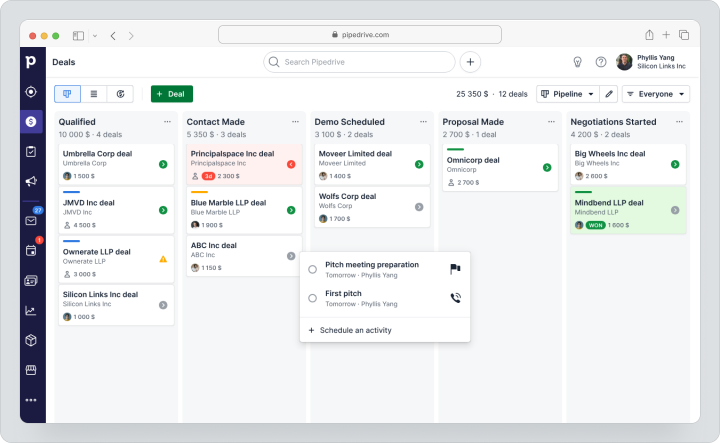
Projects are available as a separate functional module and are not the main purpose of the product.
Pricing: with monthly payment, Lite costs $19, Growth — $34, Premium — $64, Ultimate — $89 per user per month. The trial period lasts 14 days without a card. Additional modules and Projects may increase the total cost.
| Fact | Value |
|---|---|
| Free plan / trial period | 14-day trial |
| Model | Per user, additional modules separately |
| Main scenario | CRM and sales management |
Key Features
- leads, deals, contacts, and pipelines;
- email synchronization and tracking;
- automations and nurturing sequences;
- forecasts, products, and subscriptions;
- API and integrations.
Main Difference from Flowlu
Pipedrive is more focused on sales but does not integrate projects, finances, and knowledge base at the level of Flowlu.
Advantages
- clear pipeline;
- strong email automation;
- quick setup for sales departments.
Limitations
- projects and lead generation may be additional modules;
- no accounting and inventory;
- cost increases with the number of salespeople.
Who It’s For
Sales teams that need specialized CRM and do not require a unified PM-financial platform.
Insightly
Insightly — a CRM with built-in project management, workflow automation, reporting, and the capability to turn won deals into projects.
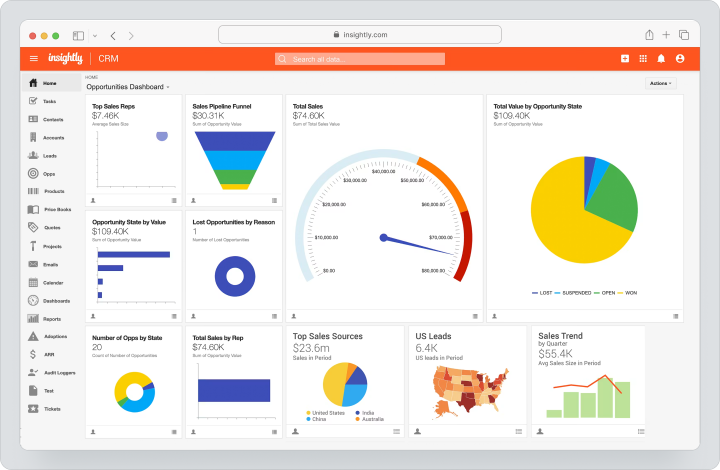
Marketing, Service, and AppConnect are sold as standalone products or as an All-in-One package.
Cost: CRM Plus costs $29, Professional — $49, Enterprise — $99 per user per month, but these prices are only published for annual payments. There is no publicly listed standard monthly rate. A 14-day trial is available.
All-in-One starts at $349 per month and includes a limited number of CRM users, service agents, and marketing contacts. For All-in-One, technical setup at $3000, accompanied implementation at $1500, and premium support priced at 20% of the licenses, but no less than $3000 per year, must also be considered.
| Fact | Value |
|---|---|
| Free plan / trial period | 14-day trial |
| Model | Per user or All-in-One package |
| Main scenario | CRM with deal handover to project |
Key features
- leads, opportunities, and pipelines;
- built-in project management;
- workflow automation;
- reporting dashboards and reports;
- API, webhooks, and AppConnect.
Main difference from Flowlu
Insightly makes CRM the central system and effectively hands over a won deal to a project. Finance, warehouse, and internal knowledge base are not its main modules.
Advantages
- CRM and projects in one model;
- advanced customization on higher plans;
- separate Marketing and Service.
Limitations
- the actual cost of the first year of All-in-One is significantly higher than the base $349 per month due to setup, implementation, and support;
- AppConnect is sold separately;
- there is no full ERP.
Who it’s suitable for
B2B companies for whom the connection of sales with post-sale execution is important.
Comparison table of Flowlu alternatives
The table shows the category and boundaries of each product. “Partially” means that the feature exists in a limited form or through a separate product, module, or integration.
| Service | Best scenario | CRM | Finance | Warehouse / Manufacturing | Projects | Customization | Implementation |
|---|---|---|---|---|---|---|---|
| Worksection | Managed execution | No | Project costs | No | Strong | Average | Fast |
| Bitrix24 | CRM and communication | Strong | Accounts and payments | Partially | Strong | High | Average |
| Zoho One | Business ecosystem | Strong | Strong applications | Warehouse, without deep MRP | Strong | High | Average |
| Odoo | ERP and manufacturing | Strong | Strong | Strong | Strong | Very high | Complex |
| ClickUp | Flexible workspace | Through customization | No | No | Very strong | Very high | Average |
| monday.com | Visual processes | Separate product | No | Through customization | Strong | High | Average |
| Scoro | Professional services | Yes | Project finances | No | Strong | Average | Average |
| Teamwork.com | Client projects | Clients, not CRM | Budgets and accounts | No | Strong | Average | Fast |
| Pipedrive | Sales | Very strong | Through integrations | No | Add-on | Average | Fast |
| Insightly | CRM + post-sale work | Strong | Through integrations | No | Native | High | Average |
Which service to choose for different scenarios?
The choice depends on which module of Flowlu is the main one for the business.
When the priority is projects and reporting
Choose Worksection if CRM and accounting are already implemented. ClickUp is suitable for teams needing deep customization, while Teamwork.com is for agencies with client budgets and profitability.
When a close all-in-one replacement is needed
Bitrix24 is closer for combining CRM, tasks, and communication. Zoho One is suitable for a company that wants to have separate specialized applications within one ecosystem.
Both solutions will require configuration of permissions and processes.
When ERP is needed
Odoo is rational for inventory, procurement, manufacturing, and complex financial processes. It should be evaluated along with the costs of implementation, localization, and support, not just by subscription.
When sales are more important
Pipedrive is suitable for sales departments with a clear funnel and email automation. Insightly is worth comparing if the work needs to transition into integrated project management after closing a deal.
When a business sells services
Scoro manages resources deeper, the cycle from proposal to payment, and profitability. Teamwork.com is simpler for client projects, time tracking, and budgets. Worksection is rational for a lighter financial outline.
How to switch to a new platform without data loss?
Safe migration starts with inventory, not CSV import.
- Document active projects, CRM funnels, users, roles, financial documents, and integrations.
- Remove archived contacts, duplicates, and outdated automations.
- Export contacts, companies, deals, projects, tasks, comments, files, and time entries.
- Save invoices, estimates, product catalogs, and knowledge bases separately.
- Check import formats and API limitations of the new system.
- Create a mapping of statuses, fields, currencies, and roles.
- Migrate one representative customer process.
- Verify dates, relationships, attachments, and financial summaries.
- Set up permissions, templates, and notifications.
- Conduct training with real data.
- Run a parallel period for two to four weeks.
- Turn off Flowlu only after acceptance and creating a backup.
How to organize project work in Worksection?
Worksection does not replicate Flowlu’s CRM and financial modules but offers a specific execution process.
- Create a project for a client, product, or outcome.
- Break down the work into tasks, sub-tasks, and checklists.
- Assign responsible parties, deadlines, priorities, and dependencies.
- Invite the client or contractor through guest access.
- Track deadlines on the Gantt chart and in the calendar.
- Log time and expenses by tasks.
- Compare the plan with the actual results.
- Use project and team reports.
- Before launching, check Worksection pricing and the feature set of the selected plan.
FAQ
What is the best alternative to Flowlu in 2026?
There is no one-size-fits-all best replacement. Worksection is suitable for projects and task tracking, Bitrix24 and Zoho One for a broad business context, Odoo for ERP, Pipedrive for sales, Scoro, and Teamwork.com for professional services.
First, determine which Flowlu modules are actually used, and then test two solutions on one real process.
Are there free alternatives to Flowlu?
Yes, but free plans cover different tasks. ClickUp offers Free Forever for work management, Worksection allows up to five users and two projects, Bitrix24 has a free starting plan, and Odoo provides One App Free.
A free Flowlu alternative rarely replicates CRM, projects, finances, and knowledge bases simultaneously without significant limits.
Which Flowlu alternative is suitable for small businesses?
For small businesses, the choice depends on the main process. Worksection is rational for client projects, Pipedrive for sales, Teamwork.com for managing client projects, Bitrix24 for CRM and communication, and Zoho One for gradually expanding the application set.
Do not purchase a universal platform just for the future: the cost of configuration may outweigh the benefits of unused modules.
Which replacement for Flowlu is better for teams?
Project teams should compare Worksection, ClickUp, and monday.com. For service companies — Scoro or Teamwork.com. For sales departments — Pipedrive or Insightly. For teams with multiple departments — Zoho One or Bitrix24.
Before choosing, check roles, guest access, mobile applications, import options, and the actual cost for all employees.
How does Worksection differ from Flowlu?
Flowlu integrates CRM, projects, finance, and a knowledge base. Worksection is focused on project execution: tasks, deadlines, dependencies, time, costs, and reports.
Therefore, Worksection is not a direct replacement for CRM or accounting. It makes sense when those functions are already handled by other systems, and the team needs simpler control over execution.
Can data be transferred from Flowlu?
Yes, but the completeness of the transfer depends on the target platform. Contacts, companies, deals, and tasks are usually transferred via CSV or API.
Comments, attachments, financial documents, the knowledge base, automation, and relationships between objects require separate verification. First, transfer one active project and one pipeline, checking the number of records and user rights.
How to compare service prices?
Consider not only the license price but also the minimum number of seats, additional modules, taxes, implementation, migration, support, and administrator work.
Bitrix24 charges by user packages, most services charge per seat, and Odoo and Zoho may require partner implementation. Compare the annual cost of the process you actually need, not the maximum number of features in a plan.
How to choose between a specialized and a universal platform?
A universal platform makes sense when sales, project, and finance data need to exist in a single model. A specialized product is better if one process is critical and CRM, accounting, or inventory systems already exist.
The broader the system, the more time will be needed for rights, directories, training, and management rules. The pilot should demonstrate work savings, not just a good presentation.
What features to check before migration?
Verify import and export, API, custom fields, roles, comments, attachments, currencies, accounts, timers, budgets, automation, and change logs.
Also, clarify how the connection of deals to projects and financial documents is transferred. Document acceptance criteria: number of objects, date accuracy, user access, integration functionality, and the ability to restore data from backup.
Conclusion
Alternatives to Flowlu cover various categories. Odoo and Zoho One are suitable for a broad business context, Bitrix24 is for CRM and communication, Pipedrive and Insightly are for sales, Scoro and Teamwork.com are for professional services, and ClickUp and monday.com are for flexible workflows.
Worksection is worth considering when Flowlu is primarily used in the business as a project system, and CRM and finance are handled separately. In this scenario, the team receives tasks, deadlines, Gantt charts, time tracking, and reports without unnecessary ERP modules.
Learn more about the product in the Worksection overview.