Solutions
worksection
beta
help
Bulk task operations (copy, transfer, delete...)
Choose and mark task/ subtasks you need from the tasks list. When the first task will be selected, there will appear a window for bulk operations with tasks. The number in the left-hand corner is the number of tasks selected for bulk operations:
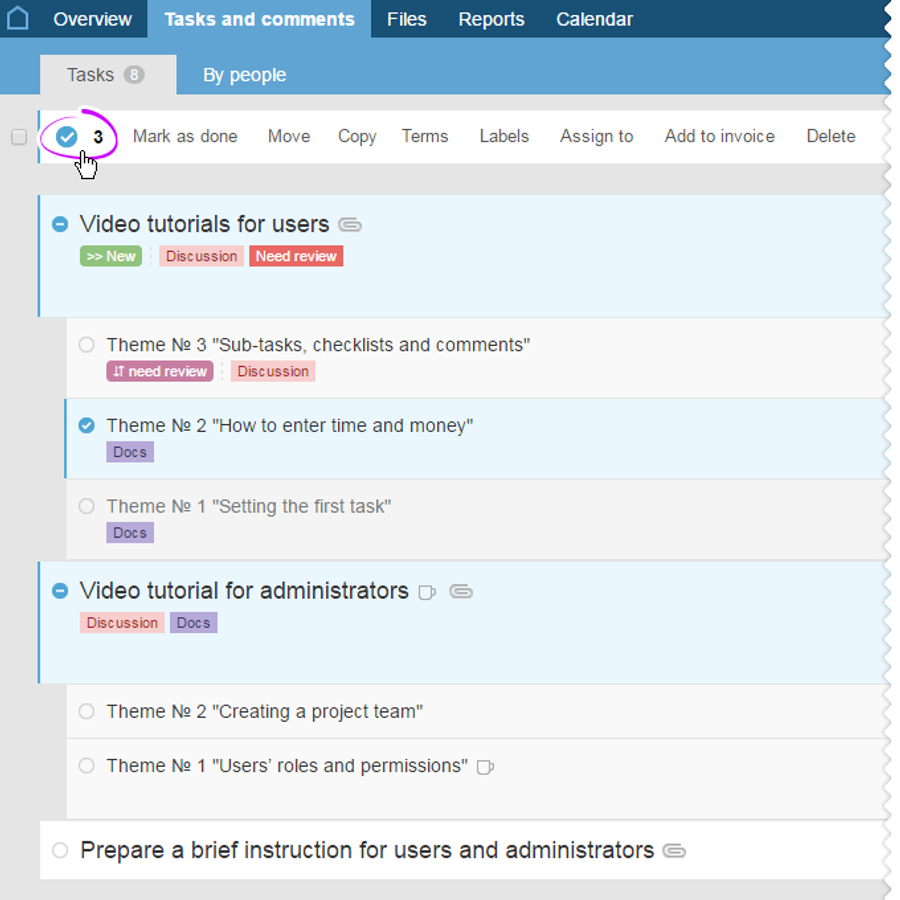
The following bulk operations can be performed with tasks:
- Close— close selected tasks;
- Transfer — transfer selected tasks to another project;
- Copy — copy selected tasks to another project;
- Labels — set/delete labels for the selected tasks;
- Assign — assign another executive to the selected tasks;
- Billing — create a billing account for the selected tasks;
- Delete — delete the selected tasks with all of its subtasks.
Leave your review
Did this article help you?
Glad we could help! What was helpful?
Sorry this didn't help. What went wrong?

