Solutions
worksection
beta
help
How to group tasks by the projects?
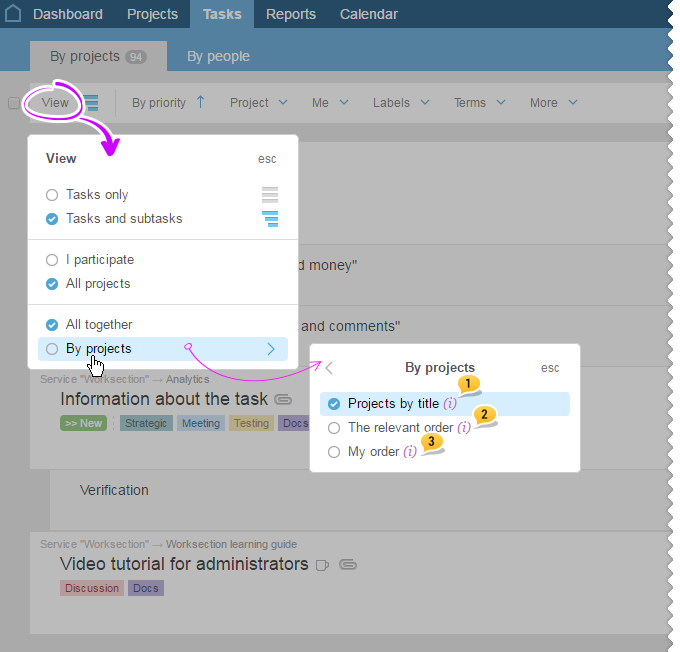
In order to group tasks by the projects, click on the "View" icon in the Tasks section on the filter panel. In the menu that pops up, choose "by projects".
This is where you can customize how your projects will be shown:
- Alphabetical order1
- Relevant order2
- My order3
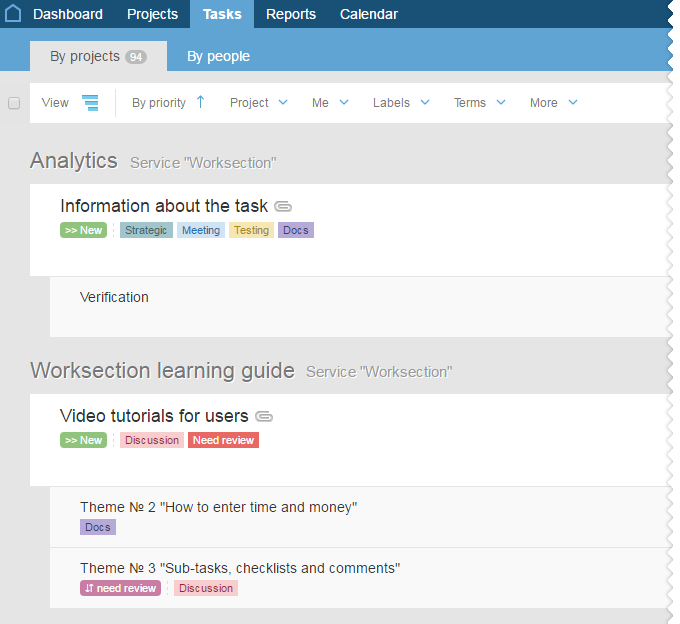
When grouping, all tasks will be shown within "their" project, for example, projects in alphabetical order:
Leave your review
Did this article help you?
Glad we could help! What was helpful?
Sorry this didn't help. What went wrong?

