Solutions
worksection
beta
help
How to change an executive of a task?
In order to change the executive of a task, click on the name of the current executive in the task's line:

After you clicked, a window will appear with the option to choose a new executive:
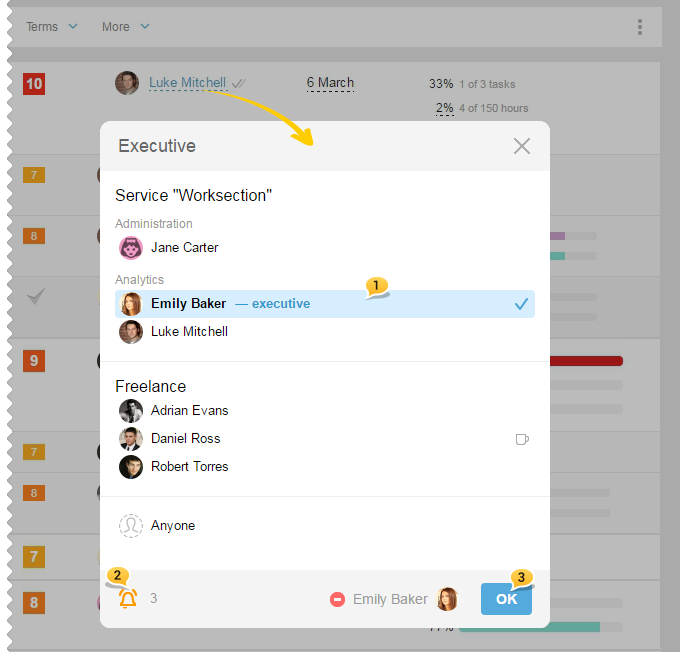
Choose a new executive 1, choose whether notification about the change should be sent out or not2 and then click "OK"3.
Leave your review
Did this article help you?
Glad we could help! What was helpful?
Sorry this didn't help. What went wrong?

