Solutions
worksection
beta
help
How to copy a task with dependencies within a project?
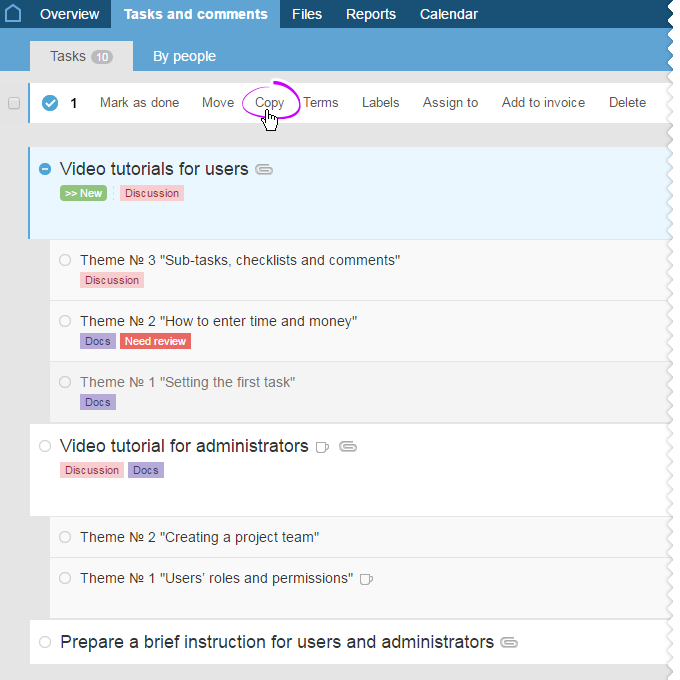
In the list of tasks, choose the task (no need to mark subtasks separately) you need to copy, and then click on Copy in the menu:
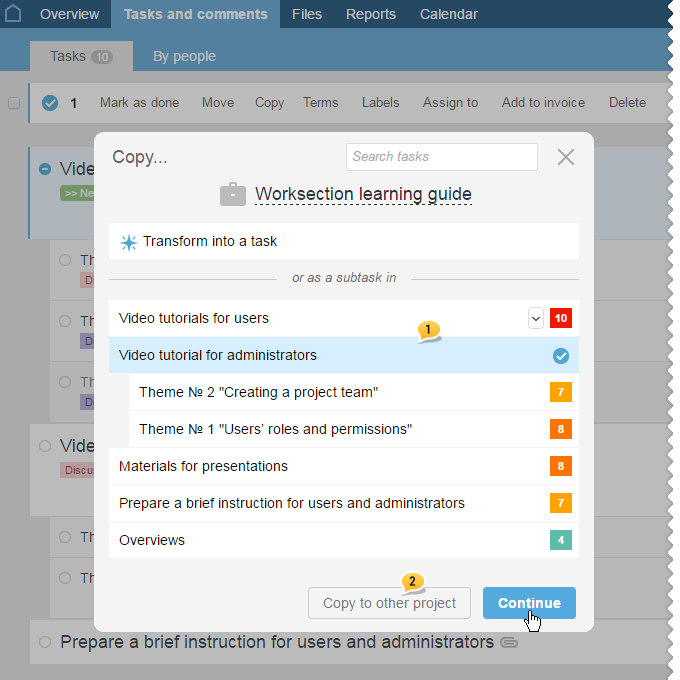
In the window that pops up, choose a task1 to which you need to copy a previously selected task (this task will become its subtask). Then click on Continue.
In order to copy a task to another project, click on Copy to another project 2.
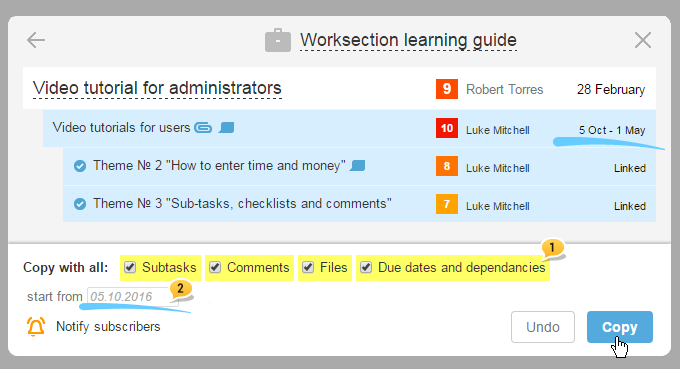
In order to copy a task with all of its subtasks, comments, and files - just mark the corresponding checkboxes. In order to save all the deadlines and dependencies when copying, mark the checkbox next to Deadlines and dependencies 1. If needed, indicate the new start date of the task2 or keep the previous date. The starting point will be the start of the task from the group it was copied from. After that, click on Copy.
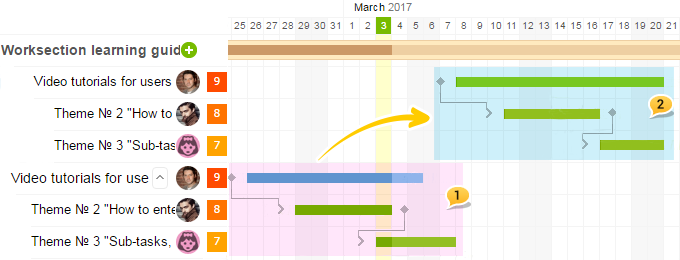
When entering changes in the start date of the task1 on the Gannt chart, you will see the exactly restored structure of dependencies and tasks duration but with the new date set by you2:
Please note: Copying tasks can be done by any user who has permissions to set new tasks when both an administrator and an author can transfer tasks.
Attention: when there is a lack of the nesting levels, subtasks will be transferred one level up with the prefix of the parent task.
Leave your review
Did this article help you?
Glad we could help! What was helpful?
Sorry this didn't help. What went wrong?

