Solutions
worksection
beta
help
How to enable/disable display of subtasks in the list?
If you want to enable or disable the display of subtasks in the list, use a special switch in the menu section.

In the pop-up menu, select the type of display: Only task/Tasks and subtasks. Here you can select the type of display as well as show or hide completed tasks.
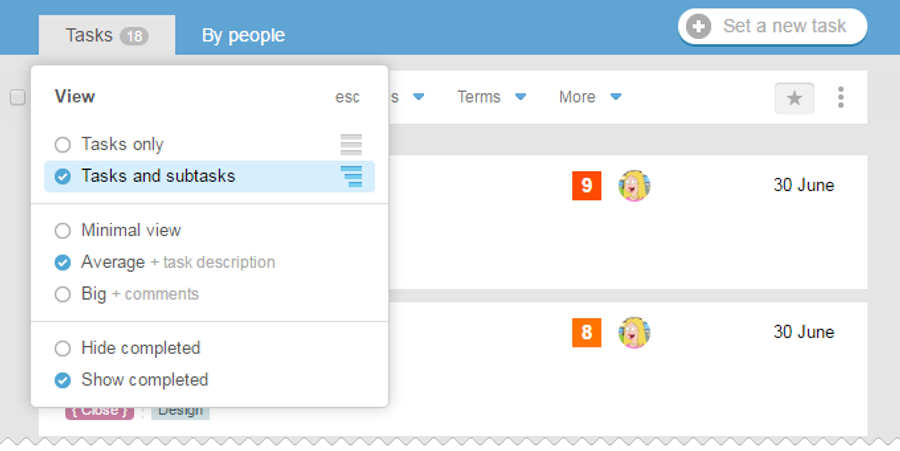
If you turn off the display of sub-tasks, they are «hidden» in its task and can be displayed in a drop-down list.
Leave your review
Did this article help you?
Glad we could help! What was helpful?
Sorry this didn't help. What went wrong?

