Solutions
worksection
beta
help
How to find a task by ID?
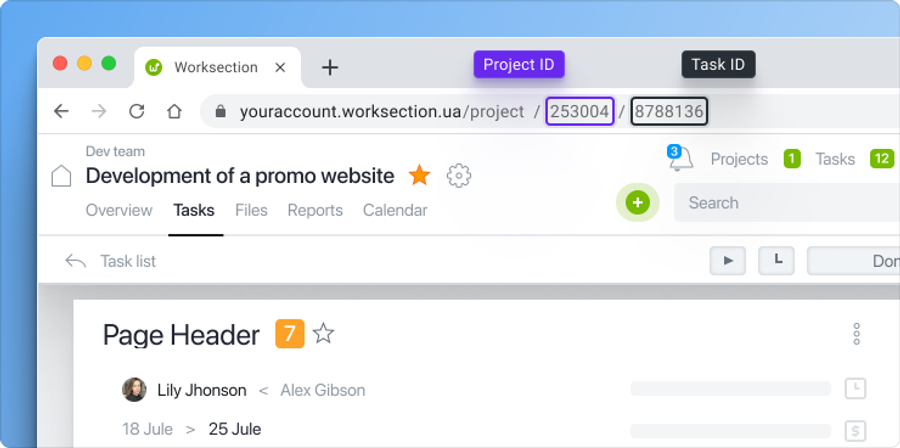
Each task and subtask has an ID – a unique number, an identifier. You can find it in the address bar of the task page.
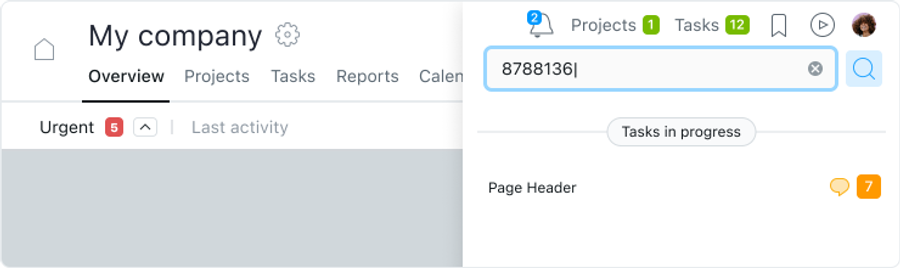
Paste the task ID number in the search bar on any page.
The task with this ID will be displayed in the search results window.
To display the ID in the window of each task, enable this option in the account settings and click Save.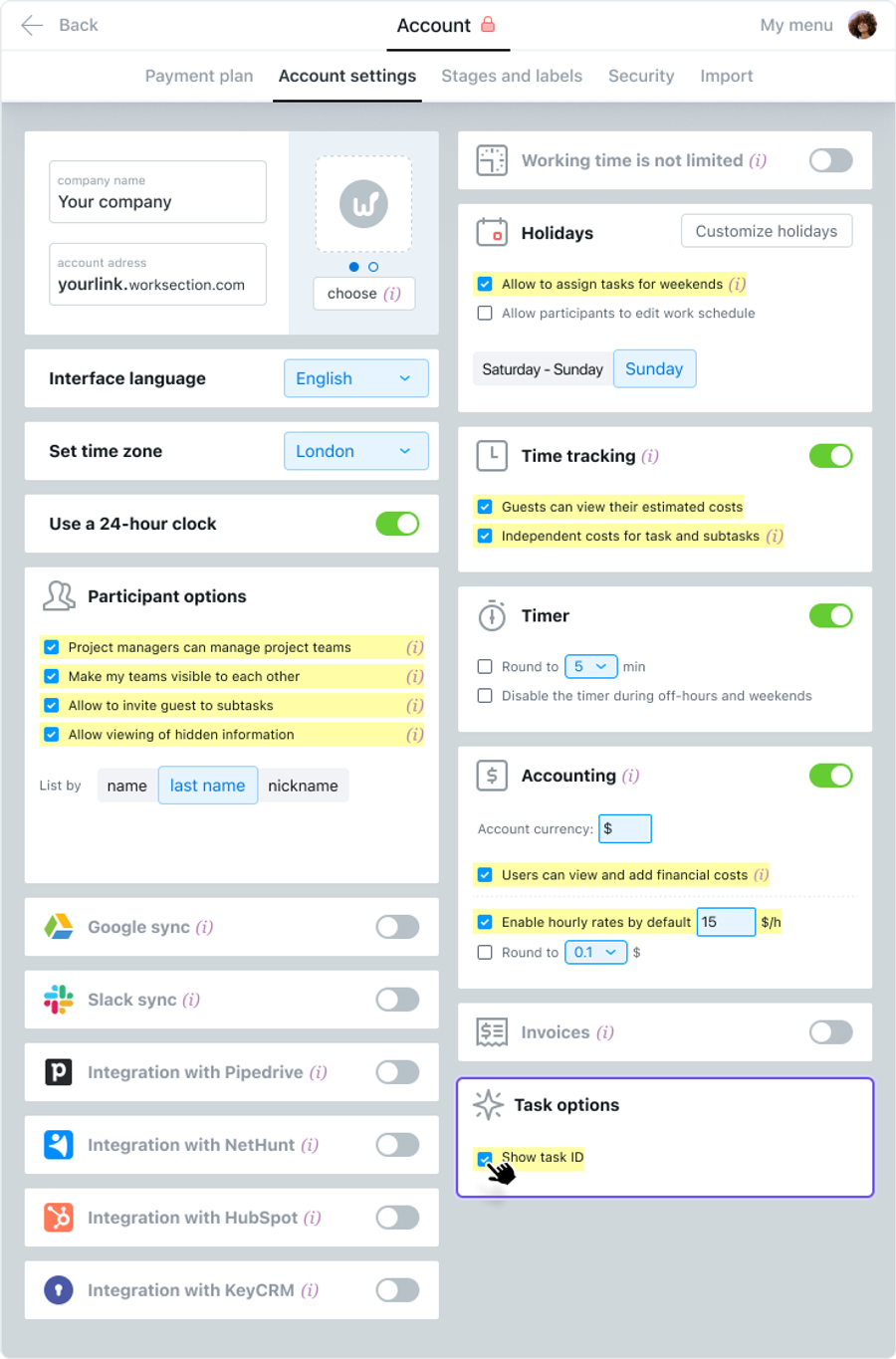
The task window will look like this: 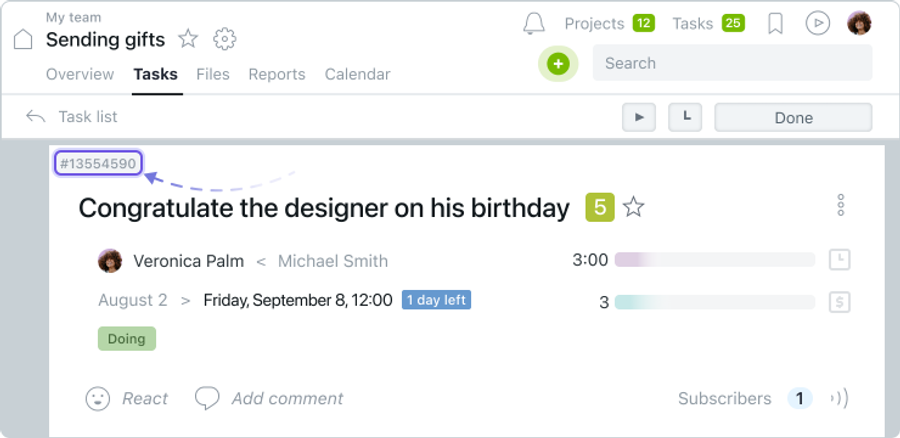
By clicking on the ID, you can copy it.
Leave your review
Did this article help you?
Glad we could help! What was helpful?
Sorry this didn't help. What went wrong?

