Solutions
worksection
beta
help
What can be done with the list of tasks (export, print send to email)?
After you've applied an extended (as well as dynamic) filter to the list of tasks, you can:
- export the list in the .xls format
- print the list
- send the list to an email address
- save all of its parameters in the
http -linkform
In order to choose the required action, use the "three dots" menu in the right-hand corner:
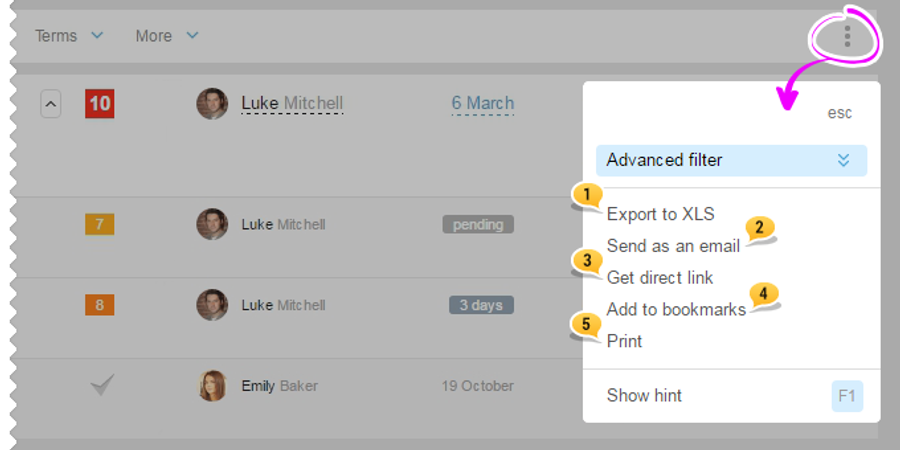
- When choosing the "Export to XLS" link,
xls -file - When choosing the second link of "Send an email", there will appear a window with the addressee selection (it can be sent to one of the account users or to a manually entered email address). Then, the list will be sent to the selected address in a user-friendly viewing format. The address of the sender is the same as for any system's email-notifications: [email protected].
- When choosing the third option of "Get a link", the list view with all the applied filters will be saved in the
http -link format. There will also be a popup-window, from where you can copy your link to the saved list view. - You can also add filter and bookmarks parameters.
- When choosing the last, fifth option "Print", there will open a window of printing settings. After clicking on "Print", the list of tasks will be sent to the printer.
Leave your review
Did this article help you?
Glad we could help! What was helpful?
Sorry this didn't help. What went wrong?

