Solutions
worksection
beta
help
How to see who has tasks overdue and how to see the list of all overdue tasks?
Go to the "Projects" section. Tasks that are overdue will be shown as a red icon with the number of overdue tasks next to the executive's avatar.
In order to go to the list of overdue tasks, click on the icon with the number of overdue tasks in the tasks' field1 or to the icon next to the avatar2.

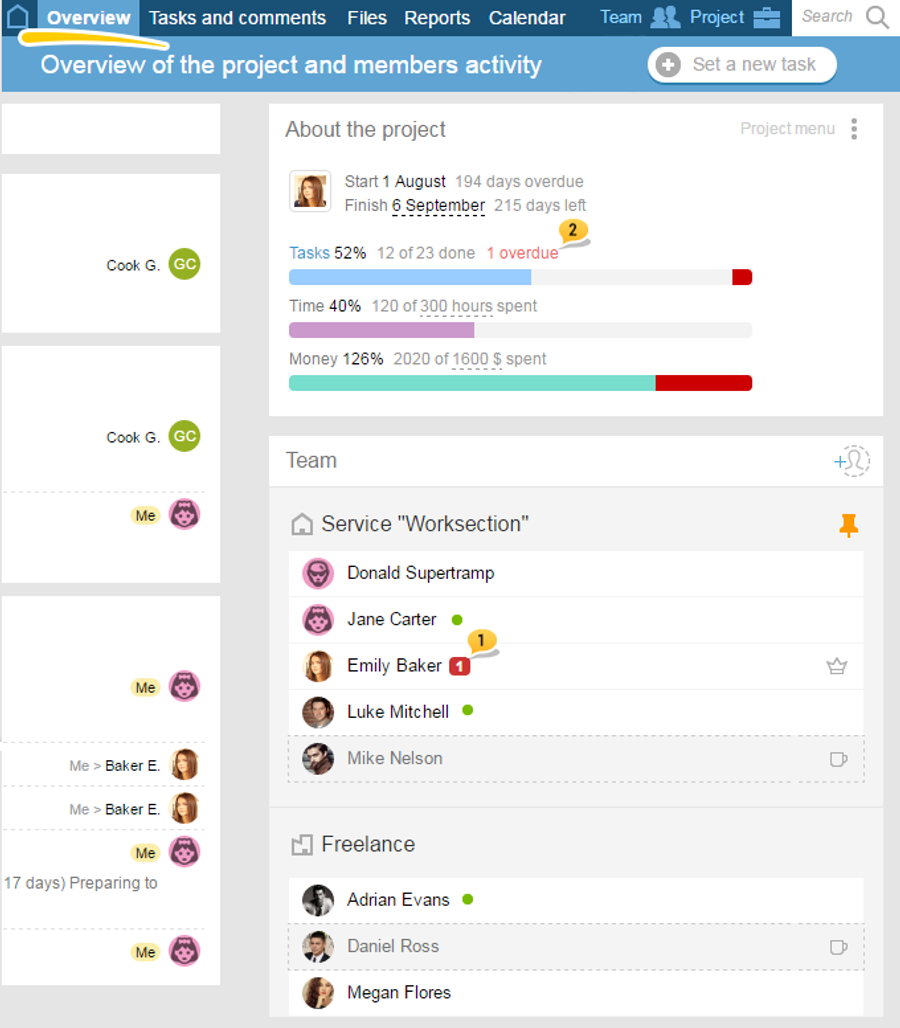
Besides you can see who has project's tasks overdue1 in the "overview" section of every project where you can also access the list of these tasks2:
Leave your review
Did this article help you?
Glad we could help! What was helpful?
Sorry this didn't help. What went wrong?

