How to nest/extract a subtask to/from a subtask? Second level subtasks.
How to nest/extract a subtask to/from a subtask? Second level subtasks.
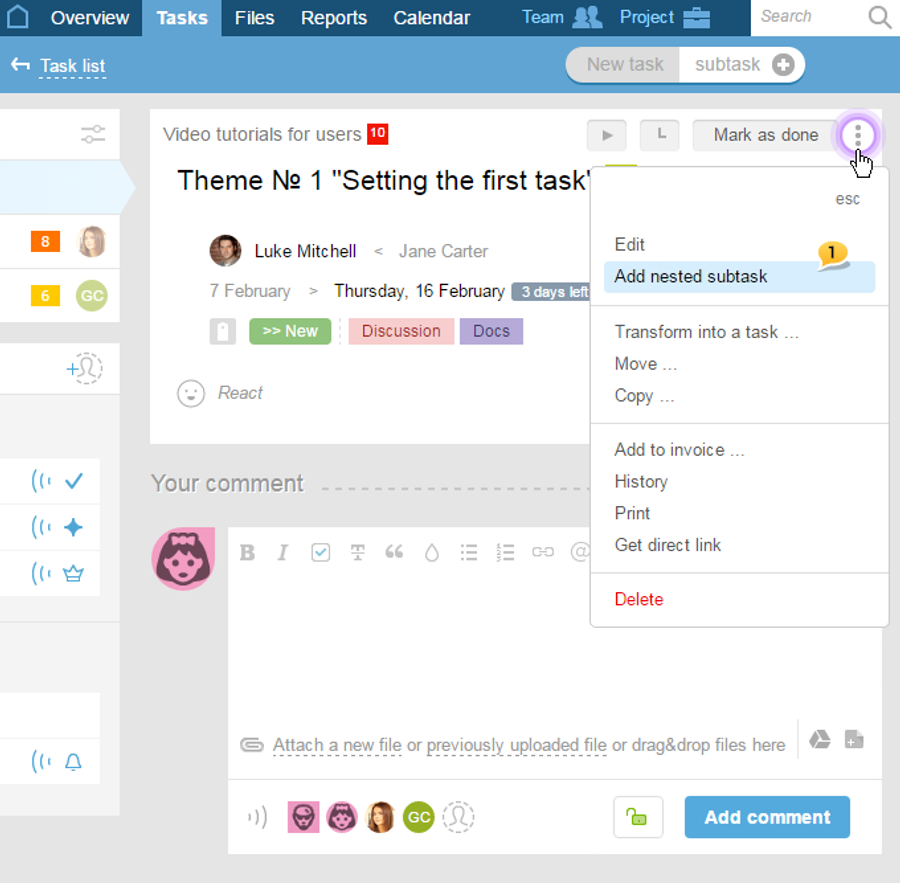
In case when a nested subtask needs to be created, choose a subtasks it needs to be nested to, and then go to the menu ( ) and choose "Add nested subtask"1:
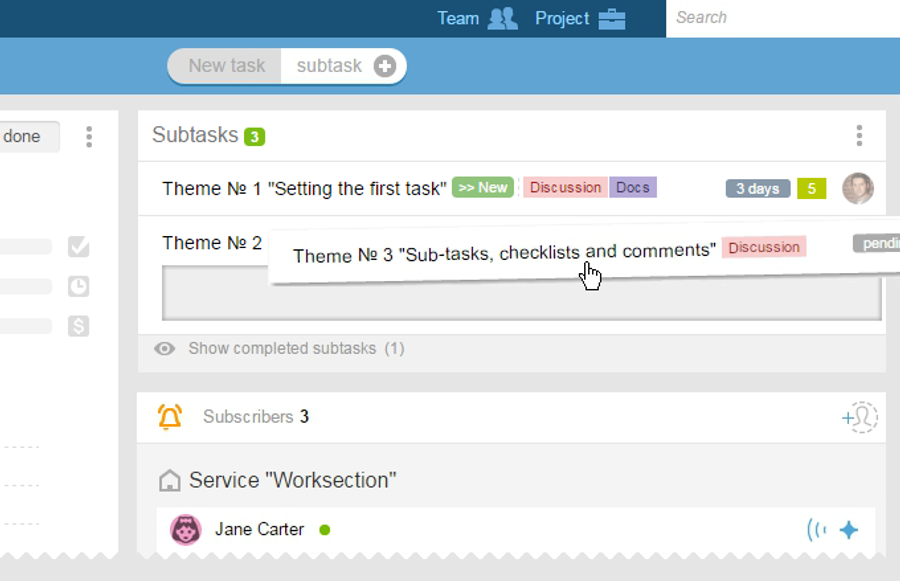
If there is a need to nest an existing subtask in another subtask, then the "drag" method can be used, which will automatically make the task nested. In order to do this, click on a subtask and drag it to the subtasks you want it to nest within, as in the example of "THeme № 2":
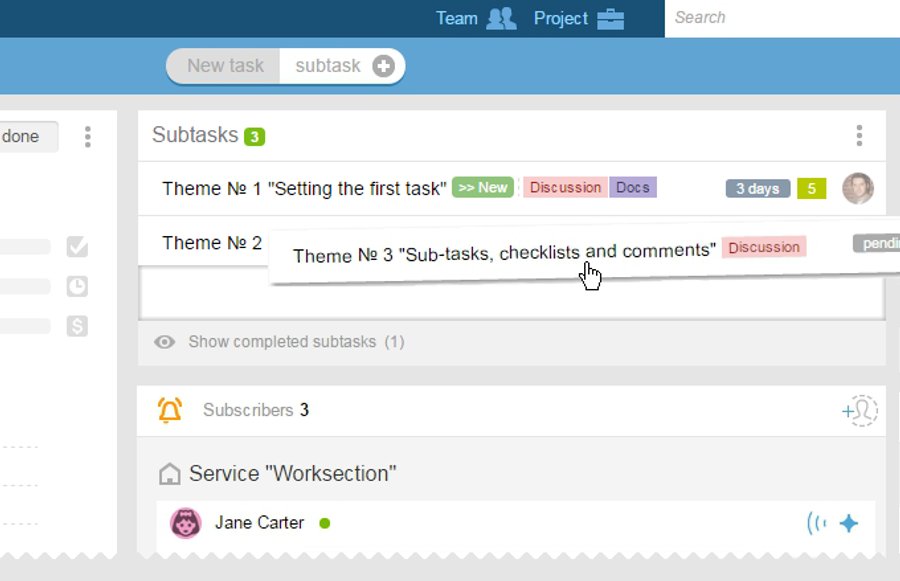
When you wish to extract a nested subtask and make it a separate subtask, then you will simply need to "drag" the nested subtask lower or higher, to the level of subtasks:
Please note: "dragging" function for subtasks is only available to the owner of an account or to the administrator with the "Task" permissions (a mark next to the "all editing allowed" must be checked)