Solutions
worksection
beta
help
How to add a file to a task, subtask, or a comment?
Files can be attached when creating tasks and subtasks (see. here) and when editing them. You can do it wherever you see a block for adding files (in tasks, subtasks, comments, and also in the Files section):
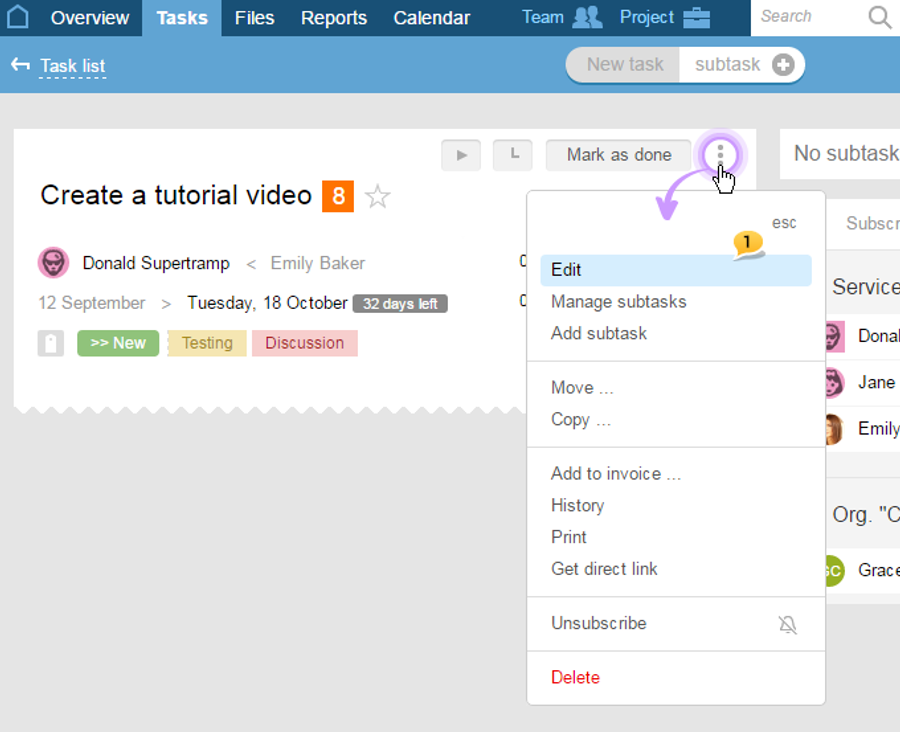
In order to add a file to an earlier created task (subtask), first, you would need to open it for editing by choosing Edit1 in the "three dots" menu:
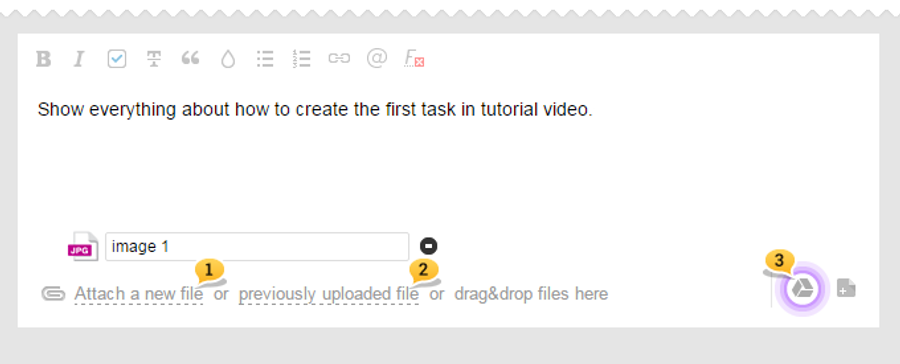
Then, choose "Attach a new file»1, "Previously uploaded file"2 (if the desired file has already been added to the project) or add a file from your Google Drive3:
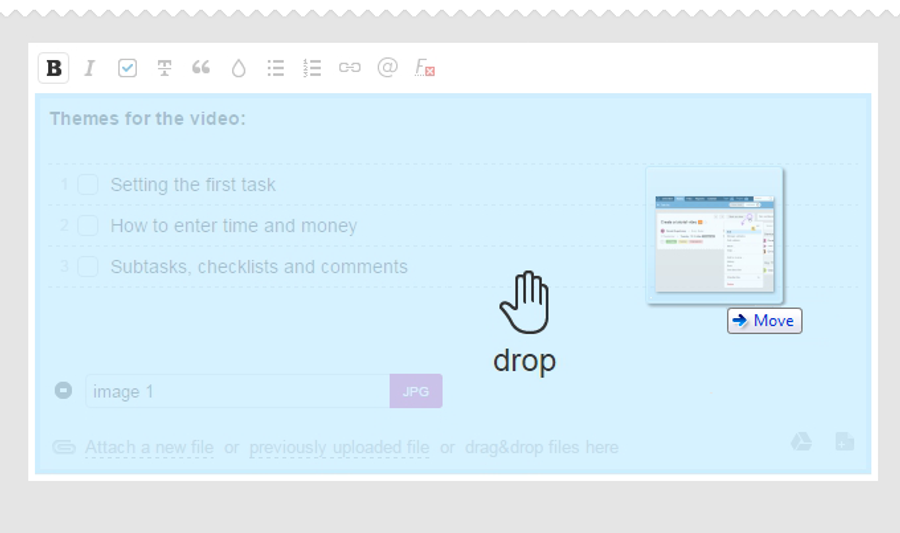
Also, files can be added by utilizing a simple Drag-and-drop function. Simply drag the files you need to where you need them, and they will be added.
Leave your review
Did this article help you?
Glad we could help! What was helpful?
Sorry this didn't help. What went wrong?

