Solutions
worksection
beta
help
How do I display task labels on a Kanban board?
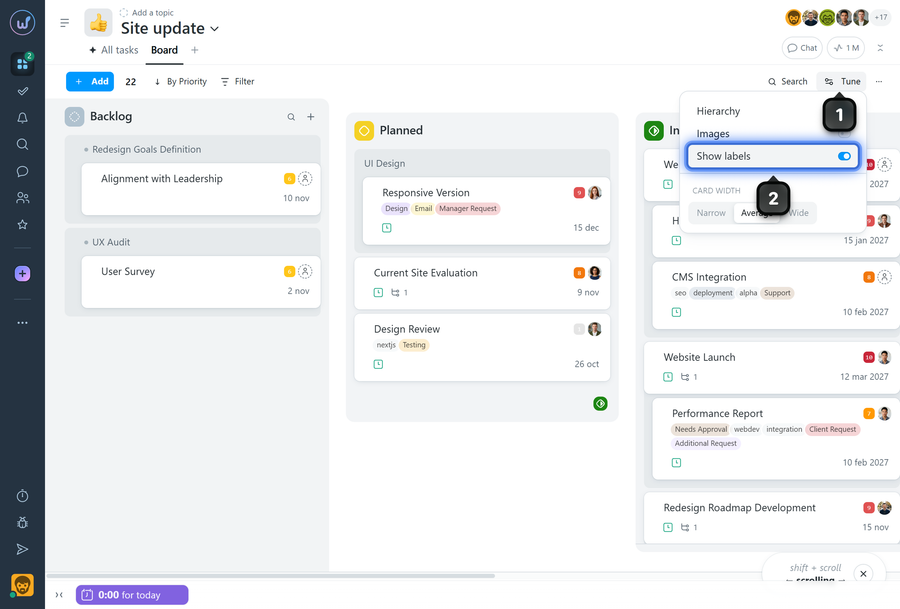
On a Kanban board, you can display labels on task cards to quickly see their categories, tags, or additional context without opening the task itself.
On the board page, click the "Tune" button1. In the menu, enable the "Show labels" option2. The labels will then be displayed on task cards.
Leave your review
Did this article help you?
Glad we could help! What was helpful?
Sorry this didn't help. What went wrong?

