Solutions
worksection
beta
help
How to open Kanban?
Kanban allows you to view tasks in columns organized by status. It can be opened at the account level or within a specific project.
How to open Kanban at the account level?
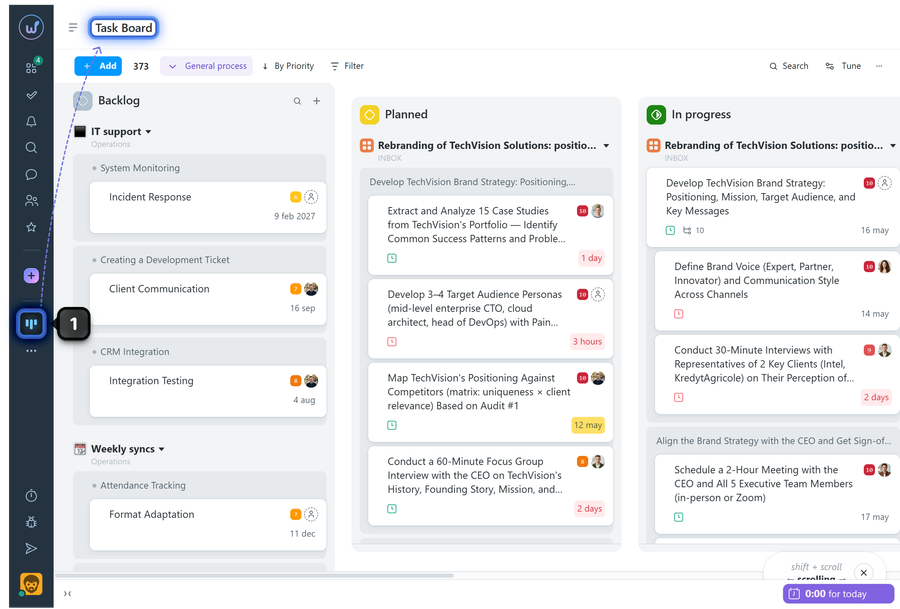
In the left sidebar, click "Task board"1. Kanban will open, showing tasks arranged in columns by status.
Please note!
- At the account level, Kanban can display tasks for only one workflow at a time.
- If projects in your account use different sets of statuses, some tasks will not be displayed when viewing tasks at the account level until you switch to a different workflow.
How to open Kanban within a project?
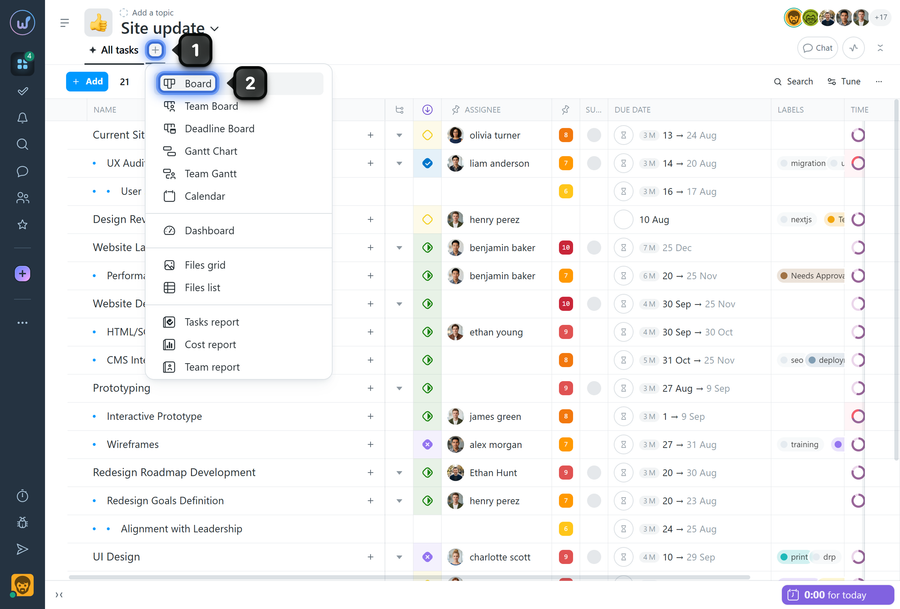
Open the required project and if the Kanban tab has not yet been added to the project page panel, click "+"1 in the panel. Select "Board"2.
The Kanban page will then open in the project.
Leave your review
Did this article help you?
Glad we could help! What was helpful?
Sorry this didn't help. What went wrong?

