Solutions
worksection
beta
help
How do I display the task hierarchy on a Kanban board?
The hierarchy on a Kanban board helps you visually see the relationship between parent and child tasks. This is useful when you need to quickly understand the work structure directly on the board.
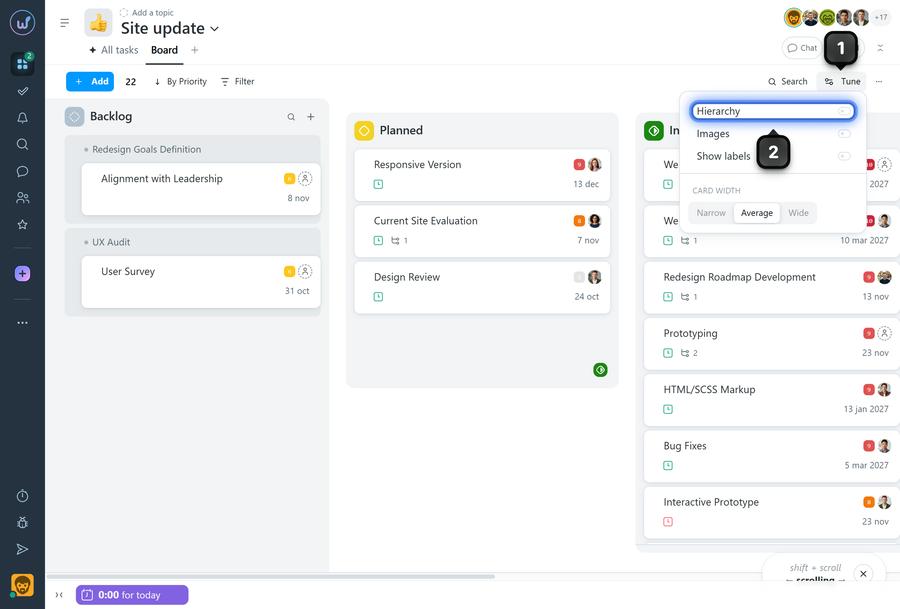
On the Kanban board page, click the "Tune" button1. In the menu that opens, enable the "Hierarchy" option2. The parent and child tasks will then be displayed on the board according to their relationship.
When the "Hierarchy" option is enabled, it is easier to see which task is the parent and which is the child.
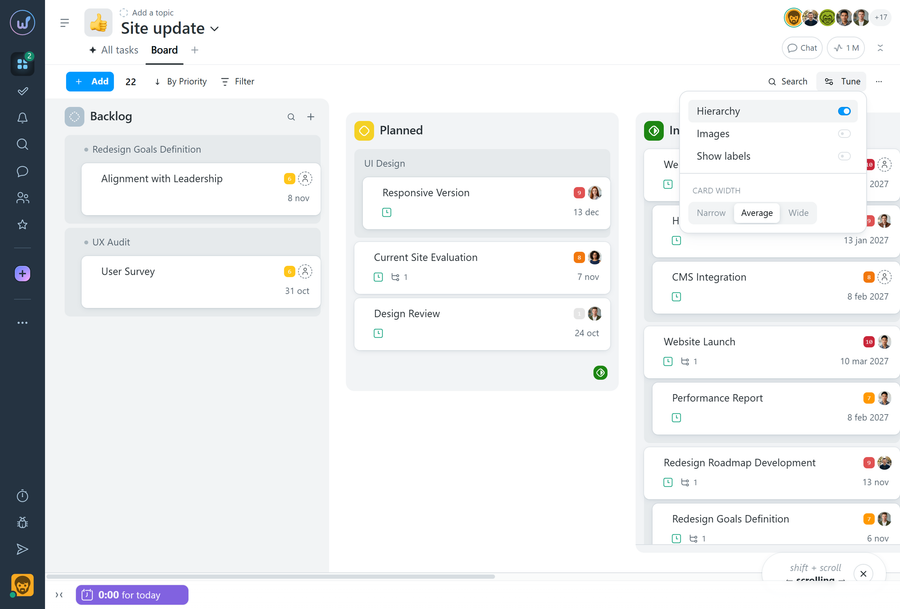
Note If the parent and child tasks have different statuses, the parent task will also be displayed in the child task's status column, but for informational purposes only.
Leave your review
Did this article help you?
Glad we could help! What was helpful?
Sorry this didn't help. What went wrong?

