Solutions
worksection
beta
help
How do I adjust the column width on a Kanban board?
On a Kanban board, you can adjust the column width to fit your preferred way of working. This is useful if you want to see more cards at once or, conversely, make the cards wider for a better view of the information.
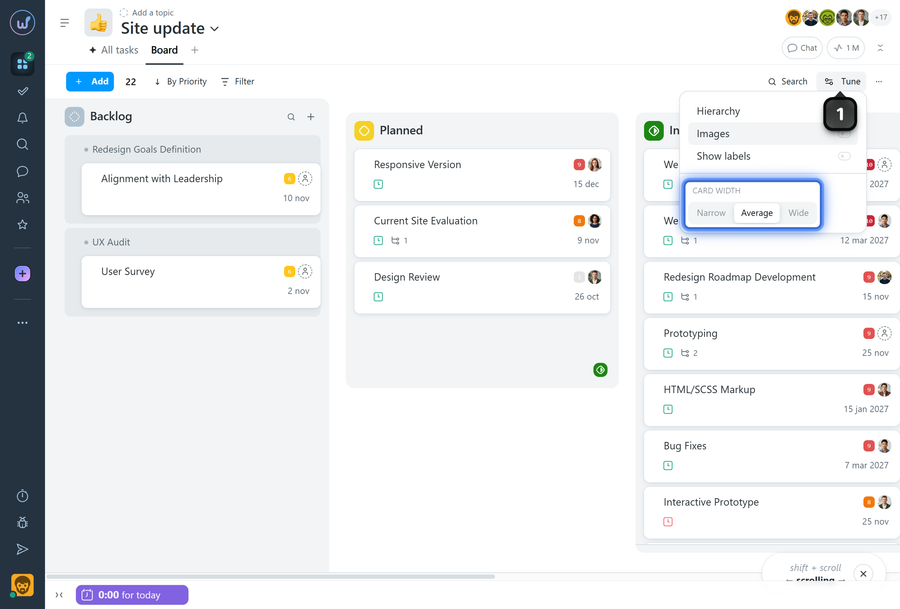
On the Kanban board page, click the "Tune" button1. In the menu, set the "Card width" option to the desired value: narrow, average, or wide columns. The board will immediately be displayed in the selected format.
Leave your review
Did this article help you?
Glad we could help! What was helpful?
Sorry this didn't help. What went wrong?

