Solutions
worksection
beta
help
How to create a new label group?
Label groups help structure a large number of labels by meaning.
Permissions The following have access:- Owner
- Account Administrator with permission: "Access to account settings".
Where to configure
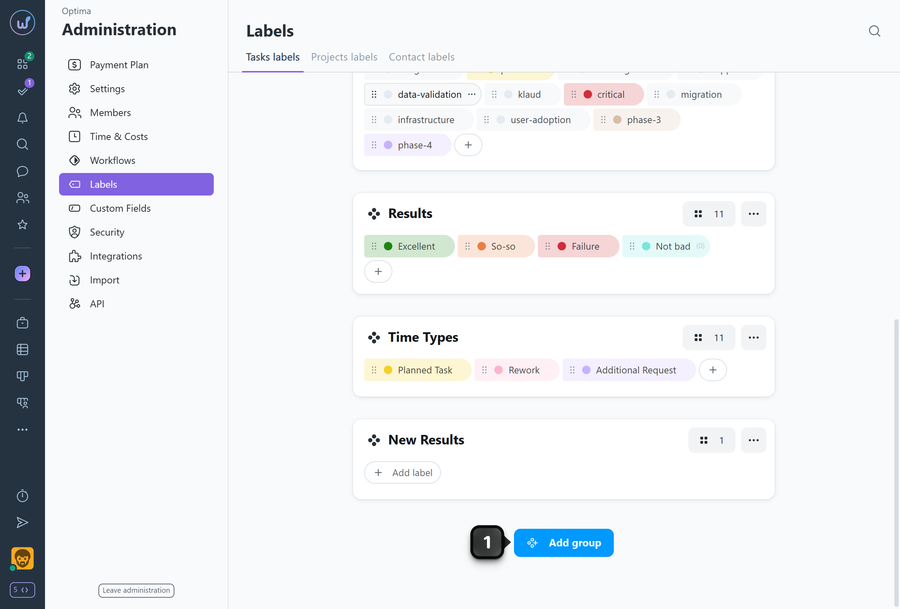
To create a new label group, click "Add group"1 (at the bottom of the page).
Enter the group name2 and click "Create"3.
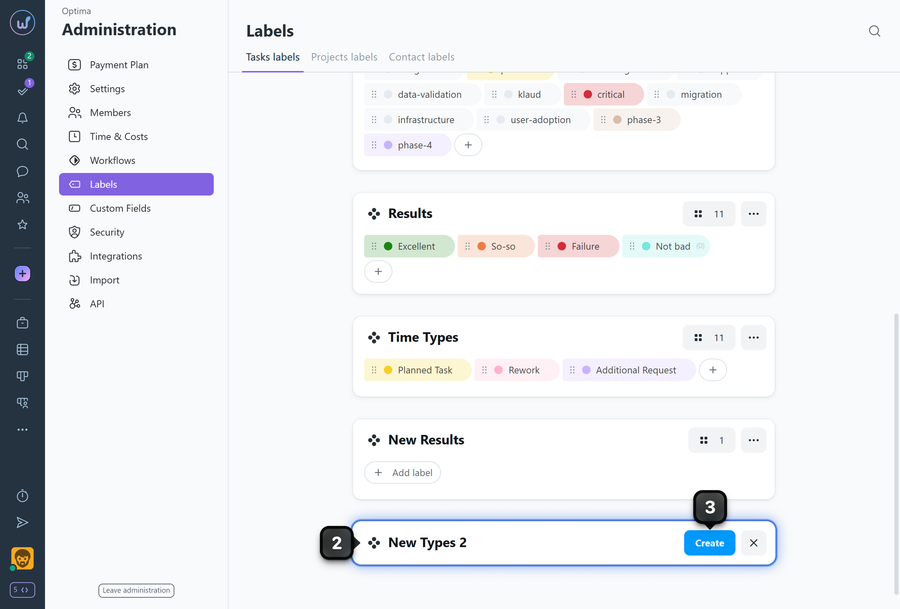
A new empty label group will be created. You can fill the group by creating the desired labels or drag existing labels from other groups into this group.
Leave your review
Did this article help you?
Glad we could help! What was helpful?
Sorry this didn't help. What went wrong?

