Solutions
worksection
beta
help
How to make labels internal and hide them from client teams?
Internal labels are visible only to members of teams with "my team" status and are hidden from client teams. This is useful for internal tags that clients should not see.
Permissions The following have access:
- Owner
- Account Administrator with permission: "Access to account settings".
Where to configure
To make labels internal:
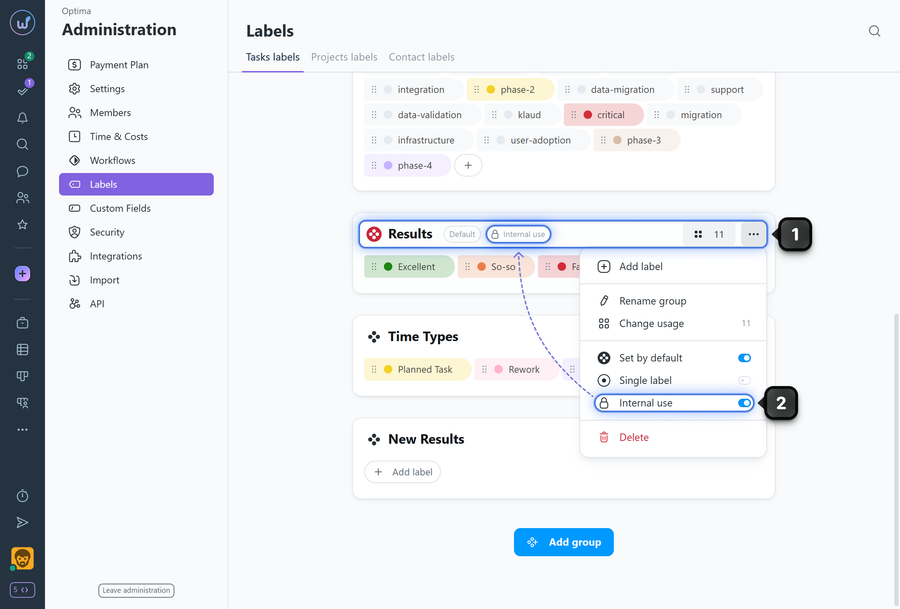
Find the desired label group and click "three dots"1 on the group card and enable the "Internal use" option2.
How it works
- The option applies to the entire group: all labels in this group become visible only to "my team" members.
- Client teams do not see internal labels in tasks, files, filters, and other places where labels are displayed.
Leave your review
Did this article help you?
Glad we could help! What was helpful?
Sorry this didn't help. What went wrong?

