Launching new features and keeping up the development pace is definitely great, but only until tasks, discussions, and edits start scattering across different chats and programs. When information is spread everywhere, the team simply loses its bearings. A lot of time is wasted just trying to figure out who is busy with what, where the process is stuck, and whether we are meeting deadlines.
To maintain the pace of development, it’s not enough to just manage tasks. A single workspace is needed where planning, communication, and control are gathered together.
Why not create one, we thought, and in Worksection 2.0 we combined everything in one space so that the team finally stopped jumping between tabs.
Common working rhythm for the team in Worksection
The product manager plans in one place, developers in another, QA - in the chat altogether. Because of this, decisions get lost, and everyone spends time on sync meetings instead of work. In Worksection 2.0, you can work together in one space.
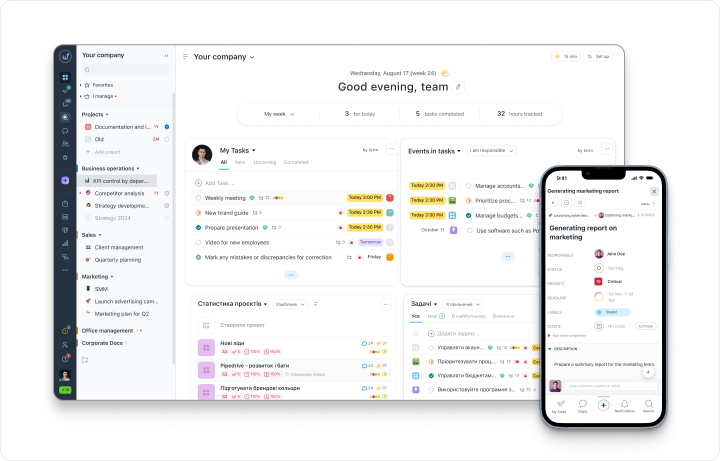
The Worksection system keeps the entire project together. You can look at the plans globally or dive into any small task. The team always has a clear view of what stage they are at and where to move on next.
Product development under control
Instead of gathering news about the project from various corners and asking who is busy with what, everyone just enters Worksection and sees everything they need to work on right now.
The product manager can:
- Create separate projects for MVP, new features, technical debt, or research.
- Sort tasks by priorities, stages, and assign responsible parties.
- See statuses and deadlines in real-time.
- Check current team members' workloads and promptly respond to delay risks.
The team, for its part, can:
- Clearly see which tasks are critical for the current sprint and what their colleagues are working on.
- Receive timely notifications about changes in tasks.
- Understand how their deadlines impact others' work and which tasks depend on each other.
Project hierarchy: organizing a complex product into folders
When a product grows, keeping track of all versions, subprojects, and technical directions becomes nearly impossible. That’s why in Worksection 2.0 we created a flexible hierarchy system that helps structure those tangled projects and saves time.
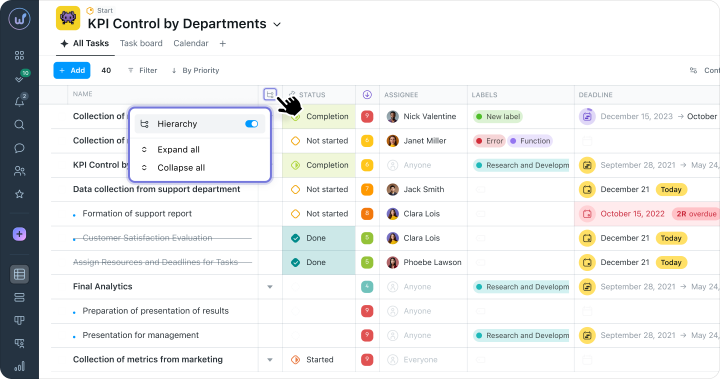
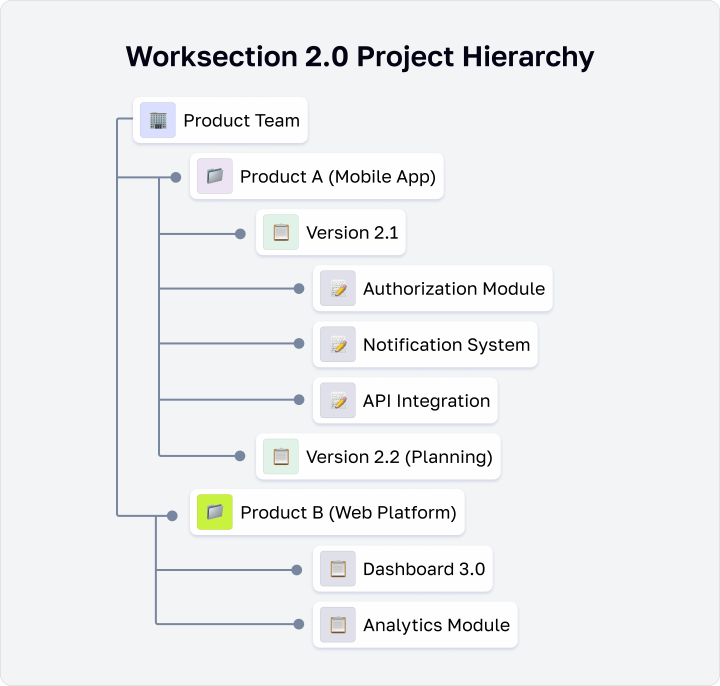
You can build any convenient logic: for example, create a large folder for the entire company, with projects inside for separate products, and then subprojects within those. Each level of the hierarchy has its own access rights, statuses, tags, and settings that you set at the beginning.
This helps keep everything at hand and see how individual tasks impact the overall picture of the project, as you can:
- See the progress of a specific feature or release;
- Evaluate the status of the entire product line or all projects within folders;
- Compare the effectiveness of different teams or directions.
Customizing your workspace through personalized dashboards
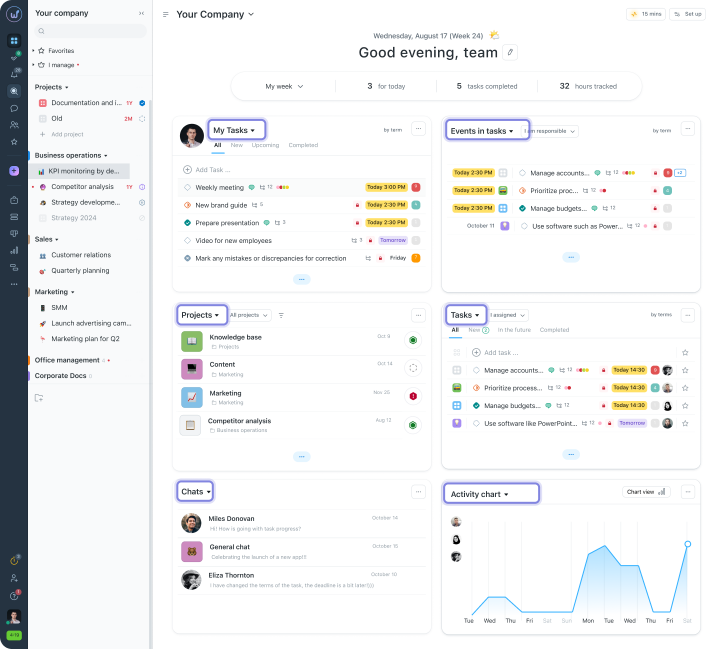
When the information around a project becomes overwhelming, it's easy to get lost in it. Product managers are hindered by developers' technical details, and developers are bogged down by financial schedules. So what to do?
We made sure each specialist sees only what helps them make decisions here and now:
- Product Manager sees priority tasks, critical deadlines, team progress, and financial metrics about the project.
- Tech Lead controls the distribution of tasks among developers, technical debt, backlog, and a mini Kanban board for a quick overview of statuses.
- QA specialist sees the list of tasks for testing and the release calendar and can immediately plan tests.
Built-in messenger for team interaction
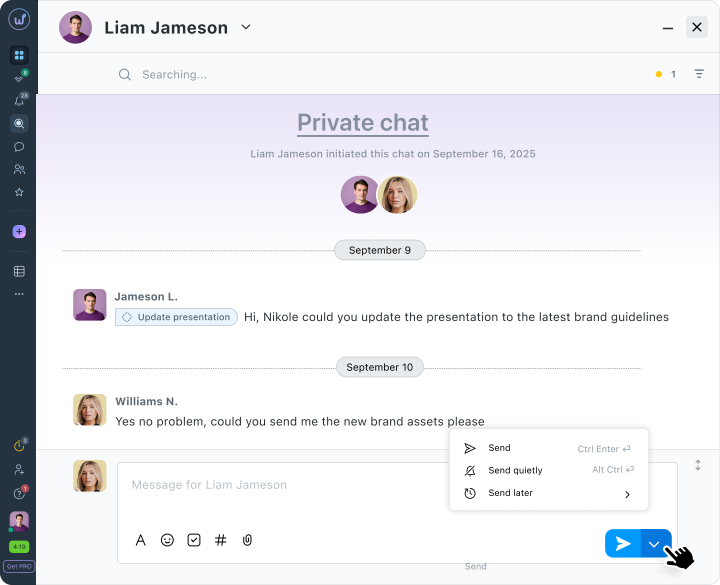
Usually, discussions scatter across Slack, Telegram, or email, and to remember where exactly a revision was approved, one has to search through all the apps.In Worksection, you communicate directly within tasks and projects without switching to third-party messengers.
- Just create a chat for a project, task, or simply a separate team.
- Communicate in real time and resolve issues on the spot.
- Share files and links that automatically remain attached to the respective project.
Messages can be sent without notifications, scheduled for a specific time, or sent instantly using hotkeys.
Working on tasks in Kanban
A familiar story when part of the tasks hangs in lists, some are discussed in chats, and at some point, no one on the team really understands what’s happening with the release.
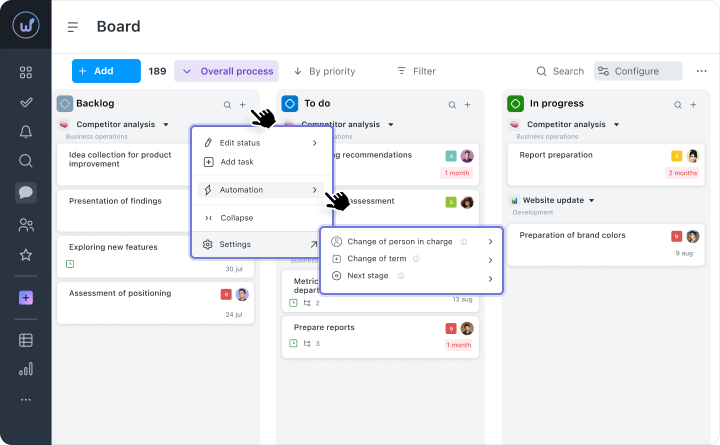
That’s why we gathered all the task movement on one Kanban board.
The development process is visible immediately. Each task has its clear status - “Planned”, “In Progress”, “Ready”. You simply look at the board and understand where the task currently stands.
Priorities change rapidly. If the plans suddenly get updated, tasks can be quickly dragged between columns or swapped directly in the list.
Everyone is synchronized by default. Product managers, developers, and QA see the same current state of affairs. No more need to gather for additional calls just to figure out who is doing what.
Agreed deadlines and clear stages on the Gantt chart
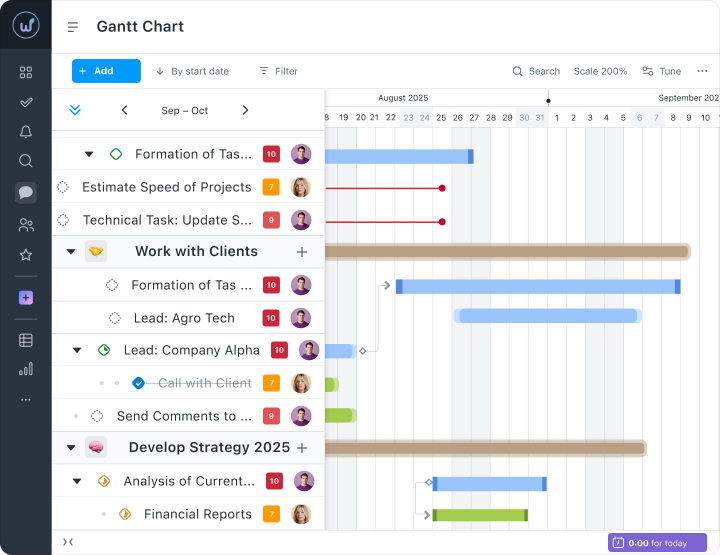
When multiple development directions are ongoing at the same time, it’s important to see the interconnections between tasks and stages. The Gantt chart in Worksection 2.0 helps teams plan work sequentially. You’ll immediately notice if any tasks overlap and will be able to push deadlines well ahead of problems.
With its help, you can:
- Plan development stages step by step. Create a logical sequence of tasks, define dependencies, and agree on the order of execution.
- Control deadlines. The system visually highlights which tasks are nearing completion and allows for quick responses to delay risks.
- Coordinate the work of multiple teams simultaneously. The product manager sees the progress of all directions and understands how changes in one stage affect others.
As a result, everyone sees how their work impacts the overall outcome. It becomes clear why it's important to submit their piece of the task on time and what is currently the most critical for the release.
Time tracking is also needed
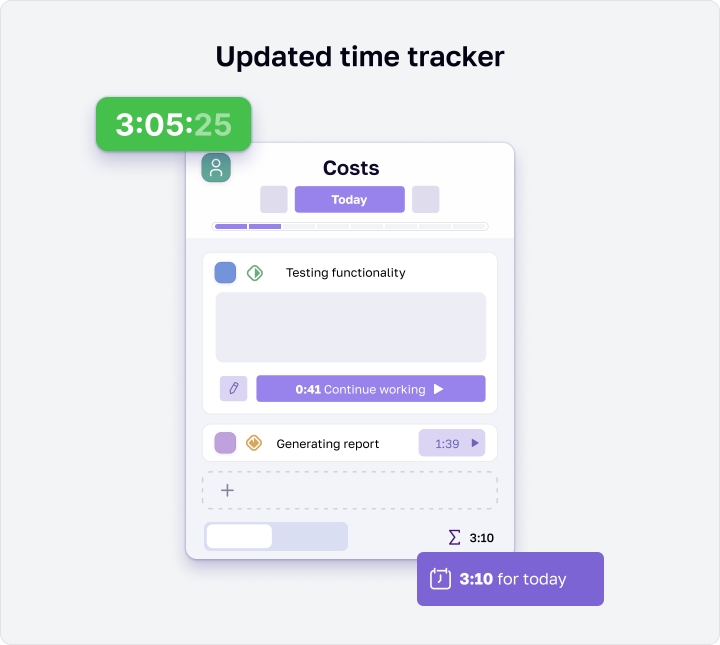
Working by gut feeling? If that were possible and truly beneficial, then we wouldn’t need time tracking. But how to understand how much time is actually spent on research and how much on development? That’s where the time tracker in Worksection answers these questions.
It starts with a single button right inside the task and records actual time spent while the team is coding or testing. Based on these figures, the system automatically compiles detailed reports by sprints or directions with existing statistics.
As a result, the product manager sees how much time was spent on research, how much on development, and how much on testing. It immediately becomes clear what, where, and how, allowing for smooth redistribution.
We don’t forget about security
We fully understand that product teams work with sensitive information - business strategies, code, and personal data of users. Any loss or disclosure of data can have serious consequences for the company.
That’s why Worksection 2.0 is focused entirely on your protection and stability in this regard.
- Compliance with international standards - ISO 27001 and GDPR, regular audits and penetration testing.
- Two-factor authentication (2FA, Business+) - an additional layer of account protection against unauthorized access.
- SSL/TLS encryption to protect data during transmission.
- Automatic backups to protect against data loss (PRO).
- Flexible access management - you can assign roles and restrict data visibility at the project or task level.
- Incident monitoring - the Worksection security team promptly records and handles any incidents.
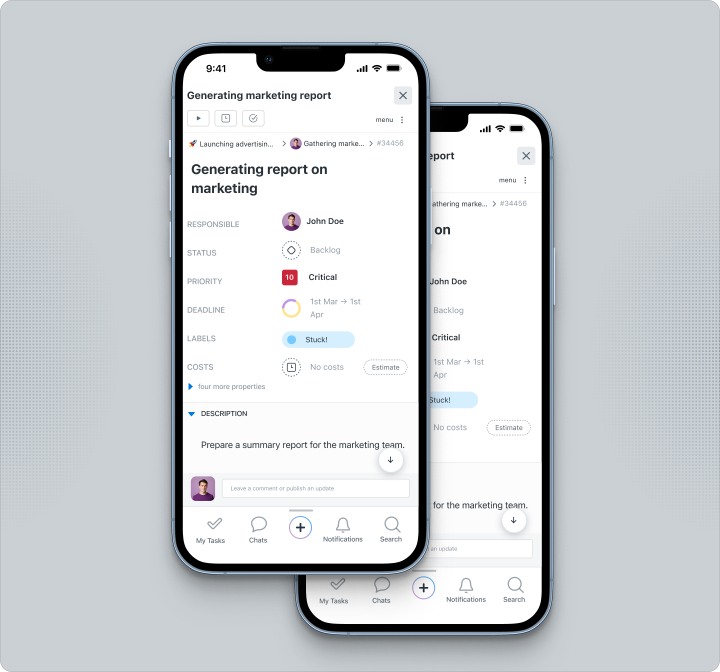
Work where it’s convenient for you
The updated mobile app Worksection for Android and iOS allows you to manage tasks, projects, and communications on-the-go. Push notifications inform you about new tasks, comments, or status changes, keeping the team always connected.
And if the team is already using Slack, Google Calendar, and Zapier and doesn’t want to give them up? There’s no need! Worksection easily integrates with your favorite tools:
- Calendars sync via iCal and Google Calendar;
- Chats with Slack and Telegram;
- For more complex integrations, there’s Zapier and an open API that allows you to set up any custom solutions.
What’s the outcome?
We created Worksection 2.0 so you won’t have to juggle dozens of different services anymore. Here, planning, Kanban, Gantt, time tracker, and chats finally work together.
The system’s logic will grow with you. Even if your team currently consists of only 5 people and in a few months it grows to 50 - you won’t have to reset everything from scratch.
Moreover, no boundaries - work in a way that suits you best, whether it’s Scrum, Kanban, or your own hybrid model and build great projects easily!
Launch the next development phase in the system and you’ll see for yourself how much easier it becomes to work in Worksection 2.0.