Effective time planning simplifies processes and helps organize your workday. Often, time allocation becomes more challenging than it should be without the right tools in your arsenal. Worksection previously had certain time tracking features, but much has changed and been added.
I think it’s important to share what has changed in Worksection 2.0 regarding time tracking and how you can use our upgrade in your personal processes.
The functions of timer, expense entry, and some reports are still present in the updated version. But you’re probably already aware of this. Now, let’s talk about the new features!
You can view expenses not only in the task. You may notice a lower sidebar on your main screen displaying today’s time in a purple block. If you don’t see it, expand it by clicking the icon under your avatar in the lower sidebar.
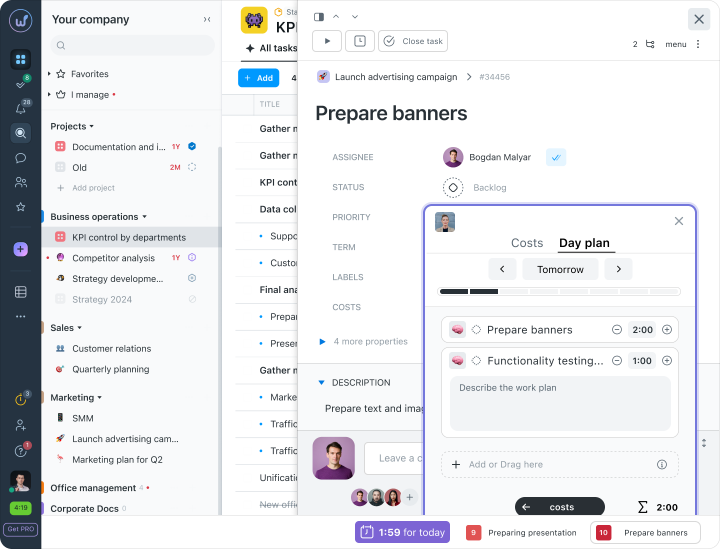
The purple block opens a new function when clicked — the expenses panel and the daily plan. The expenses section is quite straightforward — you see the time recorded today by the timer or through the expenses panel. The daily plan, however, is new, so let me explain it in more detail.
Daily Plan
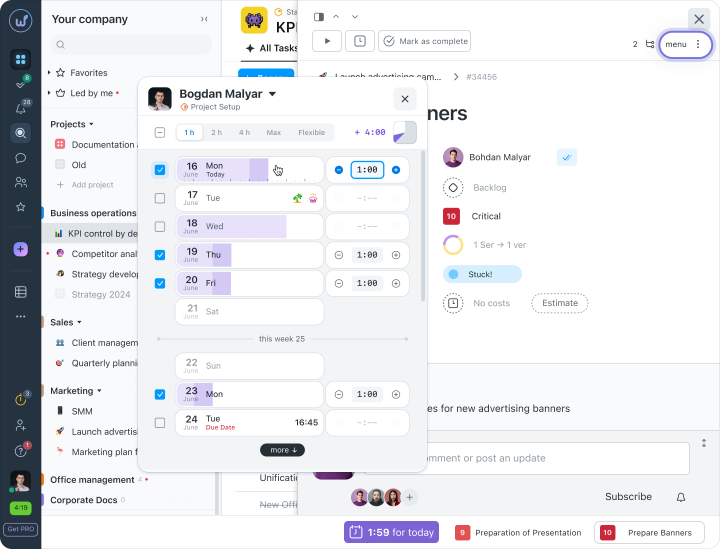
Through the plus icon in the Plan, you can add a task that you need to complete today and the time you plan to spend on it. You can also add a task for the next day or any other day. A particularly useful feature is the ability to add to the daily plan directly from the task itself. This can be done via expenses and in the properties or in the task menu. When you click, a window will appear where you can add the selected task to your schedule easily and quickly. Just click on the day, enter the amount of time, and you’re done.
Daily Plan Report
A new report for the daily plan has also appeared, showing scheduled tasks for you and other employees.
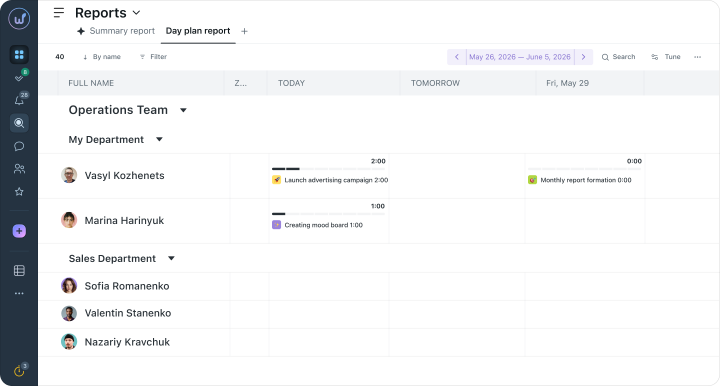
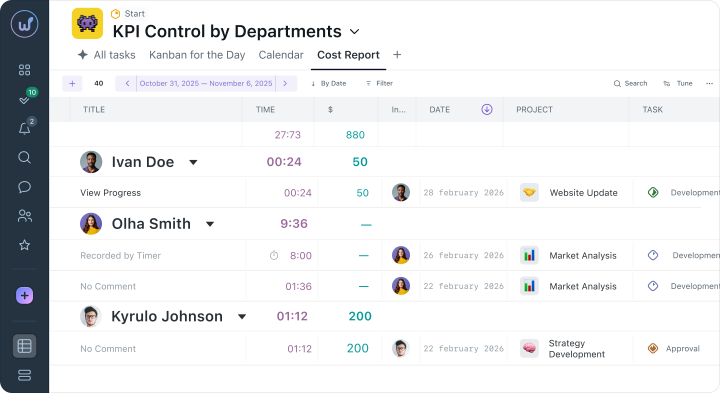
Overall, reports have gained functionality and have become more convenient and visually appealing. If you need to resolve financial matters and monitor budgets – the expense report or summary report works well. If there are issues with daily coordination, disorder in tasks, or uneven workload distribution – new reports for the daily plan and for the team have been created for this purpose.
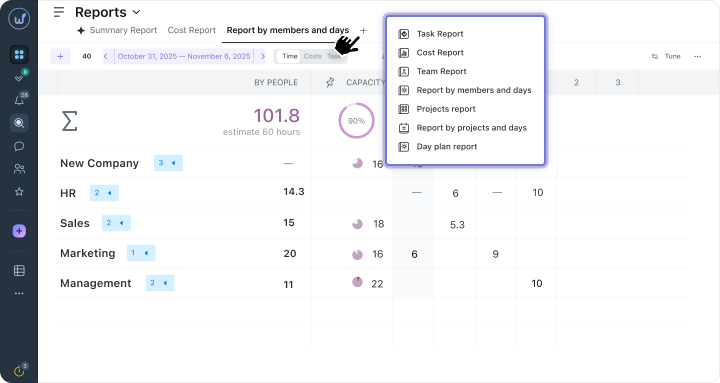
Additionally, some report types can be added with a plus icon to any of your projects for quick viewing. Which ones, are shown in the example below.
With the new Worksection, time planning becomes simple and effortless. Try out the new version, explore the new features, and let us know what you use the most in your work. We appreciate your feedback.