Managing projects in Worksection 2.0 is convenient and not that complex. But what if we told you that this process could be accelerated? Those who work with large volumes of tasks daily know very well that the best way to maintain focus is to minimize unnecessary movements.
We at Worksection believe your hands should be occupied with creativity and strategy, not endless clicking. That’s why we have a solution – a hotkey system.
Easy teleport through the command menu
Instead of anxiously searching for the right tab or the “edit” button, just press Ctrl + K or Cmd + K and the command menu will pop up in front of you.
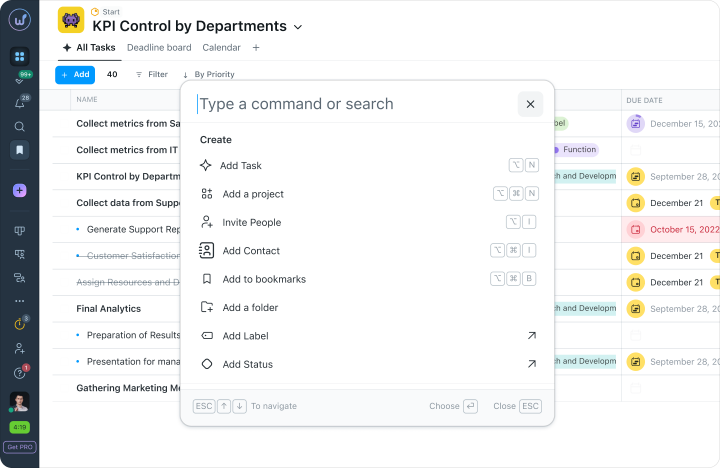
From here, you can quickly change the task name, add a colleague to the project, or copy a link. And if you want to peek at what other useful features have appeared on the platform, check the “Help” section in this menu, then “Latest Updates” to visit our blog and learn more.
A cheat sheet always at hand
No one forces you to memorize all combinations by heart. But if you suddenly forget which button does what, just press Ctrl + / or Cmd + /
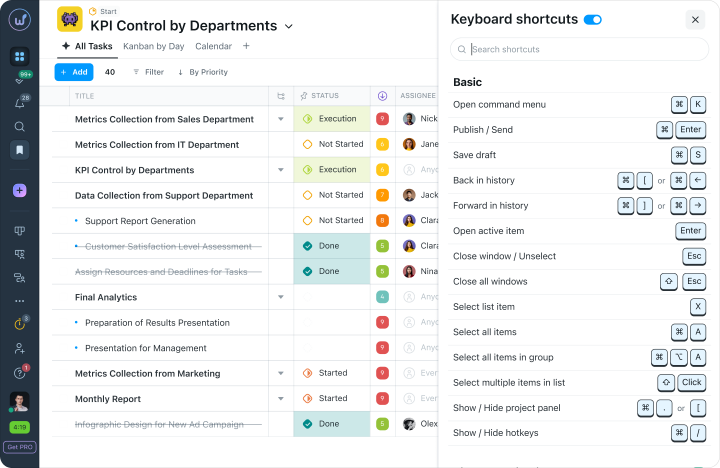
The system will display a neat cheat sheet with all the hotkeys on the screen. Look it up, remember, and keep working.
The main magic trio
To boost your efficiency and show that fast doesn’t always mean low quality, you can remember the following three combinations on the Worksection 2.0 platform.
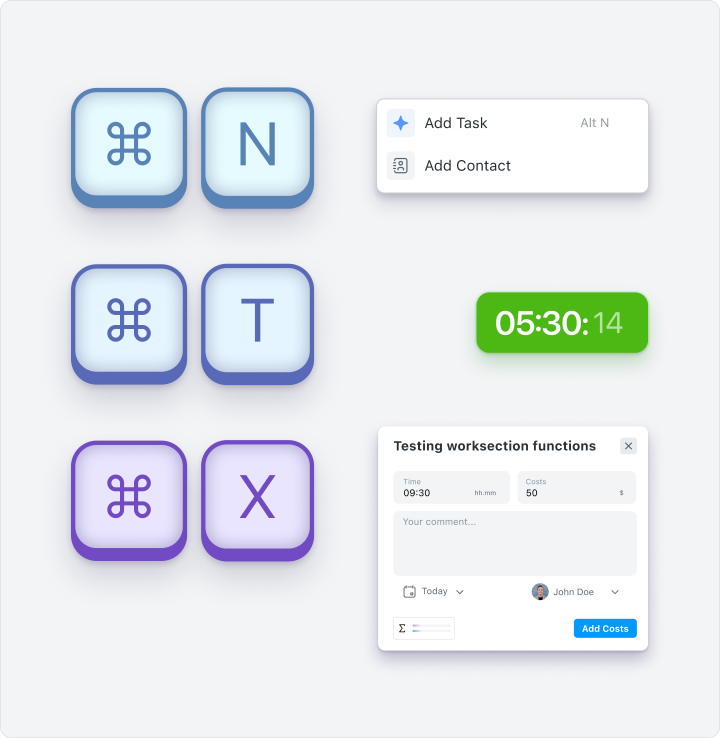
- Alt + N or Cmd + N creates a new task, and while the client talks about revisions during a call, you’ve already recorded the charge with a simple move.
- Alt + T or Cmd + T starts or stops the timer. This will be your favorite button if you don’t like calculating “how long we’ve been on this” by yourself.
- Alt + X or Cmd + X instantly opens the expenses block so you can quickly check the budget and ensure everything is going well or if something needs to change.
Management can be fast without annoying your fingers with constant clicking. All these cool features are already waiting for you on the Worksection 2.0 platform. Log in and see how fast and pleasant your daily task management can be!