Solutions
worksection
beta
help
How to view the history of events in a task?
All the important events related to the process of work on the task is reflected in the comments feed. The change of deadlines, priorities, change of executives and reassigning of labels are all part of an overall chronology now.
Notes about an event are visible to all the task's participants; however, the manager of the project has an option of deleting certain events from the feed1
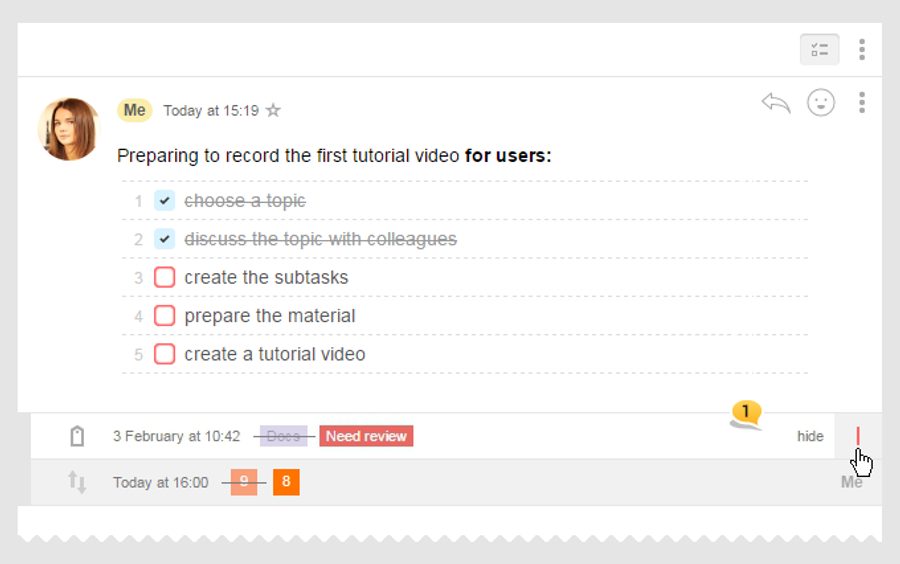
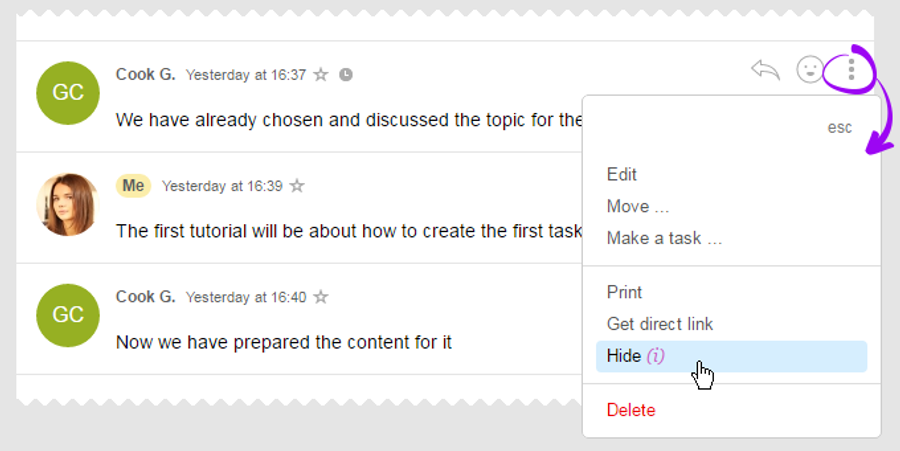
If by any reason events in the comments feed bother you, they can get hidden:
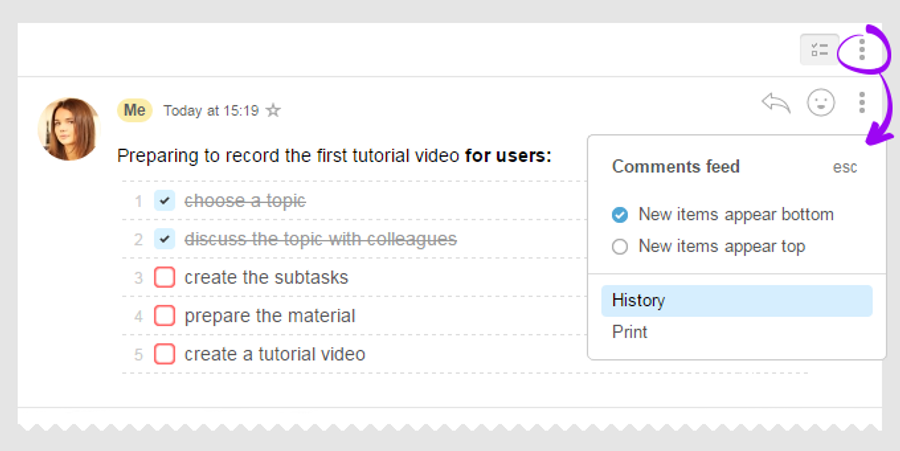
To access the full history of a task, just click on the "three dots" menu and choose the "History" option (this section is just for administrators):
Please note! Log of events is tracked from the moment of your account functionality update, and, therefore, you won't be able to see any old events in there.
Besides, you can filter comments by certain set parameters:
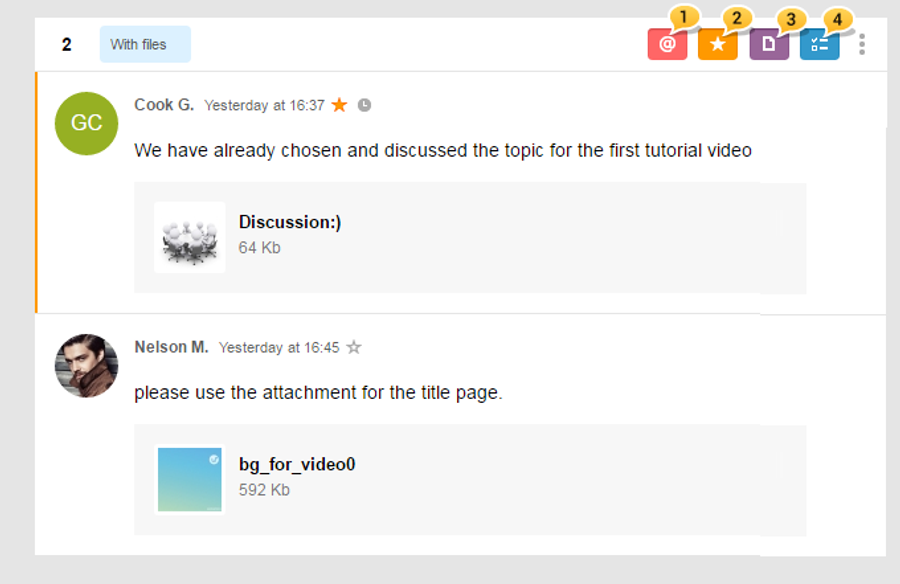
1 — by your being mentioned in the comments
2 — by selected comments
3 — by comments with files
4 — by comments with checklists
4 — by comments with checklists
Leave your review
Did this article help you?
Glad we could help! What was helpful?
Sorry this didn't help. What went wrong?

