Solutions
worksection
beta
help
What labels and indicators are available in the project panel?
The main labels and indicators in the project panel:
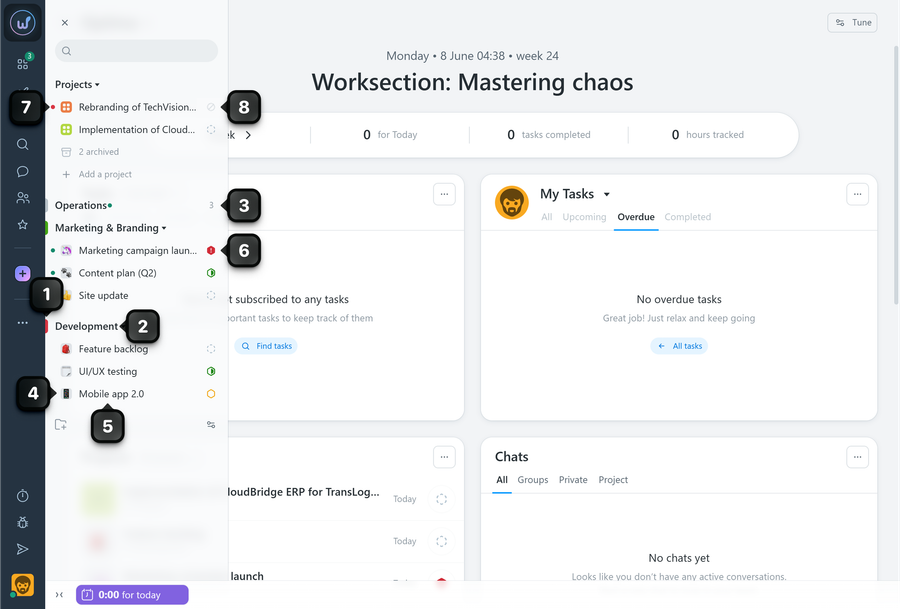
1 Folder color
2 Folder name
3 Project counter (displayed when the folder is collapsed)
4 Project icon/color. A customizable icon or color that helps visually distinguish projects.
5 Project name
6 Project status (available on PRO plans)
7 The color indicator can be green or red. If the project folder is collapsed, it is displayed next to the project counter indicator.
- Green means that you have been added to the project, but have not opened it yet.
- Red means that the project contains overdue tasks.
8 Not a participant - indicates that you are not participating in the project but can see it due to your administrative permissions.
Leave your review
Did this article help you?
Glad we could help! What was helpful?
Sorry this didn't help. What went wrong?

