Solutions
worksection
beta
help
What actions are available for a project folder in the project panel?
Permissions available to
- Account Owner
- Account administrator with the "Allow project management" and "Allow members management" permissions.
To perform quick actions on a folder, open the "Project panel" and hover over the folder name — a "three dots" button1 will appear. Click it to open the action menu.
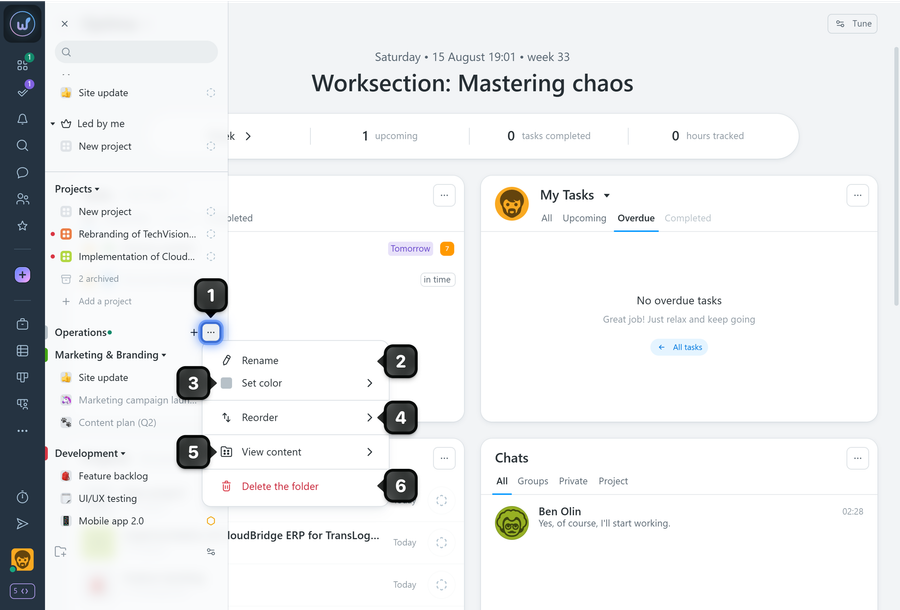
Available actions:
2 Rename
3 Set color
4 Reorder (move relative to others)
5 View contents — quick navigation to the folder's "Projects", "Tasks", "Calendar", and "Gantt Chart" pages
6 Delete folder (available to administrators with the appropriate permissions)
Leave your review
Did this article help you?
Glad we could help! What was helpful?
Sorry this didn't help. What went wrong?

