Solutions
worksection
beta
help
How do I search for projects in the panel?
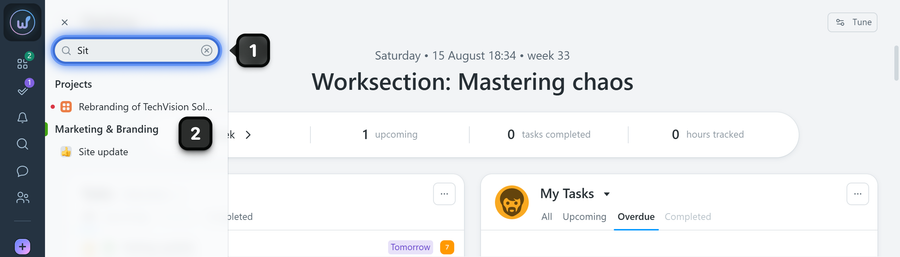
To use the search, open the project panel and click the search field1. Start typing the project name. The list below will narrow down to matching projects. Click the desired project2 from the list to open its page.
Tips
- Use unique parts of the name to filter the list more quickly.
- For frequent access, mark important projects with a star — they will appear in the "Starred" list above the main list.
Leave your review
Did this article help you?
Glad we could help! What was helpful?
Sorry this didn't help. What went wrong?

