Solutions
worksection
beta
help
How do I add a new project folder from the panel?
Project folders help organize initiatives by direction, team, or client. Add a separate folder to find the projects you need faster and keep your workspace tidy.
Permissions A folder can be created by:
- Account Owner
- Administrators with the "Allow creating projects" permission
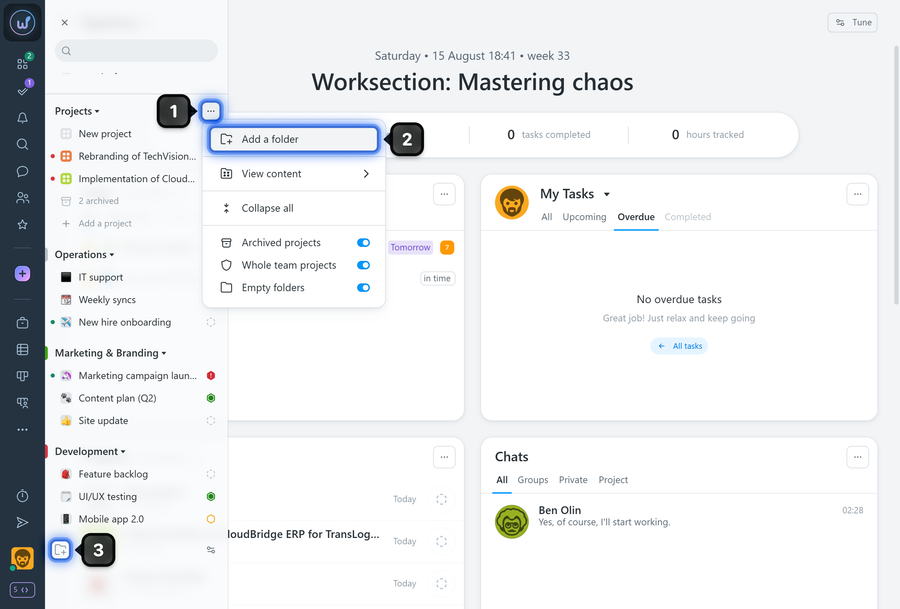
To add a new folder, open the "Project panel". Click the "Three dots" button1 on the default "Projects" folder and select "Add folder"2 from the menu, or scroll to the bottom of the list and click "Add folder"3.
In the window that appears, enter the folder name1, optionally choose a color2, and click "Create"3.
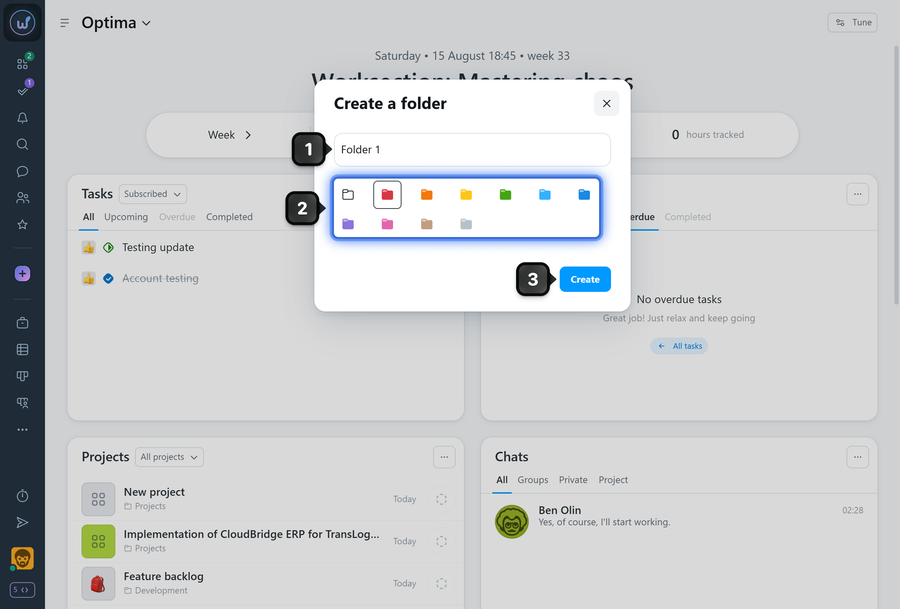
The new folder will appear in the folder list.
Leave your review
Did this article help you?
Glad we could help! What was helpful?
Sorry this didn't help. What went wrong?

