Solutions
worksection
beta
help
How do I leave a project via the project menu?
You can leave a project yourself via the action menu in the Project panel. This is useful if you were added by mistake or are no longer involved.
To leave a project, open the "Project panel". Hover over the desired project and click the "three dots" button1, select "Leave project"2 from the menu, and confirm the action3.
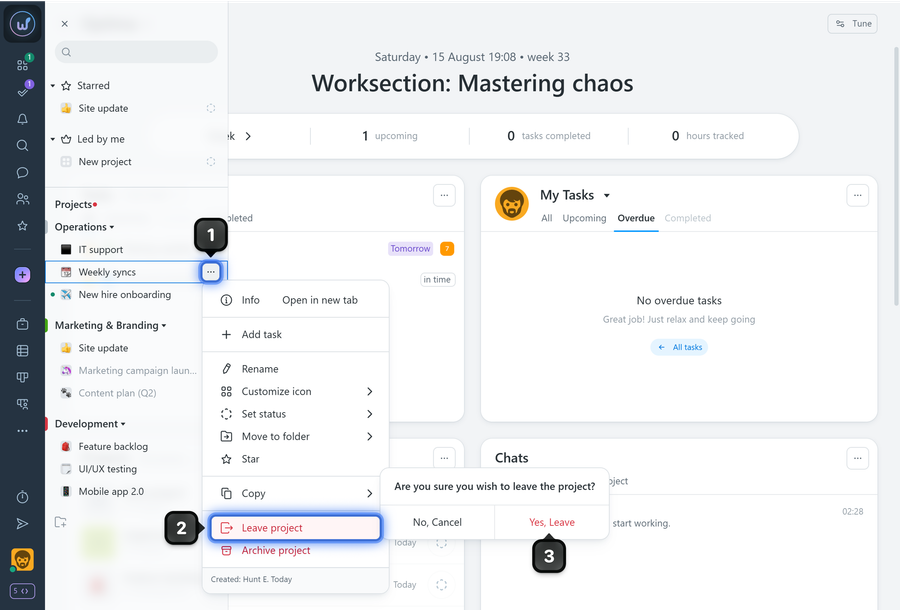
After leaving, you are no longer a project member — notifications and access to internal content will be restricted.
Leave your review
Did this article help you?
Glad we could help! What was helpful?
Sorry this didn't help. What went wrong?

