Solutions
worksection
beta
help
How to set up holidays and company day offs?
Setting up company day offs and holidays helps correctly plan task deadlines, workload, and Gantt chart display.
Permissions
- Account Owner
- Account Administrator with the "Access to account settings" permission
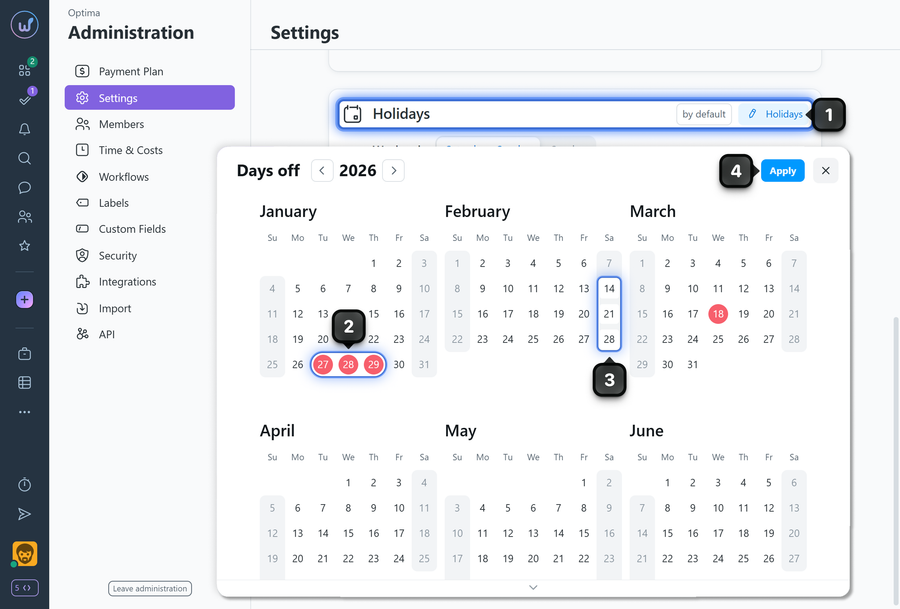
To set up company day offs, go to Account > Settings and follow these steps:
- Open the "Holidays" window.
- In the calendar, mark all company holidays.
- If needed, mark specific weekends as "working days" (e.g., when work days are rescheduled).
- Click "Apply".
Note Changes to weekends and holidays affect deadline scheduling and task display for all members of your account.
Leave your review
Did this article help you?
Glad we could help! What was helpful?
Sorry this didn't help. What went wrong?

