Solutions
worksection
beta
help
How to set up company working hours and work week?
Permissions:
- Owner
- Account Administrator with the "Access to account settings" permission.
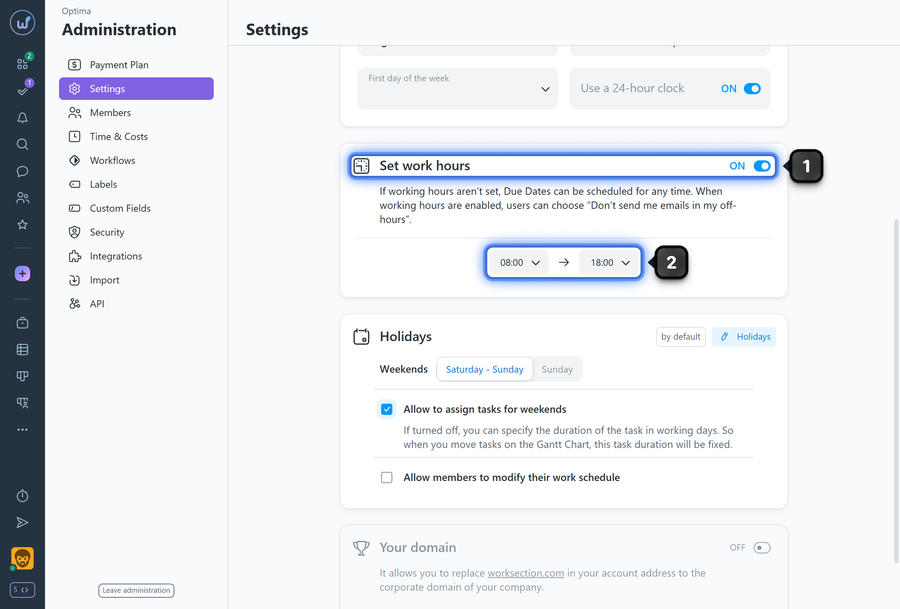
To set company working hours, go to "Administration" → "Settings":
- Enable the "Set work hours" option.
- Set the working hours interval (e.g., 09:00–18:00).
Weekends and holidays settings
You can switch between a 5- and 6-day workweek. To do this, simply set the indicator to the desired position1 ("Saturday - Sunday" or "Sunday").
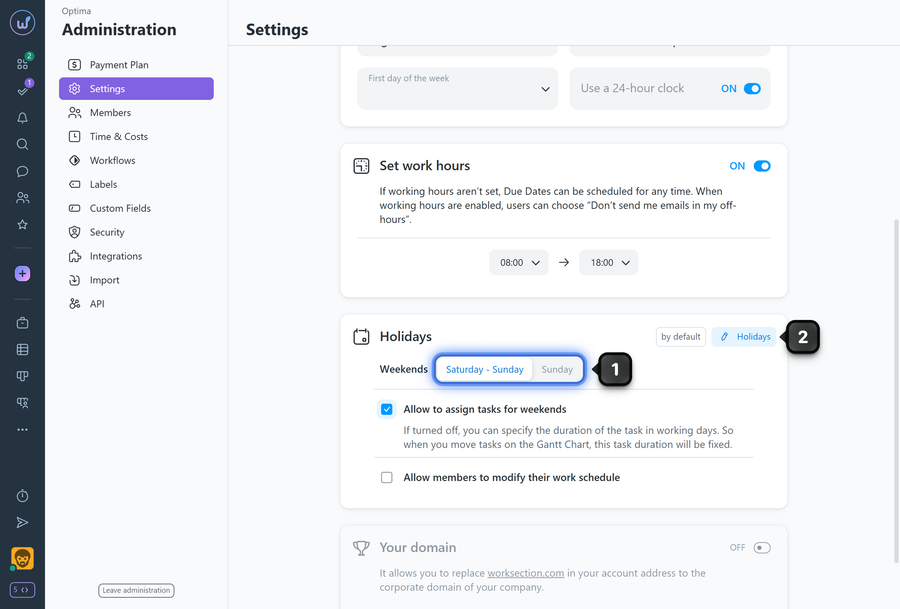
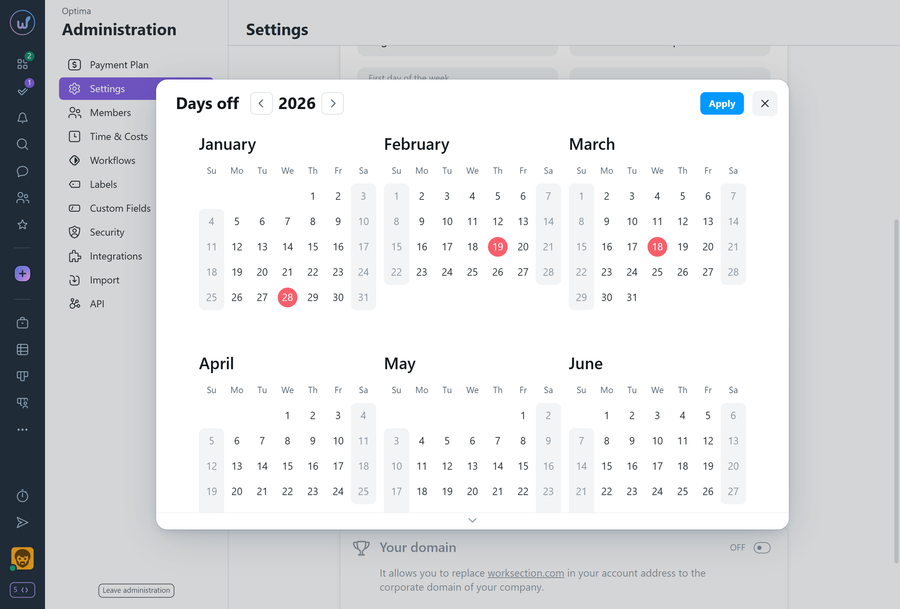
Options that affect task scheduling
- "Allow to assign tasks for weekends" — if disabled, deadlines/dates will not fall on weekends, vacations, or sick days.
- "Allow members to modify their work schedule" — members will be able to mark their own days off/sick days in their schedule.
Please note! If working hours restrictions are enabled, a user can activate the "Don't disturb during days off and off-hours" option in their profile — notifications about events will then only be delivered during the specified period.
Tips
- First agree on the new schedule with the team to avoid confusion with deadlines.
- After changes, inform members about the new rules for scheduling tasks on weekends.
Leave your review
Did this article help you?
Glad we could help! What was helpful?
Sorry this didn't help. What went wrong?

