Solutions
worksection
beta
help
How to set up the account time zone?
Permissions
- Owner
- Account Administrator with the "Access to account settings" permission.
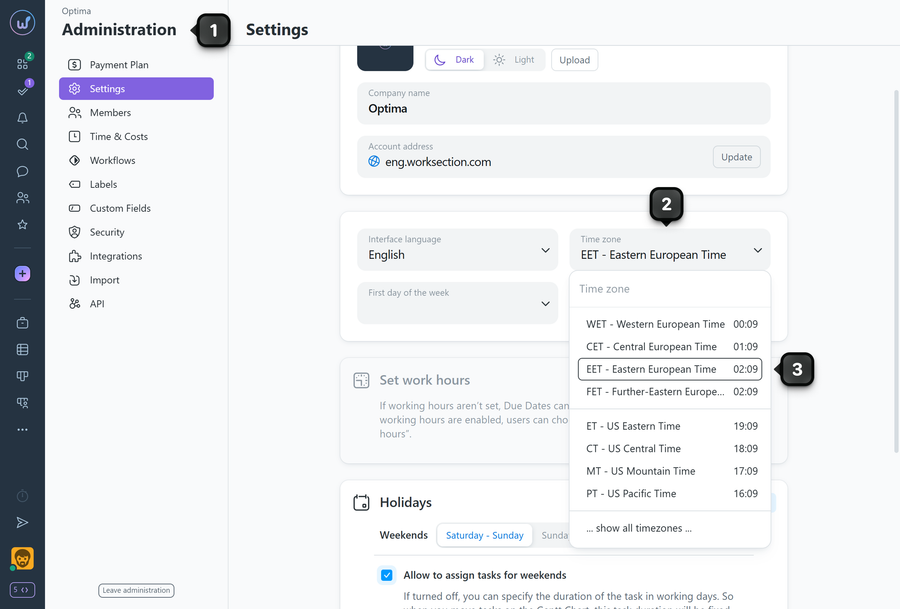
The time zone for the entire account is configured in "Administration" → "Settings".
Setup steps
- Go to "Administration" → "Settings".
- Find the "Time zone" field.
- Select the desired option from the list.
Please note!
- The list shows popular options. If the required zone is not there, click the bottom row "…show all timezones…" and select the desired zone from the full list.
- The time formatting of events, deadlines, and activity logs will be displayed according to the selected time zone.
Leave your review
Did this article help you?
Glad we could help! What was helpful?
Sorry this didn't help. What went wrong?

