Solutions
worksection
beta
help
How to set up the account interface language?
Permissions
- Owner
- Account Administrator with the "Access to account settings" permission.
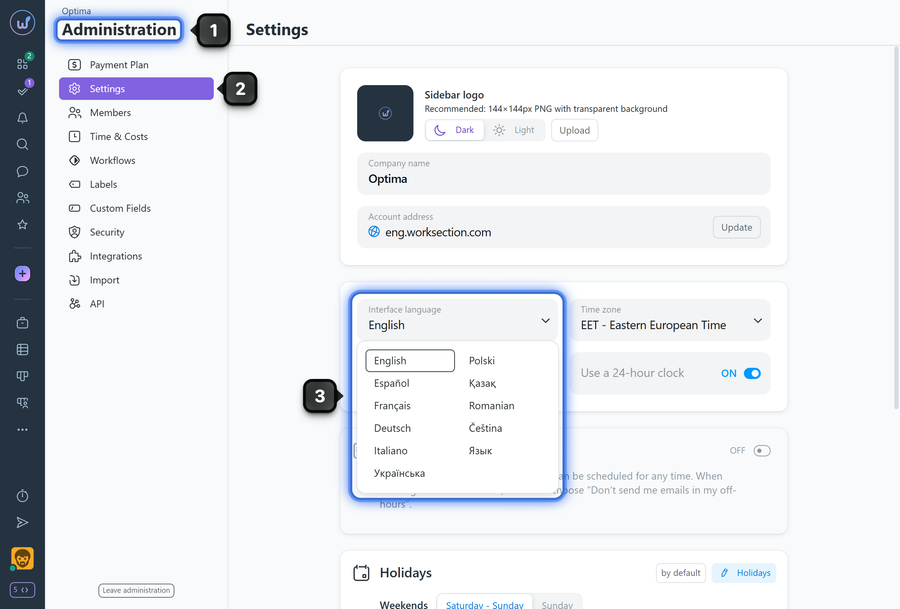
The interface language for the entire account can be set in "Administration" → "Settings" in the "Interface language" block:
- Go to "Administration".
- Open the "Settings" subsection.
- In the "Interface language" block, select the desired language from the list (English, Spanish, French, German, Polish, Romanian, Italian, Russian, Ukrainian, or Kazakh).
Please note!
- The selected language will be set as the default for all new users who register in the account.
- The interface language of already registered users will not change. If needed, they can change it manually in their profile.
Leave your review
Did this article help you?
Glad we could help! What was helpful?
Sorry this didn't help. What went wrong?

