Solutions
worksection
beta
help
How to navigate to the member administration page?
The "Members" page in administration allows you to invite new users, search and view account members, manage their project access, check invitation statuses, and configure related options.
Premissions The following can access this section:
- Account owner
- Account administrator with the "Access to account settings" permission
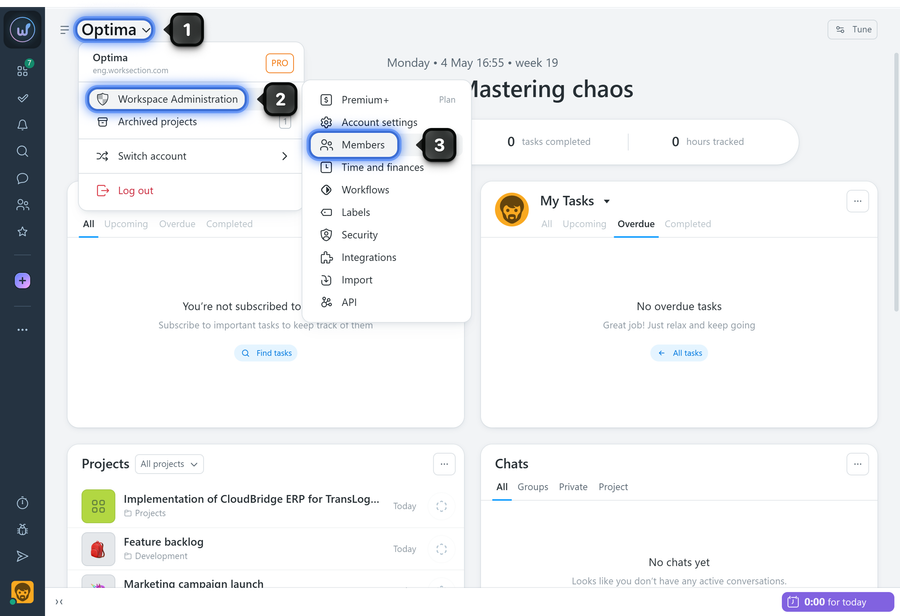
Click on the "Company name"1 and select "Administration"2 and "Members"3:
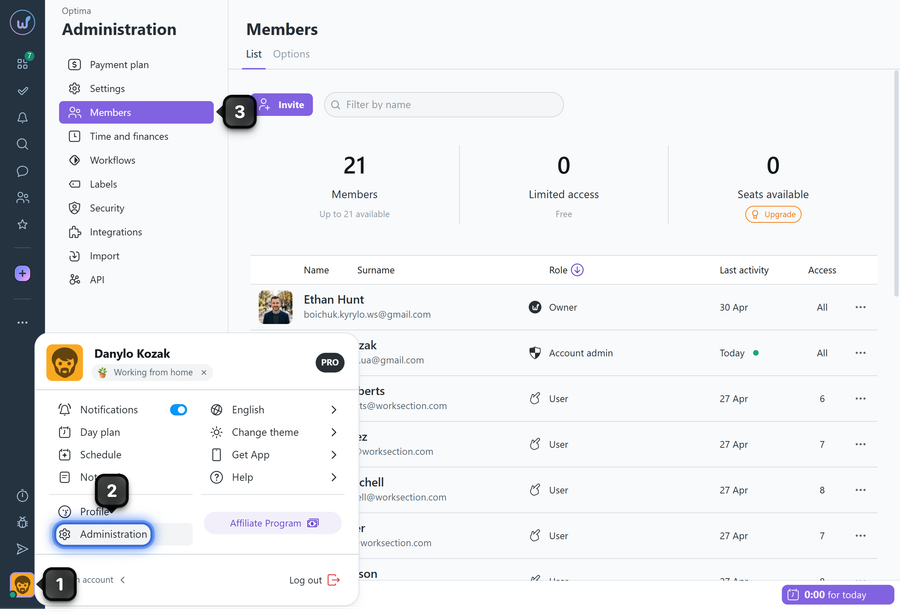
Alternatively, click on the avatar1 in the bottom-left corner and go to the Administration section2, then select "Members"3:
Leave your review
Did this article help you?
Glad we could help! What was helpful?
Sorry this didn't help. What went wrong?

