Solutions
worksection
beta
help
How do I change the display order of member lists?
Permissions available to
- Account Owner
- Account Administrator with the "Access to account settings" permission
To change the display order, open the "Members" page and go to the "Options" tab1
In the display settings block, choose the desired order2:
- name;
- surname;
- nickname.
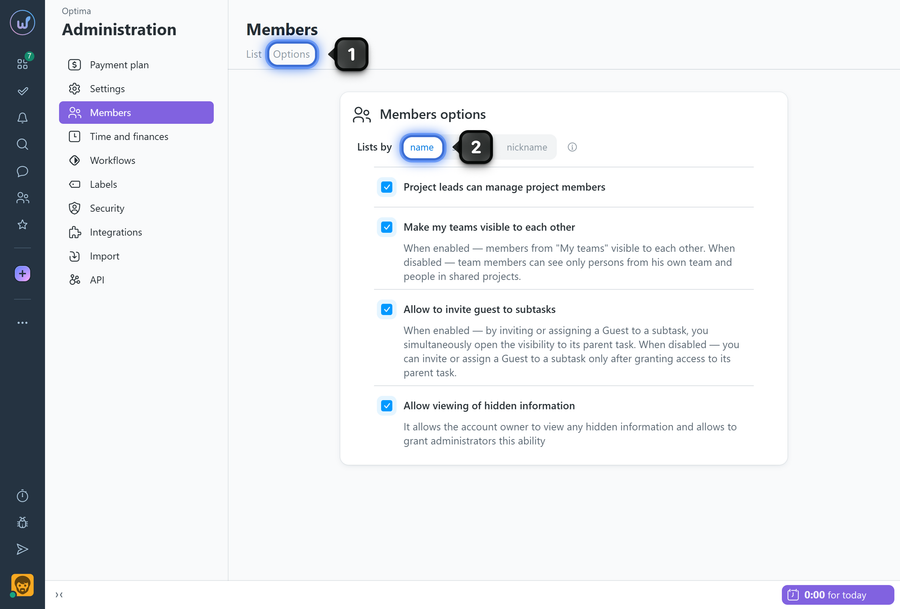
Changes are applied automatically.
How it works
- The setting is applied globally for the account and affects the display for all account members.
- The selected order determines how members are sorted in member lists throughout the system.
Leave your review
Did this article help you?
Glad we could help! What was helpful?
Sorry this didn't help. What went wrong?

