Solutions
worksection
beta
help
How do I allow the owner and administrators to read private tasks and comments?
Permissions available to
- Account Owner
- Account Administrator with the "Access to account settings" permission
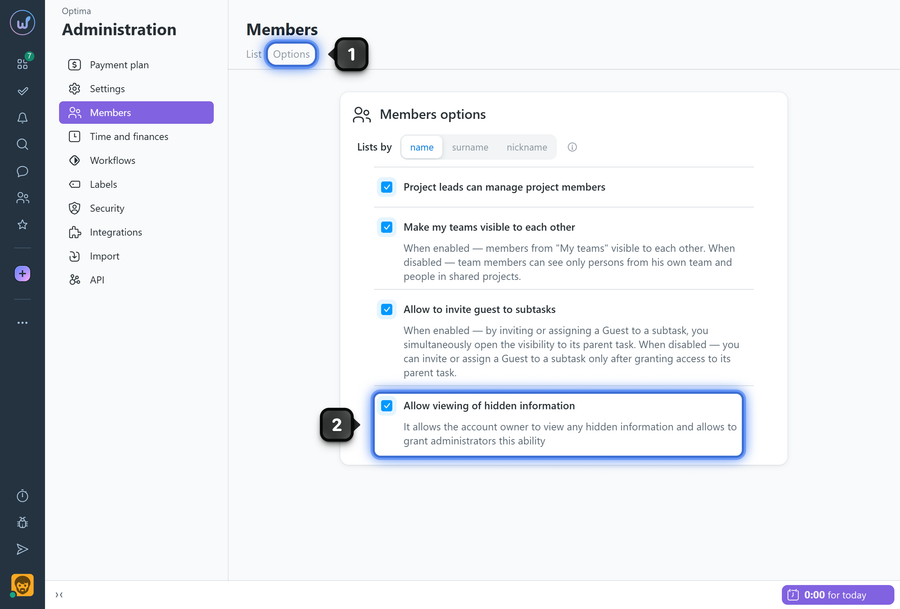
To enable/disable the option, open the "Members" page and go to the "Options" tab1. Enable the "Allow viewing of hidden information" option2 — the account owner will start seeing private tasks.
How it works
- The owner can always view tasks/comments/files with restricted visibility when the option is enabled.
- Administrators can view private content only if they have been granted a separate permission in their role settings.
- If the option is disabled, private tasks/files/comments are visible only to users explicitly listed in the visibility settings of those specific tasks.
Leave your review
Did this article help you?
Glad we could help! What was helpful?
Sorry this didn't help. What went wrong?

