Solutions
worksection
beta
help
What does the "Project leads can manage its members" option do?
Permissions available to
- Account Owner
- Account Administrator with the "Access to account settings" permission
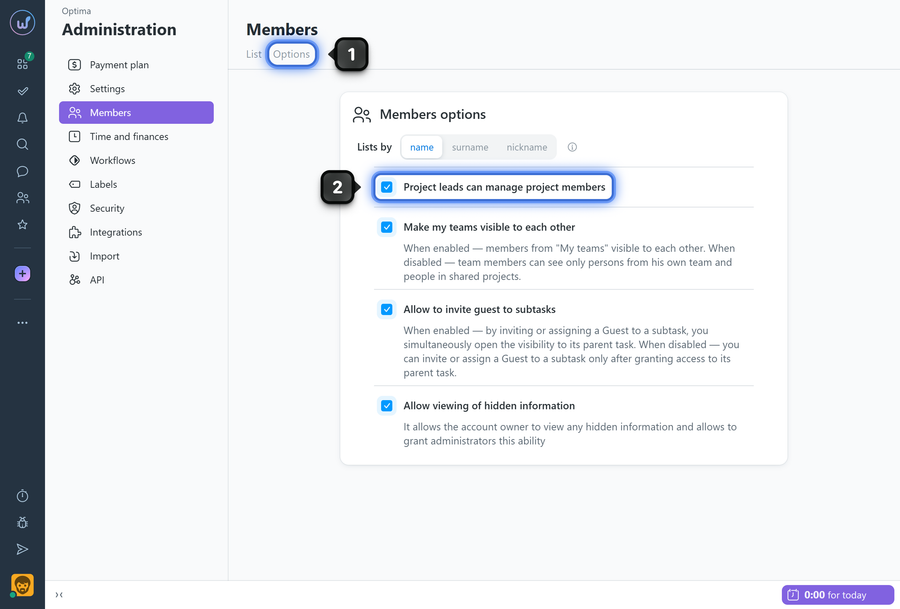
To change the setting, open the "Members" page and go to the "Options" tab1.
Enable or disable the "Project leads can manage its members" option2.
How it works
- When enabled, users and administrators (without the "manage members" permission) can manage the member list in projects where they hold the Project Lead role.
- Access is managed through the corresponding project interface elements (adding/removing members).
Please note! The option does not grant leads the right to change global user roles in the account or other settings outside their projects.
Leave your review
Did this article help you?
Glad we could help! What was helpful?
Sorry this didn't help. What went wrong?

