Solutions
worksection
beta
help
How do I allow guests to be invited to subtasks?
Permissions available to
- Account Owner
- Account Administrator with the "Access to account settings" permission
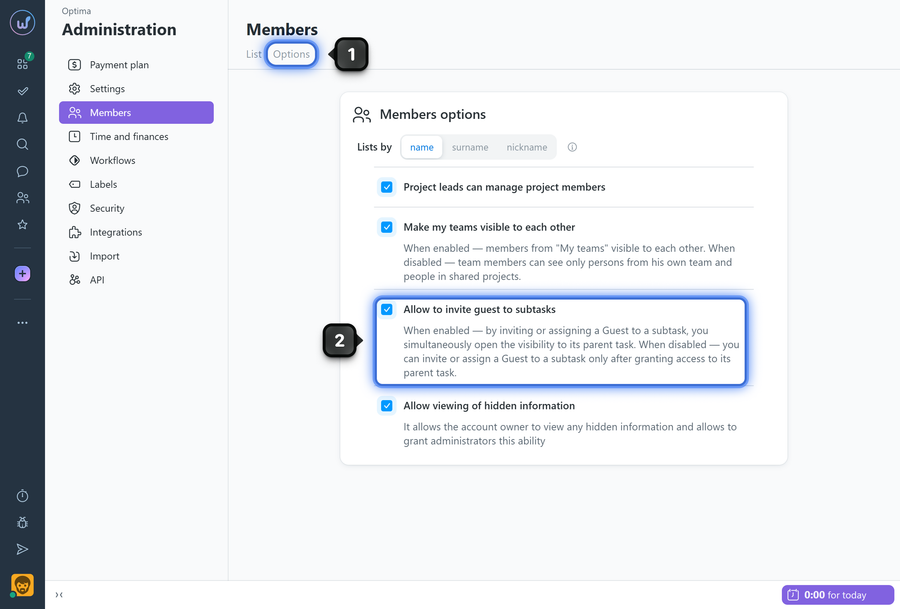
To enable the option, open the "Members" page and go to the "Options" tab1.
Enable the "Allow to invite guest to subtasks" option2.
How it works
- When a guest is added directly to a subtask, the system automatically grants them access to the parent task.
- With the option disabled, you must first add the guest to the parent task before adding them to the subtask.
Leave your review
Did this article help you?
Glad we could help! What was helpful?
Sorry this didn't help. What went wrong?

