Solutions
worksection
beta
help
How to change quotas in the current plan?
When you are approaching the limits for users or storage, you can expand the quotas within your current plan.
Permission is available to:
- Account owner
- Account administrator with the "Access to account payment" permission
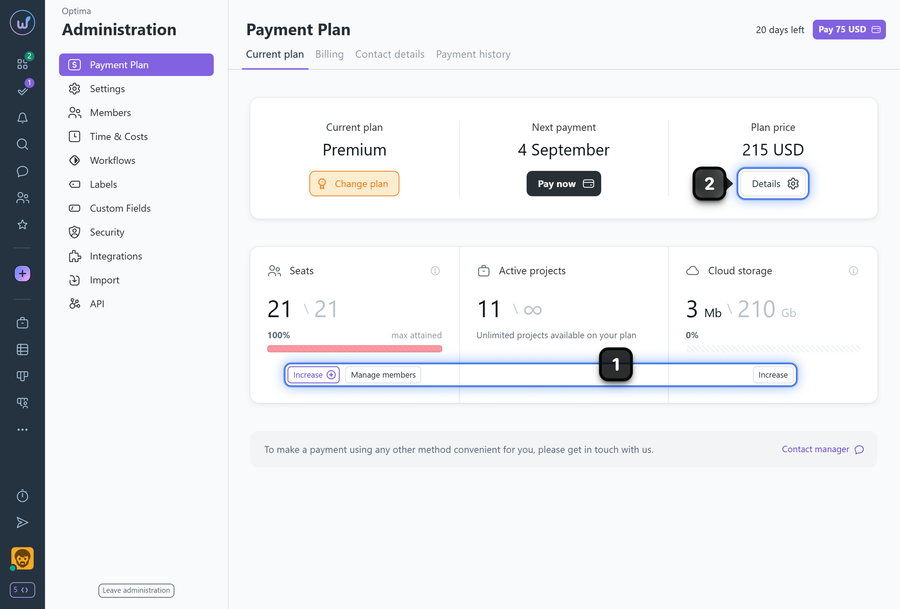
To change quotas in the current plan, go to Administration → Payment plan.
In the "Users" and "Storage" blocks, click "Increase"1 or click the "Details" button2.
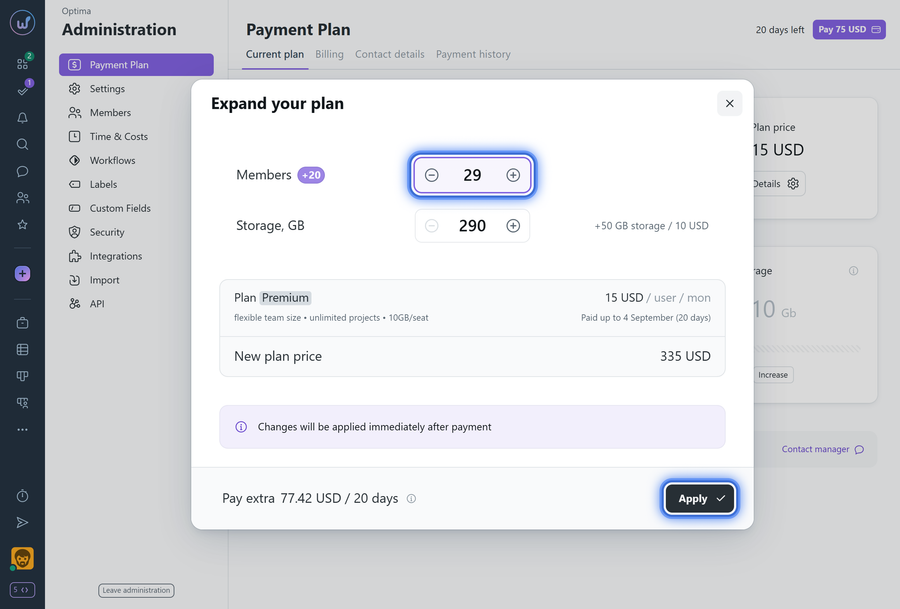
In the window that appears, use the "+" and "−" buttons to increase or decrease the limits for users or storage. After adjusting the limits, click "Apply" to apply the new limits.
Please note!
- It is not possible to reduce the limit below the current actual usage.
- Changes affect the subscription cost according to the plan terms.
Leave your review
Did this article help you?
Glad we could help! What was helpful?
Sorry this didn't help. What went wrong?

